

If you’ve ever watched ChatGPT lose track of a conversation mid-session, you already know the frustration. Why does ChatGPT forget things that were discussed just a few exchanges ago? The answer isn’t a bug, a glitch, or a random server hiccup.
Most users assume the model is building a mental record of every exchange. It isn’t. AI tools like ChatGPT operates within a fixed context window, a hard token limit that defines exactly how much text it can process at once. Once that limit fills, older content gets quietly dropped.
This affects two distinct scenarios: mid-conversation memory loss and full cross-session resets. Both stem from the same root cause. Understanding the difference is the first step toward building workflows that actually hold together over time.
Why Does ChatGPT Forget Things – TL;DR Quick Start
- ChatGPT has no persistent memory by default, it reads only what’s in the current session
- The context window is the hard limit on what it can “see” at once
- ChatGPT suddenly forgets everything when that window fills or a new session starts
- Projects, Memory, and custom instructions are the three practical fixes
- For long-running workflows, structured external memory beats relying on ChatGPT alone
The Context Window: Why ChatGPT Is Built To Forget
Most people assume ChatGPT works like a person, building a mental model of you over time. It doesn’t. Every response it generates is based entirely on the text currently inside its context window. Nothing more.
Think of the context window as a scroll of paper. The model can only read what’s on the visible portion. Once text scrolls off the edge, it’s gone. The model has no access to it.
What Is A Context Window, Technically?
A context window is the maximum number of tokens a model can process in a single inference call. A token is roughly 0.75 words in English.
- GPT-3.5 Turbo – approximately 4,096 tokens (~3,000 words)
- GPT-4 – up to 8,192 tokens in standard versions (~6,000 words)
- GPT-4 Turbo – up to 128,000 tokens in extended versions
- Claude (Anthropic) – up to 200,000 tokens in current models
When a conversation exceeds the active context window, older messages get dropped silently. The model doesn’t tell you this happened. It just stops referencing those earlier exchanges. That’s the ChatGPT memory issue users notice most, not a system crash, just a quiet cut-off.
Why Longer Chats Trigger The Problem Faster
The longer a conversation runs, the more tokens it consumes. System prompts, assistant responses, and user messages all count. A data-heavy session, say, pasting a CSV structure, asking follow-up questions, refining output, can burn through context faster than most users expect.
Here’s the catch. When the window fills, the model doesn’t warn you. It begins generating responses as if earlier context never existed. You ask a question that was answered three exchanges ago. It gives you a contradictory answer. That’s the ChatGPT keeps forgetting everything problem in technical terms.
Also Read: Cursor Vs. ChatGPT
Cross-Session Memory: The Second Type of Forgetting
There are actually two distinct memory problems. The first is in-session context overflow, covered above. The second is cross-session amnesia, and this one surprises more users.
ChatGPT does not retain any information between separate conversations by default. Each new chat starts from zero. No name, no preferences, no prior context.
You could have a three-hour session that produced detailed, refined output, start a new chat, and the model has no record of it.
Why This Happens By Design
This is not an oversight. It’s a deliberate architectural decision tied to stateless inference. Each API call is independent. The model processes the input, generates output, and discards everything. There is no background process storing your session to a user profile.
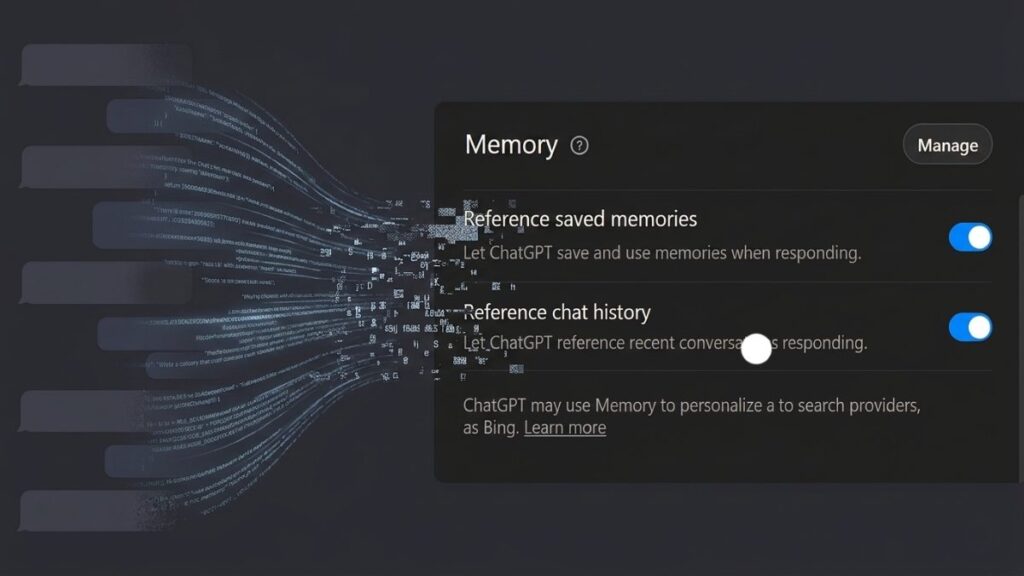
OpenAI introduced Memory as an optional layer on top of this stateless system. When enabled, selected facts from your conversations get saved as text snippets and automatically inserted into future system prompts. It’s a retrieval mechanism, not true persistent memory.
This explains a common user report: “ChatGPT suddenly forgot everything.” In most cases, either Memory was disabled, the memory store hit its limit, or the user switched accounts or models.
How Memory Actually Works In ChatGPT
The Memory feature in ChatGPT (available to Plus, Team, and Enterprise users) works like this:
- During a conversation, the model identifies facts worth saving
- Those facts are written to a memory store, a text list
- On future conversations, relevant memories are prepended to the system prompt
- The model then “knows” those facts because they’re in the active context window
Important: This is not recall from a database in real time. It’s pre-loaded text. If the memory store fills up, older entries get removed to make space. That’s why some users notice the model suddenly losing facts they thought were permanent.
How To Manage Your Memory Store
- Go to Settings → Personalization → Memory in ChatGPT
- Review saved memories manually
- Delete outdated or incorrect entries
- You can instruct ChatGPT directly: “Remember that I prefer Python over R for data pipelines”
Now, important part. Relying on automatic memory management is risky for professional or technical workflows. You need a more deliberate structure.
Projects: The Most Reliable Fix For The ChatGPT Memory Issue
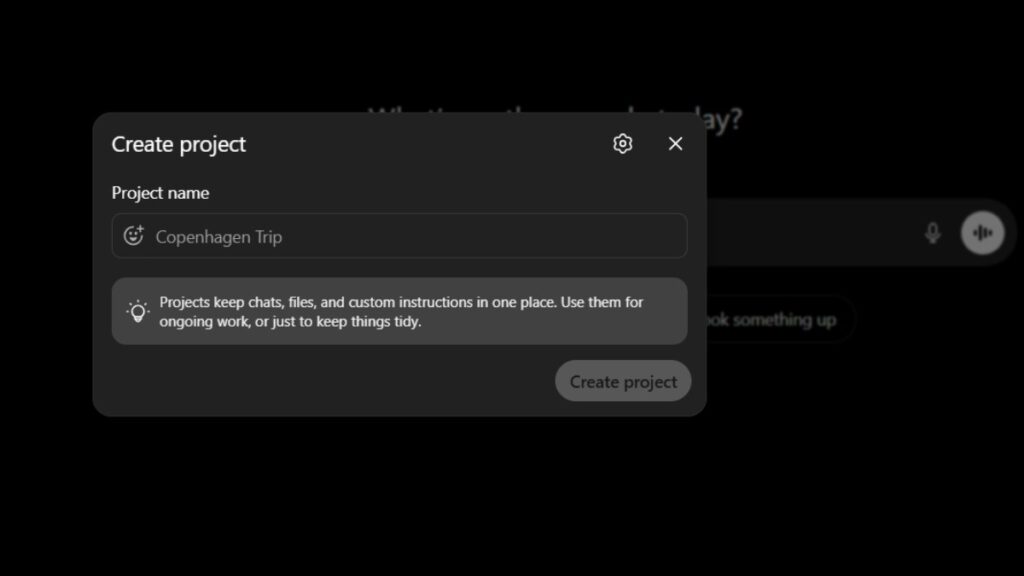
ChatGPT Projects are the best native solution for users who need continuity across multiple sessions. A Project is a persistent container that holds:
- A custom system prompt (Project instructions)
- Uploaded files and documents
- All conversations linked to that Project
Unlike a standard chat, conversations inside a Project share the same instructions and uploaded context every time you open them. The model reads those on every session start.
This is not cross-session memory, it’s pre-loaded context. The distinction matters technically, but the practical result is the same: the model behaves consistently.
Setting Up A Project For Recurring Workflows
Follow these steps to configure a Project properly:
1. Open ChatGPT and select New Project from the sidebar
2. Name it clearly, match it to the domain (“Data Pipeline QA”, “Client Reporting – Q3”)
3. Write a Project instruction block covering:
- Your role and the AI’s role
- Relevant background (tools used, data formats, naming conventions)
- Preferred output format
- What the model should never do
4. Upload reference files (schema docs, templates, style guides)
5. Always open that Project, never start a new chat for the same topic
Here’s the catch with Projects. Files count toward context. Large uploads reduce the token space available for your actual conversation. Keep reference documents concise and structured.
Custom Instructions: Session-Level Memory Without Projects
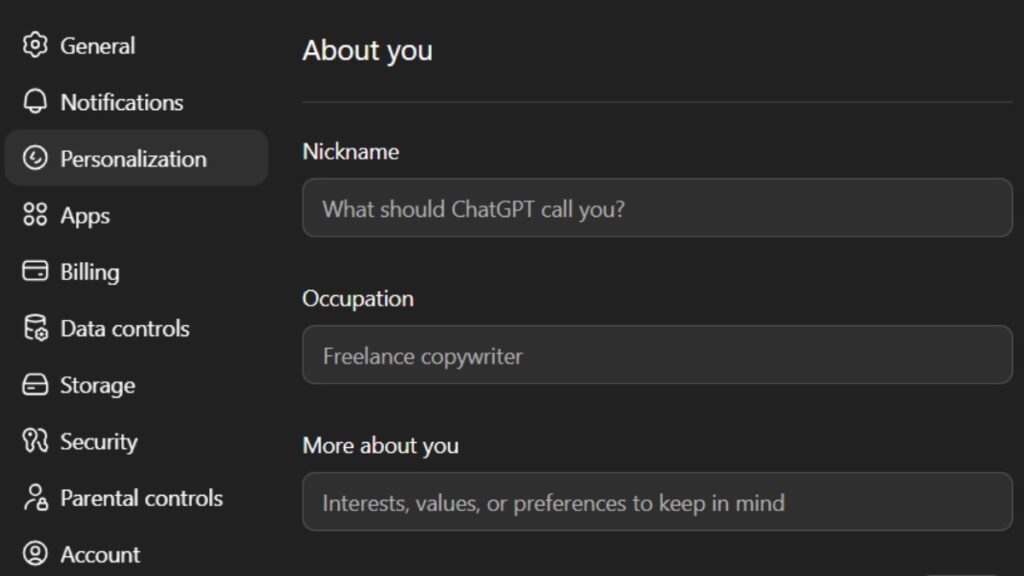
Custom Instructions (under Settings → Personalization) let you define persistent preferences that apply to every new chat, even outside Projects. Two fields are available:
- What would you like ChatGPT to know about you? background, expertise, role
- How would you like ChatGPT to respond? format, tone, output structure
This doesn’t solve cross-session memory for project-specific data. But it gives the model a stable baseline about who you are and how you work. For a data analyst, this might include:
- Primary tools (SQL, Python, dbt, Tableau)
- Preferred output format (markdown tables, bullet summaries, raw code)
- Domain context (financial data, healthcare records, e-commerce metrics)
What Doesn’t Work: Common Misconceptions
Users frequently try approaches that don’t solve the underlying problem.
Repeating context manually in every session: This works short-term but doesn’t scale. It also consumes tokens you could use for actual work.
Assuming the model will “figure it out”: It won’t. If the context isn’t in the window, it isn’t accessible. Period.
Switching to a different GPT model mid-project: Each model version has its own memory store. Switching loses accumulated memories associated with the prior model.
Expecting Memory to work like a relational database: Memory is a flat text list. It doesn’t support structured queries, versioning, or priority weighting.
Frequently Asked Questions (FAQs)
Why does ChatGPT forget things even within the same conversation?
This happens when the conversation exceeds the active context window. Older messages get dropped silently to make room for new tokens. The model continues generating responses without access to the dropped content, which causes inconsistencies.
Why did ChatGPT suddenly forget everything between sessions?
Each new chat starts with a clean context by default. If Memory was enabled and you noticed a sudden reset, it’s likely the memory store was cleared, a privacy setting changed, or you switched to a model version with a separate memory store.
Does enabling Memory fully solve the ChatGPT memory issue?
Partially. Memory saves selected facts and reloads them into future sessions. But it’s not unlimited, the store has capacity constraints, and the model decides autonomously what to save. For structured, professional workflows, Projects with explicit instructions are more reliable.
What’s the difference between Memory and Projects in ChatGPT?
Memory is a global, model-managed fact store that applies across all chats. Projects are user-defined containers with custom instructions and uploaded files that apply only within that Project. Projects give you more direct control over what context the model receives at the start of each session.
Final Thoughts
The ChatGPT memory issue is not random and it’s not getting quietly fixed in a future update. The context window is a hard architectural boundary. Cross-session amnesia is a design choice, not a defect. Once you understand both, you stop fighting the system and start working with it.
For most professional workflows, the combination of Projects with well-written instructions, Custom Instructions for baseline preferences, and deliberate Memory management covers 90% of continuity needs.
For high-volume, long-running work, consider supplementing with external memory layers, vector databases, retrieval-augmented generation pipelines, or structured prompt templates stored outside the model.
The model doesn’t remember you. That’s the baseline. Build your workflow assuming that, and the forgetting stops being a problem.

Add your first comment to this post