


Most SEO teams know what needs to get done, but execution often slows down as complexity grows. Content planning, brief creation, and SEO documentation can consume hours each week.
The problem becomes worse when multiple stakeholders and handoffs are involved. ChatGPT, in this situation, can cut through this friction (by adding a productivity layer).
When tasks follow explicit rules, teams can plan, document, and execute repetitive work faster and more consistently. The real power comes from guided use and careful review, not just hitting “generate.”
In this detailed guide, you’ll see how big teams use ChatGPT for SEO as a practical execution layer. I’ll also share where it truly adds value and which traditional SEO tools remain essential.
Let’s get started!
TL;DR Quick Start
If you want to use ChatGPT for SEO professionally, start with clearly defined tasks and constraints. Treat ChatGPT as an execution assistant that helps you move faster, not as a decision-maker. Always review outputs with human oversight before implementation.
Key Use Cases
- Content Planning: Keyword intent mapping, structured content briefs, content gap identification
- On-Page SEO: Title tags, meta descriptions, heading structures
- Technical SEO: Canonical rules, pagination logic, indexation guidelines, schema markup, internal linking
- Team Processes: SOPs, checklists, QA workflows
| SEO Task | Prompt Example |
| Keyword Intent Mapping | “Group these keywords by search intent and suggest page types for each group.” |
| Content Brief Creation | “Create an SEO content brief for [primary keyword], include H2/H3 headings, secondary keywords, internal links, and suggest an email opt-in angle.” |
| Title Tags | “Generate 5 title tag variations for a blog post targeting the keyword ‘SEO content planning.’ Each title should be under 60 characters, place the keyword near the beginning, and use modifiers such as ‘Guide,’ ‘Tips,’ or ‘2025.’ Provide clear, clickable options ready for review.” |
| Meta Descriptions | “Write 5 meta descriptions for a page targeting the keyword ‘SEO content planning.’ Each description should be under 160 characters, match informational intent, include a call-to-action, and highlight key benefits. Provide clear, user-friendly options ready for review.” |
| Heading Structure | “Create a heading structure for a blog post about ‘SEO content planning.’ Include one H1 with the primary keyword, 3–5 H2 sections, and H3s for subpoints. Make sure headings are clear, keyword-friendly, and maintain logical flow.” |
Pro Tip: Use these prompts as templates across campaigns.
Review, refine, and adapt for each project.
What ChatGPT Can and Cannot Do For SEO
Based on my experience managing SEO for multiple clients, ChatGPT serves best as a powerful execution assistant, not a substitute for SEO expertise. It excels at streamlining planning, creating documentation, and handling repetitive tasks.
Its effectiveness, however, depends on how clearly tasks and expected outputs are defined. Below is a breakdown of tasks ChatGPT can handle without difficulty versus those that still require specialized SEO tools:
SEO Tasks ChatGPT Handles Well
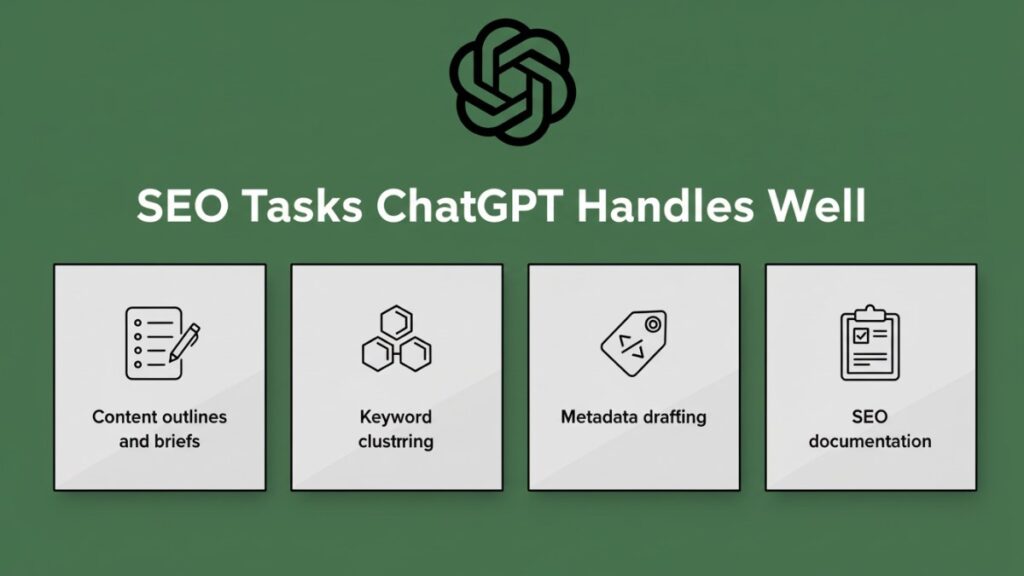
ChatGPT excels at structured, logic-driven SEO tasks that save hours of repetitive work. I rely on it to create a strong starting point for content briefs, keyword organization, and metadata so that I can focus on refining strategy and adding the human touch.
How I put ChatGPT to work:
- Content outlines and briefs: Turn keywords, page intent, and audience insights into structured drafts to reduce setup time while keeping content aligned with strategy.
- Keyword clustering: Organize large keyword lists by intent or topic to make it easier to identify and prioritize high-impact clusters.
- Metadata drafting: Draft title tags and meta descriptions that follow length and keyword standards, then refine for brand voice and SERP visibility.
- SEO documentation: Generate SOPs, checklists, and guidelines that ensure consistency across projects and speed up onboarding for team members.
SEO Tasks That Still Need Tools
Some SEO tasks require live data or specialized platforms that ChatGPT cannot fully replace. These tasks need dedicated tools to ensure accuracy and actionable insights.
Where I still rely on tools:
- Rank tracking: Staying on top of SERP positions requires up-to-date metrics. ChatGPT can help summarize trends, but tools like Google Search Console or Ahrefs provide the precise monitoring needed.
- Crawl analysis: Identifying indexation issues, broken links, or duplicate content demands raw data from crawlers. ChatGPT can suggest solutions once the data is available, but it cannot perform the crawl itself.
- Competitor monitoring: Continuously tracking backlinks, rankings, and content performance is critical. AI can help synthesize insights after exporting the data, but ongoing monitoring relies on tools like SEMrush or Ahrefs.
Also Read: ChatGPT For Content Marketing
Using ChatGPT For SEO Content Planning In 3 Simple Steps
The first way I put ChatGPT to work is for content planning. Even high-quality content can fail if it doesn’t align with user intent.
With organic search driving over 53% of website traffic, having a clear, structured plan is essential. Skipping proper planning often leads to content that underperforms.
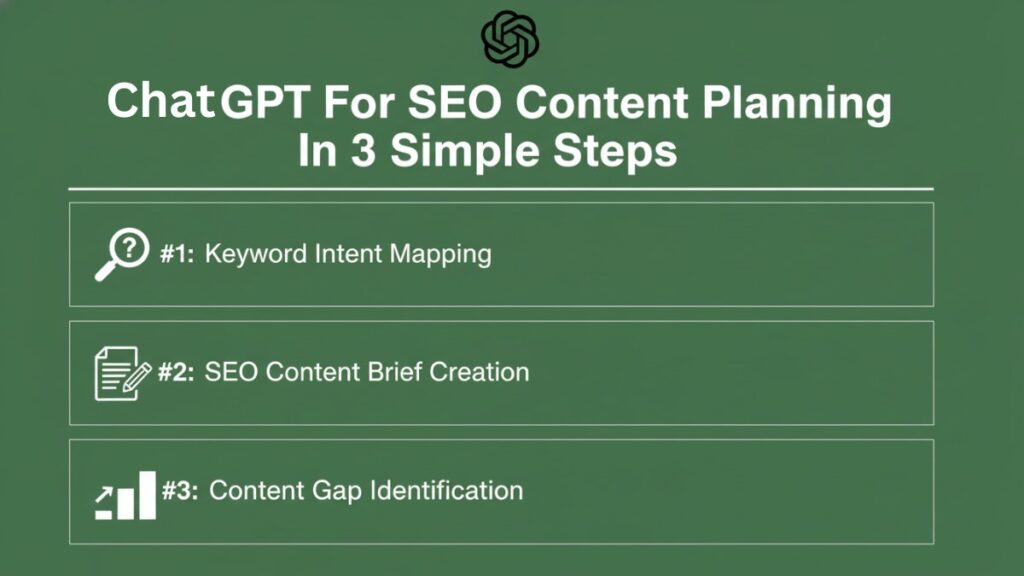
ChatGPT helps streamline this process by cutting hours of repetitive work while keeping the strategy on track. I use it to map user intent, generate detailed content briefs, and identify gaps in existing content. Let’s see how this process progresses:
Step #1: Keyword Intent Mapping
Keyword intent is the cornerstone of effective SEO. Without it, content risks reaching the wrong audience. I’ve seen teams produce dozens of pages that appear optimized but never rank because intent wasn’t considered.
Here’s how I categorize intent:
- Informational intent: Users are seeking answers or guidance. Example: “How to optimize website speed.” Content should educate, explain, and solve problems.
- Commercial intent: Users are researching options before making a decision. Example: “best SEO tools for agencies.” Content should compare solutions and guide decision-making.
- Transactional intent: Users are ready to take action. Example: “buy premium SEO software.” Focus on conversions with clear CTAs and actionable steps.
A practical way to leverage ChatGPT is by feeding it keyword lists along with these intent definitions. It will cluster terms and quickly identify high-value opportunities.
| Prompt example: “Group these keywords by search intent and suggest page types for each group.” |
Once the clusters are ready, I always validate them against search volume and relevance. Proper intent mapping ensures the content plan attracts traffic that truly matters.
Step #2: SEO Content Brief Creation
Once keyword intent is mapped, I move on to creating structured content briefs. Over time, I’ve found that clear, detailed briefs save hours during content creation and keep everyone on the same page, whether it’s me writing, collaborating with a team, or coordinating with a client.
A solid brief usually includes:
- Primary keyword
- Secondary keywords and variations
- Suggested H2/H3 headings
- Internal link targets
- Suggested call-to-actions or email capture points
I often use ChatGPT to draft the initial brief, including headings and link suggestions. For example, I feed it a prompt like:
| “Create an SEO content brief for [primary keyword], include H2/H3 headings, secondary keywords, internal links, and suggest an email opt-in angle.” |
Step #3: Content Gap Identification
Content gaps are often overlooked opportunities. Without a clear strategy, competitors can capture traffic that should be yours. I use ChatGPT to analyze existing pages alongside competitor content to uncover missing topics or subtopics.
The workflow I follow:
- Supply ChatGPT with the current content outline.
- Add competitor headings or summaries for context.
- Ask ChatGPT to highlight missing subtopics and suggest areas for expansion.
- Prioritize gaps based on intent and business value.
Addressing these gaps improves content relevance, user satisfaction, and ranking potential. By combining keyword intent mapping, structured content briefs, and gap analysis, I’ve built a repeatable planning system that consistently drives results.
Also Read: ChatGPT For Sales Outreach
3 Steps To Use ChatGPT For On-Page SEO
On-page SEO can make or break a page’s performance. It’s one of the key factors determining whether a website ranks in the top three positions for target keywords.
Remember, these top positions (and the first page) are where over 75% of users never scroll past. This means if your page isn’t optimized to appear here, most potential visitors will never see it.
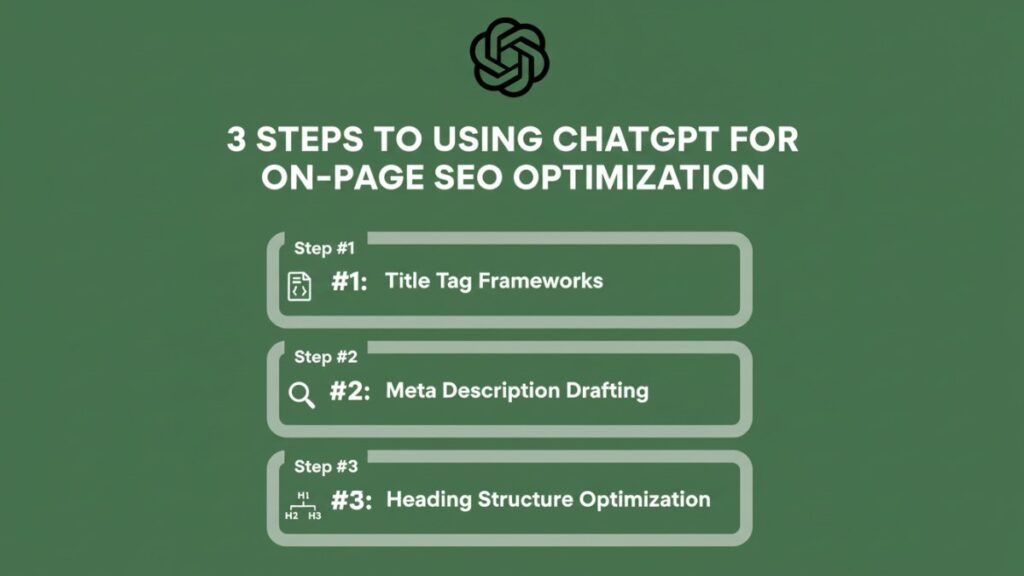
Before I started using ChatGPT, optimizing dozens of pages was time-consuming and repetitive. Now, I use ChatGPT to automate 80–90% of on-page SEO tasks, which not only saves time but also helps improve rankings. Here’s how I approach it:
Step #1: Title Tag Frameworks
Title tags remain one of the most important on-page ranking signals. Optimizing them consistently can significantly improve both rankings and click-through rates. With ChatGPT, you can create frameworks that follow best practices, cutting down hours of repetitive work.
Key considerations:
- Character limits: Keep titles under 60 characters to prevent truncation in search results.
- Keyword placement: Place the primary keyword near the beginning for SEO impact.
- Modifiers usage: Include attention-grabbing words like “Guide,” “Tips,” or the current year (e.g., “2025”) to make titles more clickable.
Title tags remain one of the most important on-page ranking signals. Optimizing them consistently can dramatically improve rankings and CTRs. Using ChatGPT, you can create frameworks that adhere to best practices and reduce manual effort.
| Customizable Prompt Example: “Generate 5 title tag variations for a blog post targeting the keyword ‘SEO content planning.’ Each title should be under 60 characters, place the keyword near the beginning, and use modifiers such as ‘Guide,’ ‘Tips,’ or ‘2025.’ Provide clear, clickable options ready for review.” Sample Output: 1. SEO Content Planning: The Ultimate 2025 Guide 2. 5 SEO Content Planning Tips for Higher Rankings 3. SEO Content Planning Guide: Boost Traffic Fast 4. 2025 SEO Content Planning: Key Steps for Success 5. Quick Guide to SEO Content Planning That Works This method provides ready-to-use, SEO-friendly title options while leaving room for a final human review to align tone with your brand. |
Step #2: Meta Description Drafting
Meta descriptions don’t directly affect rankings, but they influence click-through rates. In fact, studies analyzing millions of Google search results have found that pages with a meta description receive an average of 5.8% more clicks.
Using ChatGPT, you can quickly generate multiple meta descriptions aligned with search intent, saving time while maintaining quality.
Focus areas:
- Intent alignment: Ensure the description matches the user’s search intent.
- Click-through optimization: Incorporate numbers, questions, or calls to action to make descriptions more engaging.
- Dynamic templates: Create reusable templates for products, features, or benefits to streamline drafting across multiple pages.
| Customizable Prompt Example: “Write two meta descriptions for a page targeting the keyword [SEO content planning]. Each description should be under 160 characters, match informational intent, include a call-to-action, and highlight key benefits. Provide clear, user-friendly options ready for review.” Sample Output: 1. Learn SEO content planning step-by-step with proven strategies to boost traffic, improve rankings, and optimize your website efficiently today! 2. Master SEO content planning in 2025 with actionable tips, clear workflows, and expert guidance to grow your website traffic and outperform competitors. |
Step #3: Heading Structure Optimization
A clear heading hierarchy boosts readability, user experience, and SEO performance. Many pages fail because headings are inconsistent, unclear, or over-optimized. Follow these steps to fix this issue using ChatGPT:
What to do?
- Use one H1 per page: Place the primary keyword near the beginning and clearly define the page topic.
- Maintain logical H2 and H3 flow: H2s should outline main sections; H3s should break down subpoints for clarity.
- Include keyword-safe variations: Naturally insert secondary keywords without overstuffing or hurting readability.
| Customizable Prompt Example: “Create a heading structure for a blog post about ‘SEO content planning.’ Include one H1 with the primary keyword, 3–5 H2 sections, and H3s for subpoints. Make sure headings are clear, keyword-friendly, and maintain logical flow.” Sample Output: H1: SEO Content Planning: A Complete 2025 Guide H2: Understanding Keyword Intent – H3: Informational, Commercial, and Transactional Intent – H3: How to Map Keywords to User Intent H2: Creating Effective Content Briefs – H3: Primary and Secondary Keywords – H3: Suggested Headings and Internal Links H2: Identifying Content Gaps – H3: Analyzing Competitor Content – H3: Prioritizing High-Value Topics H2: Optimizing On-Page SEO – H3: Title Tags and Meta Descriptions – H3: Structuring Headings for Readability Using this method, I produce a consistent heading framework across multiple pages and save time. It also ensures content remains organized, SEO-friendly, and easy to navigate. |
How To Use ChatGPT For Technical SEO Support
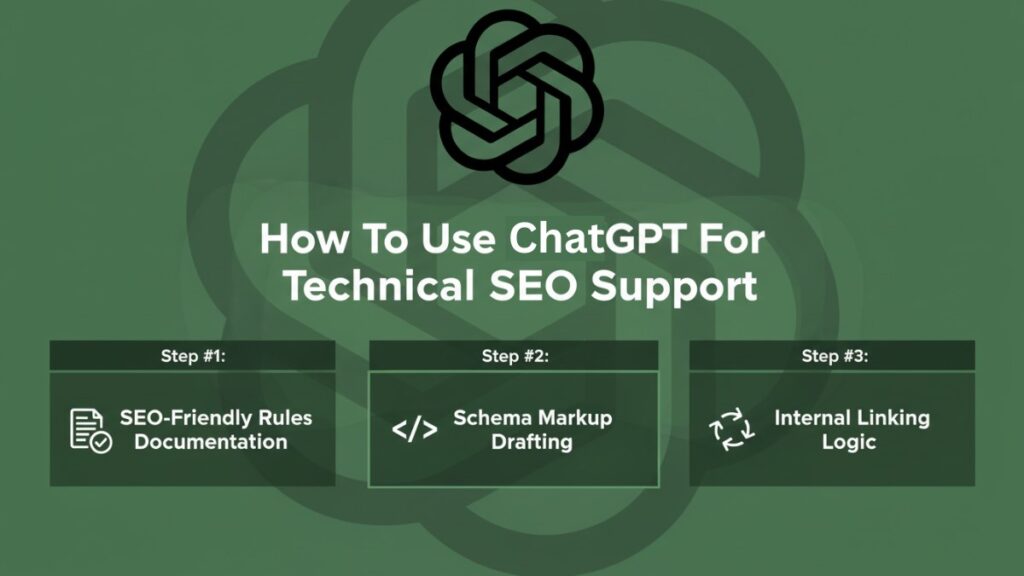
Technical SEO often becomes a bottleneck for teams, especially when rules are unclear or inconsistently applied. Minor mistakes such as crawling, indexing, or internal linking can significantly impact rankings.
What many SEO teams don’t realize is that ChatGPT can act as a practical execution layer. It helps you streamline documentation, draft schemas, and outline internal linking strategies, all without replacing your expertise. Here’s my personal framework:
Step #1: SEO-Friendly Rules Documentation
A clear set of technical SEO rules is essential. Without them, teams can inadvertently create duplicate content, misconfigure indexation, or mishandle pagination, issues that can significantly impact rankings.
Here’s how I leverage ChatGPT to draft structured, actionable guidelines that my team can implement immediately across all projects:
Key areas I focus on:
- Canonical rules: Specify preferred URLs to prevent duplicate content.
- Pagination logic: Ensure paginated content follows SEO-friendly structures for both users and search engines.
- Indexation guidelines: Define which pages should be indexed and which should be noindexed to avoid wasting crawl budget.
| How I prompt ChatGPT: “Create a technical SEO rules document. Include canonical rules, pagination logic, and indexation guidelines for a medium-sized e-commerce website. Format it as clear instructions for developers and SEO specialists.” |
This gives me a ready-to-use draft, which I then review and tweak based on the site’s specifics. It saves hours compared to writing from scratch.
Step #2: Schema Markup Drafting
Schema markup helps search engines better understand your content and can unlock enhanced SERP features. I use ChatGPT to draft structured schemas, whether for articles, FAQs, or products, which I later validate and implement across projects.
My workflow:
- Generate a draft schema using ChatGPT.
- Manually validate it to ensure accuracy and compliance with schema.org standards.
- Implement the finalized schema via CMS templates or directly in the site’s code.
Note: Always validate JSON-LD with Google’s Rich Results Test / Schema.org tools before deploying.
| How I prompt ChatGPT: “Draft JSON-LD schema markup for a blog article about ‘SEO content planning.’ Include Article schema with headline, author, and date, plus FAQ schema with 3 relevant questions. Format the output as ready-to-implement code.” |
Step #3: Internal Linking Logic
Internal linking plays a critical role in distributing authority across your site and improving crawlability. Every day, teams struggle with inconsistent anchor text, missed linking opportunities, and poor contextual placement.
ChatGPT helps the SEO team streamline this process by outlining clear rules and strategies that can be applied consistently across content.
Focus areas I follow:
- Anchor text rules: Use descriptive, keyword-aligned anchors without over-optimization to maintain natural flow and SEO value.
- URL pattern matching: Identify recurring URL structures to automate linking across relevant pages efficiently.
- Contextual placement: Suggest where links should appear naturally within content to maximize relevance and user experience.
| How I prompt ChatGPT: “Create an internal linking strategy for a website targeting SEO topics. Include anchor text rules, URL patterns, and guidelines for contextual placement. Format it as a clear, actionable guide for content editors.” |
How To Create SEO SOPs and Team Processes With ChatGPT
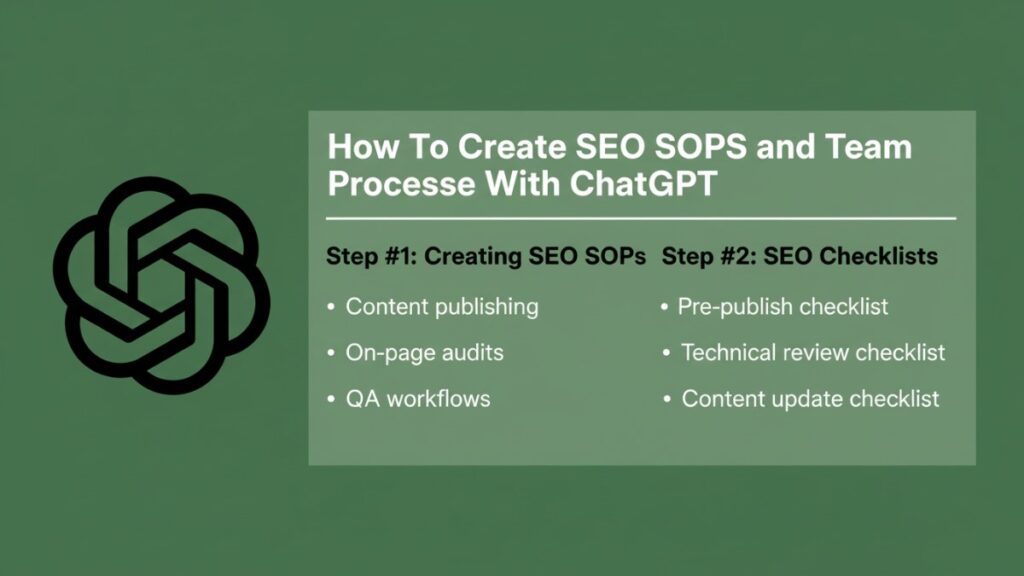
Scaling SEO without clear processes is a nightmare. Inconsistencies, errors, and slow onboarding kill results. Well-documented SOPs fix this.
They create repeatable workflows, keep everyone aligned, and maintain quality at scale. With AI tools like ChatGPT, drafting SOPs, checklists, and QA workflows becomes fast and consistent.
Step #1: Creating SEO SOPs
SEO SOPs are non-negotiable if you want consistent, high-quality results. They keep campaigns running smoothly, streamline workflows, and make onboarding new team members easier.
Key areas to cover:
- Content publishing: Check keywords, metadata, internal links, and images.
- On-page audits: Verify H1/H2 structures, title tags, meta descriptions, and schema.
- QA workflows: Proof, test, and validate before publishing.
Prompt example:
“Create a step-by-step SEO SOP for publishing blog posts. Include keyword checks, metadata creation, internal linking, on-page audits, and QA validation steps. Format it as a clear checklist for content teams.”
Note: Use these as starting templates—keep a human in the loop for edge cases and judgment calls.
Step #2: SEO Checklists
Checklists help maintain quality during large-scale SEO projects. ChatGPT can generate pre-publish, technical review, and content update checklists to reduce errors and standardize procedures. Here’s how it works:
Focus areas:
- Pre-publish checklist: Verify keywords, meta descriptions, headings, internal links, and images.
- Technical review checklist: Include indexation, canonicalization, and schema validation.
- Content update checklist: Track outdated content, missing links, and performance gaps.
Prompt example:
“Generate an SEO checklist for content editors. Include pre-publish tasks, technical review, and content update steps. Organize it as an actionable checklist ready to use for multiple pages.”
Pro insight: Drafting SOPs and checklists with ChatGPT can save teams hours every month. Once templates are in place, they scale across projects, reduce errors, and make workflows repeatable and efficient.
Measurable Impact of ChatGPT For SEO
Efficiency is everything in SEO. Teams that rely solely on manual processes waste hours on repetitive tasks like content briefs, metadata, and SOP creation.
ChatGPT acts as a productivity layer, which reduces time spent while improving consistency across workflows. It’s not a replacement for expertise, but when used correctly, the gains are enormous.
Real-World Time Savings
Across multiple campaigns, ChatGPT has consistently cut the time required for repetitive SEO tasks:
| SEO Task Example | Manual Time | With ChatGPT | Improvement |
| Content briefs | 40 minutes | 10 minutes | 75% faster |
| Metadata drafts | 25 minutes | 5 minutes | 80% faster |
| SOP creation | 90 minutes | 20 minutes | 78% faster |
For a 30-page content cluster in B2B SaaS, content briefs went from ~40 → ~12 minutes per page and metadata drafts from ~25 → ~6 minutes.
Note: These numbers are based on internal/example projects and are meant as illustrative benchmarks. Your actual results will vary by team size, content volume, and workflow complexity.
| Benefits Beyond Speed Time savings are only part of the impact. ChatGPT also helps: – Standardize outputs: Ensure titles, headings, and briefs are consistent across pages. – Reduce errors: Structured prompts and templates minimize overlooked elements. – Scale operations: Teams can handle more content without additional headcount. Even a small efficiency gain compounds over multiple campaigns and allows teams to focus on strategy, user experience, and performance optimization. |
| Pro Insight Combining ChatGPT with human review creates a workflow that is fast, scalable, and reliable. It’s not a ranking shortcut, but a tool that helps teams execute SEO with more precision and less repetitive effort. |
Final Summary
ChatGPT is not a magic bullet for SEO rankings, but it serves as a powerful productivity layer. By automating repetitive tasks like content briefs, metadata drafting, SOP creation, and technical documentation, teams save hours while maintaining consistency and accuracy.
Using ChatGPT effectively requires clear prompts, human review, and structured workflows. When integrated into an SEO process, it helps teams:
- Plan content faster with intent mapping and gap analysis
- Standardize on-page SEO for titles, meta descriptions, and headings
- Document technical rules and internal linking strategies
- Scale SEO operations without compromising quality
In short, ChatGPT helps SEO teams work smarter, not harder, allowing more focus on strategy, performance, and growth.
Work Smarter: ChatGPT Systems For SEO Teams
Stop spending hours on repetitive SEO tasks. This guide shows how to use ChatGPT to plan content, draft metadata, and create SOPs efficiently while maintaining consistent, high-quality outputs.
What’s Inside:
- 3-step content planning: keyword intent mapping, structured briefs, and gap analysis
- On-page optimization frameworks for title tags, meta descriptions, and headings
- Technical SEO templates for schema, rules, and internal linking
- Pre-publish and QA checklists to reduce errors
SEO Workflow Pack Details:
Includes 15+ prompt templates, 4 reusable checklists, and 3 technical SEO rule templates in Google Docs / Notion-friendly format. Designed for in-house SEO leads, agency teams, and content managers looking to streamline workflows and scale SEO operations efficiently.
Frequently Asked Questions (FAQs)
Can ChatGPT replace SEO tools?
No. ChatGPT supports planning and execution, but SEO tools are still needed for rank tracking, crawl analysis, and competitor monitoring.
Is ChatGPT safe for SEO content?
Yes, when outputs are reviewed and edited before publishing. Never rely solely on AI-generated content without validation.
Does ChatGPT help with technical SEO?
It helps draft rules, schemas, and internal linking strategies, but implementation and testing must remain manual.
How do you write good ChatGPT prompts for SEO?
Define the task, constraints, and output format clearly. Always specify intent, keyword focus, and SEO requirements for actionable results.