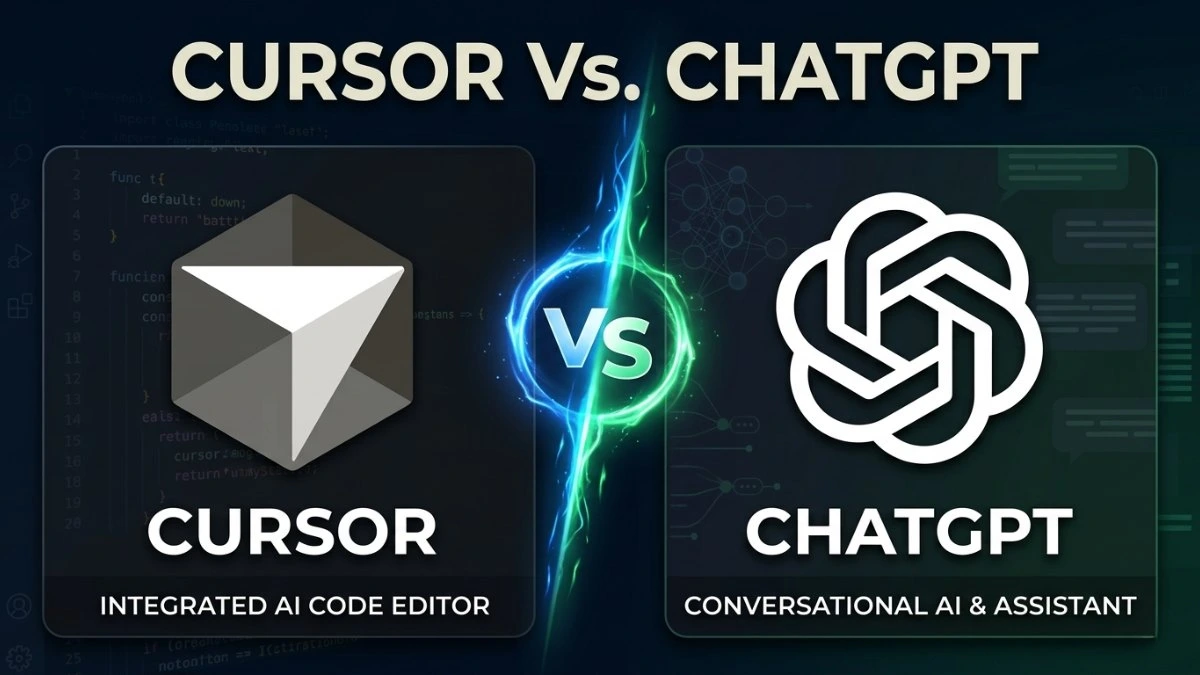

Choosing between Cursor and ChatGPT looks simple at first glance. But the two tools change your development workflow in very different ways. That difference matters more than most comparison articles take the time to explain.
Some developers want deep editor integration, autonomous agents, and fast implementation. Others prefer tighter control over prompts, debugging flows, and architectural decisions.
The Cursor vs. ChatGPT debate keeps growing across engineering teams, Reddit threads, and developer communities worldwide.The better tool depends entirely on how you prefer solving problems during development.
One has evolved into a fully autonomous coding environment with agent support. The other has grown well beyond simple chat into a collaborative coding workspace.
In this guide on ChatGPT vs Cursor, I’ll help you understand which tool actually does before choosing between them.
Cursor and ChatGPT Solve Different Developer Problems
Most developers compare these two tools as if they are direct alternatives. In practice, they support different stages of software development. They also solve very different kinds of workflow problems.
Cursor focuses on implementation speed inside the editor, now extended into agents and parallel task execution. ChatGPT focuses on reasoning, planning, and technical understanding, now including a proper code workspace called Canvas.
Cursor Focuses On Active Development, and Goes Much Further
Cursor started as a VS Code fork with AI capabilities baked directly into the editor. Right now, it has grown into something far more powerful than a smart multi-file editor. The core editing experience still lives inside your development environment, but agents have changed everything.
You can modify files, refactor components, and generate code without ever leaving the editor. That workflow feels fast and uninterrupted from the start. But the bigger story is what agents have unlocked.
Cursor 3.x introduced Background Agents and Cloud Agents for autonomous multi-step task execution. These agents can control a real browser for end-to-end testing and verification. They can also query databases directly using live schema reasoning.
Native integrations with Linear, GitHub, and Jira let agents read tickets and open pull requests. You can run multiple agents in parallel across entirely different tasks simultaneously.
This makes Cursor useful far beyond repetitive coding work. It now handles tasks across many different development areas:
- Multi-file refactoring and feature development
- Autonomous end-to-end testing with real browser control
- Background agents completing tasks while you focus elsewhere
- Boilerplate and CRUD generation at scale
- PR reviews via Bugbot, with self-improving detection rules
- Database queries with live schema understanding
You stay inside the coding environment while all of this happens directly inside the project. That keeps development momentum strong and reduces the interruption cost of context switching.
ChatGPT: Beyond Chat, Into Canvas
ChatGPT has also changed substantially since earlier comparisons were written. The old framing of it as a constant copy-paste tool no longer accurately describes the experience.
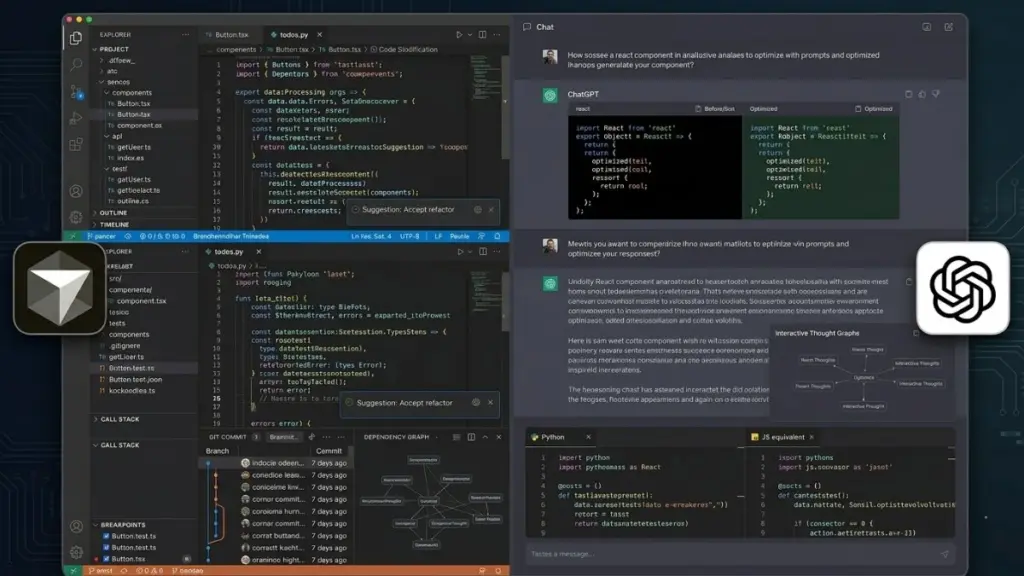
Canvas is the key development that changes this picture. It launched in late 2024 and is now available across all subscription tiers on web, Windows, and macOS. Canvas gives ChatGPT a split-screen workspace where code or text lives on the right side.
The conversation with the AI lives on the left side simultaneously. You can highlight specific sections and request targeted changes inline without rewriting your prompt. Version history tracks every single edit automatically as you work.
This meaningfully narrows the workflow gap that once made ChatGPT feel fragmented for active coding sessions. It does not eliminate that gap entirely, but it closes it in important ways.
ChatGPT’s deeper strength remains reasoning and collaborative problem-solving. It works well across several important development scenarios:
- Debugging logic problems carefully, step by step
- Explaining unfamiliar frameworks and language behavior clearly
- Planning system architecture before implementation ever begins
- Evaluating tradeoffs between different technical approaches
- Generating documentation and technical explanations efficiently
- Exploring implementation options before you touch the codebase
Many developers rely on ChatGPT during early project planning because conversations stay focused on reasoning rather than execution. Canvas then keeps that reasoning alive as it transitions into actual working code.
Practical takeaway: Canvas removes much of the friction that once made ChatGPT feel disconnected from real coding work.
The Real Difference: Context Control
The most debated difference between these tools is not features at all, it is context control. Cursor automatically indexes your project and retrieves relevant sections based on the current task. You write instructions naturally, and the editor already understands much of your file structure.
However, this automatic process still has limits during large-scale development work. The model may miss hidden dependencies, misunderstand business logic, or apply inconsistent patterns across unrelated files. Faster edits do not automatically translate into better output quality.
Some developers deliberately prefer manual context for exactly this reason. They share only relevant files, only the relevant functions, and only the necessary dependencies. That approach produces cleaner and more precise reasoning in many debugging and architecture situations.
ChatGPT with Canvas gives you that kind of control more naturally. You decide exactly what the model sees in each conversation. Canvas keeps the working document persistent as the conversation grows and evolves.
| Practical Takeaway Cursor’s automatic context is powerful for speed. Manual context through Canvas often produces more precise reasoning for isolated problems. |
Cursor Vs. ChatGPT For Real Development Tasks
Feature comparison tables rarely explain how these tools behave during actual development work. The differences become clearer once you start building, debugging, refactoring, and maintaining real applications daily.
Some tasks feel dramatically faster in Cursor. Others become easier to reason through inside ChatGPT. The best choice often depends on the type of problem sitting in front of you.
Building A New Feature
Cursor usually feels significantly faster during actual feature implementation. Agents can handle multi-step tasks autonomously without requiring constant prompting from you. They generate components, update imports, connect utility functions, and test output in a browser.
ChatGPT produces cleaner architectural thinking before implementation ever starts. Many developers use it to evaluate folder structures, state management choices, and caching strategies upfront. Canvas lets that reasoning transition directly into working code within the same interface.
Cursor helps you build faster once the direction is already clear. ChatGPT helps clarify that direction before implementation even begins.
Debugging Weird Errors
Debugging is the area where developer preferences split most clearly between these tools.
Cursor works well for file-level errors that are directly connected to project files. Missing imports, broken component props, and dependency conflicts are all handled efficiently. Bugbot can review pull requests and progressively learn from real developer feedback over time.
Runtime problems and behavioral edge cases often need deeper reasoning rather than faster edits. An API failing inconsistently under production traffic requires carefully walking through logic and assumptions.
ChatGPT handles this kind of systematic analysis very well. Canvas keeps the relevant code visible and editable as the conversation works through the issue.
Refactoring Large Projects
Cursor feels genuinely powerful during large multi-file refactoring work. Renaming shared functions, updating imports, and restructuring components can take minutes rather than hours. Tasks like migrating a frontend application from JavaScript to TypeScript become much more manageable with agent support.
However, large refactors carry real and significant risk. AI-generated edits can silently introduce inconsistent patterns, duplicated logic, and hidden coupling between modules. Developers who approve changes too quickly without architectural review often pay for it during maintenance.
ChatGPT is better suited to thinking through safer restructuring strategies before any implementation begins. Evaluating migration plans and identifying scalability concerns before touching production files can prevent extremely expensive cleanup work.
Learning A New Framework
ChatGPT continues to perform better in this area for most developers consistently. The conversational workflow supports framework learning more naturally than editor-first tools do. Canvas keeps examples editable and interactive within the same workspace as the explanation.
Cursor can generate working code during framework adoption quickly. But it prioritizes implementation speed over teaching underlying concepts clearly.
Developers may ship features faster while understanding the framework itself much less deeply. That gap creates real and frustrating debugging problems down the road.
Boilerplate and Repetitive Work
This is where Cursor becomes extremely difficult to stop using once developers fully adapt to the workflow.
Generating CRUD operations, API routes, validation schemas, and test files happens dramatically faster inside the editor. Agents can handle many of these tasks in the background while you focus on harder problems.
The tradeoff is real and worth acknowledging directly. Fast boilerplate generation can lead to unreviewed code accumulating quietly across the project. Over time, codebases can become bloated with repetitive patterns and unnecessary layers of abstraction.
Also Read: Cursor Vs Claude Code
Where Cursor Can Slow Developers Down
Cursor feels fast and highly productive when you first adopt it. But that speed can quietly shape decisions in ways that are not always healthy for the codebase.
Over-automation gradually takes over decisions. Cursor handles more logic than you consciously notice over time. Design decisions get skipped unintentionally during implementation. You gradually stop actively controlling the direction of changes.
Accepting bad edits becomes dangerously easy. Updates happen instantly across multiple files without much friction. Review pressure drops significantly as a result of that speed. Logic errors and broken edge cases slip through more easily. The problems usually surface in production rather than during the coding session.
Autocomplete fatigue accumulates over long sessions. Suggestions become constant background noise during extended development work. You start reacting to them instead of thinking independently through the problem. Real reasoning slows down gradually without you noticing the shift.
Architectural thinking can weaken over time. When agents consistently handle structural decisions, system-level thinking starts to fade. Less attention goes to design patterns and deliberate module planning. Focus drifts toward getting things working rather than getting them right.
Blind trust in generated code quietly grows. Generated code may compile and pass basic tests while still being structurally weak. It can break naming consistency, introduce hidden coupling, or silently ignore project-wide conventions.
Some senior developers deliberately reduce AI usage during architecture-heavy phases of work. Unchecked implementation speed consistently leads to maintenance problems that appear much later.
Where ChatGPT Has Limitations for Daily Coding
ChatGPT is genuinely strong in reasoning, explanation, and collaborative thinking. But friction still exists during active coding work, even with Canvas available.
Canvas does not connect to your live codebase at all. You must manually paste in the files you want the model to see. Cursor’s project indexing handles this context retrieval automatically in the background.
Context still gets lost when sessions restart. Earlier decisions and established context disappear when you begin a new conversation. You end up repeating explanations across multiple different sessions unnecessarily.
Implementation continuity remains noticeably weaker. ChatGPT helps you think clearly but always stays outside your actual project files. Execution feels more fragmented compared to working directly inside Cursor’s editor environment.
Maintaining multi-file project consistency is harder. ChatGPT only sees the isolated pieces of code you choose to share. Inconsistent patterns and partial solutions across multiple files can easily result from this limitation.
Code Quality and Hallucinations: Which One Is More Reliable?
Reliability is not absolute or guaranteed with either tool in real development. Both Cursor and ChatGPT can produce incorrect, outdated, or structurally misleading code.
Hallucinations still happen regularly in both tools. Models can invent non-existent APIs, suggest fake package names, or use deprecated syntax confidently. This problem is more common with fast-changing frameworks like React and Node.js.
Broader project context does not remove hallucinations completely. Even with full project awareness available, Cursor can still misinterpret dependencies or apply incorrect patterns across modules. Context reduces errors meaningfully but does not eliminate them entirely.
ChatGPT sometimes reasons through problems more carefully. Breaking complex issues into explicit logical steps helps significantly with debugging and trace analysis. That slower, more methodical reasoning can produce better accuracy in difficult situations.
Cursor Vs. ChatGPT For Different Types of Developers

Different developers use AI coding tools in very different ways. The same tool can feel powerful for one person and limiting for another.
That difference depends on experience level, project type, and how much control someone wants over their workflow. Let’s break it down across real developer profiles.
Beginners Learning To Code
Beginners need conceptual clarity far more than they need implementation speed.
ChatGPT explains concepts step by step and welcomes follow-up questions without pressure. Canvas keeps working examples editable and interactive as understanding gradually builds.
Cursor can feel impressive to beginners but is often too automatic for effective learning. Generated code frequently gets accepted and used without being understood at all. That pattern builds over-reliance rather than actual foundational knowledge.
Senior Engineers
Senior engineers care primarily about control, architectural clarity, and long-term maintainability. They typically use both tools strategically for different purposes depending on the task.
ChatGPT helps with system design discussions, complex logic debugging, and evaluating technical tradeoffs carefully. Cursor helps with fast refactoring, boilerplate reduction, and autonomous background agent tasks.
Senior developers review AI outputs carefully rather than trusting automation to get it right.
Indie Hackers and Solo Founders
Indie hackers care most about shipping fast and validating ideas quickly. Cursor reduces friction significantly when building MVPs, landing pages, dashboards, and APIs. Agents handle background tasks while you stay focused on product and user decisions.
ChatGPT still plays a meaningful role in planning, feature validation, and logic debugging. But execution speed matters more than deep architectural discussion at the earliest stages of a product.
Web Developers
Web development is the context where both tools see the heaviest use, often together within the same project. Cursor is strong for frontend components, UI updates, styling changes, and refactoring React or Next.js codebases.
ChatGPT is strong for debugging browser-specific issues, API design decisions, and framework comparisons.
Web projects evolve rapidly, so both speed and reasoning matter equally. Fast implementation and fast reasoning both matter equally across the lifecycle of a web project.
Startup Teams
Startup teams operate under time pressure and frequently shifting product requirements.
Cursor helps development teams move faster during active coding cycles. Bugbot improves code review quality without requiring constant manual attention from senior developers.
ChatGPT supports higher-level planning work including system design alignment, feature breakdowns, and documentation drafts. Teams that enforce human review during critical updates can move fast without accumulating hidden technical debt.
Non-Technical Builders
Non-technical builders focus primarily on turning ideas into working products without deep coding knowledge.
ChatGPT is almost always the best starting point for this profile. It translates ideas into concrete technical steps and explains errors in understandable language.
Cursor becomes valuable once actual code needs to be edited and extended inside a real project. Without basic familiarity with code structure, AI-generated changes can quickly become difficult to understand or manage.
Why Many Developers End Up Using Both
Most experienced developers eventually stop treating Cursor and ChatGPT as competing alternatives. Instead, they use each tool in a different cognitive mode depending on what kind of thinking the current task requires.
One mode is reasoning-focused for planning and understanding. The other is execution-focused for implementation and automation.
ChatGPT fits naturally into the reasoning layer of daily development work:
- Architecture decisions and system-level design thinking
- Exploring and comparing different implementation approaches
- Debugging logical, behavioral, and performance-related issues
- Writing documentation, explanations, and technical summaries
Cursor fits naturally into the execution layer of daily development work:
- Writing repetitive code patterns quickly and consistently
- Applying coordinated multi-file edits across large codebases
- Refactoring existing systems with agent assistance
- Running autonomous background agents across complex tasks
- Speeding up feature implementation with direct editor integration
For example, a developer might start by designing a complete authentication flow in ChatGPT. They evaluate session-based versus token-based approaches and work through potential edge cases there.
Once the architectural direction is agreed upon, Cursor takes over the implementation work. It writes controllers, middleware, and database logic directly inside the project. The repetitive parts get delegated to a background agent running in parallel.
Cursor Vs ChatGPT Comparison Table
| Aspect | Cursor | ChatGPT |
|---|---|---|
| Workflow style | Editor-integrated, execution-focused | Chat + Canvas workspace, reasoning-focused |
| Context handling | Project-wide automatic indexing inside IDE | Manual context sharing, persistent in Canvas |
| Agentic capabilities | Background agents, cloud agents, parallel tasks | Primarily single-session reasoning and editing |
| Code workspace | Direct file modification inside the IDE | Canvas for inline editing (no live codebase link) |
| Browser / tool control | Yes — agents control real browsers, DBs, and issue trackers | No external tool control available |
| Learning curve | Moderate, requires IDE familiarity | Low, fully conversational interface |
| Hallucination risk | Medium, depends heavily on project context | Medium, depends heavily on prompt clarity |
| Debugging quality | Strong for file-level issues; Bugbot for PR reviews | Strong for logic, reasoning, and stack trace analysis |
| Architecture planning | Plan Mode and agent orchestration available | Strong conversational planning and tradeoff analysis |
| Speed for shipping | Very high with agent support | Moderate with Canvas assistance |
| Beginner friendliness | Moderate, better after basics are learned | High, accessible from the very beginning |
| Best use case | Active development, agentic automation, refactoring | Planning, debugging, learning, and design thinking |
So Which One Should You Actually Choose?
There is genuinely no single winner in this comparison. The right choice depends entirely on your biggest bottleneck during development work.
If your bottleneck is implementation speed → Choose Cursor
You already know what to build and need faster execution and direct codebase integration.
Best for: active coding, production work, and agentic task automation.
If your bottleneck is reasoning and learning → Choose ChatGPT
You need clarity and a solid plan before you start writing code. Canvas keeps your reasoning and working code in the same place.
Best for: understanding systems, problem-solving, and framework learning.
If you are shipping solo products → Use both tools together
ChatGPT handles upfront planning and technical idea validation. Cursor handles the actual implementation and fast feature coding.
Best for: MVPs, indie applications, and SaaS product builds.
If your work is architecture-heavy → Choose ChatGPT
You need real thinking space before any execution begins. System design and tradeoff analysis are its core strengths.
Best for: backend-heavy projects and systems that need to scale.
If your work is repetitive production coding → Choose Cursor
Agents and automation deliver the biggest productivity gain in this context. Boilerplate generation, large refactors, and background tasks all benefit significantly.
Best for: maintenance-heavy development and large established codebases.
Frequently Asked Questions (FAQs)
Is Cursor better than ChatGPT for coding?
Cursor is better for direct coding, multi-file edits, and in-project implementation. ChatGPT is stronger for planning, debugging logic, and explaining concepts. Canvas improves coding workflows, but Cursor still feels faster during active development.
Can ChatGPT replace Cursor for development work?
Not completely. ChatGPT helps with reasoning and editing, but it does not manage live project files like Cursor. Cursor still performs better for continuous coding and autonomous project workflows.
Is ChatGPT Plus enough for web development work?
Yes, for learning, debugging, and project planning. Canvas also makes iterative coding much smoother now. For larger production projects, many developers still pair it with Cursor.
Can beginners rely too much on AI coding tools?
Yes. Beginners can become dependent on generated code without understanding fundamentals. Skills like debugging, reading errors, and system thinking still matter long-term.
Does Cursor still require manual code review from developers?
Absolutely. Cursor can still introduce bad patterns, dependency issues, or inconsistent edits. Human review remains necessary, especially during large refactors and production changes.
Final Verdict
This Cursor Vs. ChatGPT comparison is not about identifying which tool wins definitively. It is about understanding how each tool reshapes your development behavior over time.
Cursor changes how developers actually code day to day. It removes implementation friction inside the editor and accelerates feature delivery. Autonomous agents now extend it into complex, multi-step task execution that runs independently.
ChatGPT changes how developers think through code and systems. It improves reasoning, planning quality, and debugging clarity before implementation ever begins. Canvas means that reasoning process no longer has to stay disconnected from the working code itself.
Both tools have improved significantly since the comparisons most developers have read. The strongest workflows combine both tools based on deliberate, intentional choices. Each stage of work gets the right kind of thinking applied to it.



Add your first comment to this post