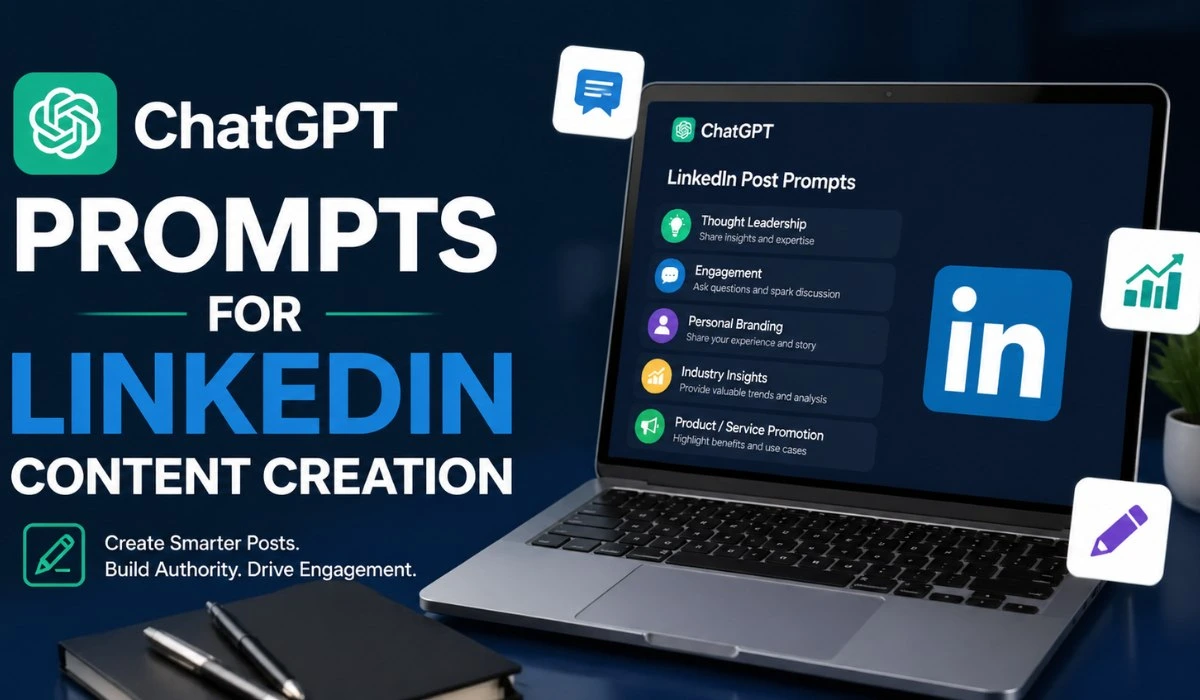

Using ChatGPT prompts for LinkedIn content creation help professionals plan, draft, refine, and repurpose LinkedIn posts with clearer direction.
Used well, ChatGPT supports content ideation, post structure, hook development, and editing. However, strong LinkedIn content is not only about posting often. It needs clear positioning, consistent messaging, and useful ideas for a specific reader.
Basic prompts usually create generic posts because they lack audience and goal context. Better LinkedIn content creation prompts define the reader, problem, tone, format, examples, and desired outcome.
For professionals using ChatGPT for LinkedIn marketing, the value is not just faster writing. It is turning rough ideas into useful posts that support authority, engagement, and trust.
This guide covers prompt types, workflows, examples, editing checks, and practical quality rules.
Why LinkedIn Content Needs More Than Basic AI Prompts
Basic ChatGPT prompts may speed up content creation but fail to produce strong, effective LinkedIn posts. Professional content requires:
- Relevance
- Clarity
- A clear point of view
Generic Prompts Create Generic Posts
A basic prompt, such as “write a LinkedIn post about AI,” gives ChatGPT no clear direction. It lacks:
- Audience context
- Content goal
- Tone
- Format
This results in broad posts with vague claims, which rarely resonate with decision-makers, especially in B2B marketing. Clear examples, practical context, and specific insights are essential.
A better prompt:
- Defines the target audience
- Focuses on a specific angle (e.g., reducing manual reporting with AI workflows)
- Adds clear direction for content format and tone
LinkedIn Rewards Clear Expertise
Effective LinkedIn content demonstrates expertise and provides practical value. Posts that:
- Teach something useful
- Address a real professional problem
- Offer specific claims, examples, and frameworks
This is especially crucial for Thought Leadership content, which requires:
- Experience
- Judgment
- Clear reasoning
AI-generated content may sound polished but lacks depth and context. Better ChatGPT prompts for LinkedIn content start with clear positioning, helping the author’s expertise shine through.
AI Should Support Strategy, Not Replace Thinking
ChatGPT is an AI writing assistant, not a content strategist. It drafts, organizes, and repurposes ideas but still requires human oversight. Here’s how to use AI effectively:
- AI for speed and structure
- Human review for judgment, accuracy, examples, and voice
Human-in-the-Loop Editing ensures every post is aligned with the content goal, audience, and tone. This includes reviewing:
- The first line (hook)
- The relevance of personal examples
- The clarity of message
AI can suggest hooks and drafts, but human judgment ensures the final content matches brand voice and resonates with the audience.
Use ChatGPT as part of the workflow, ideation, drafting, and repurposing, while relying on Brand Voice Guidelines and final human review to keep content sharp, professional, and specific.
Best ChatGPT Prompts For LinkedIn Content Creation
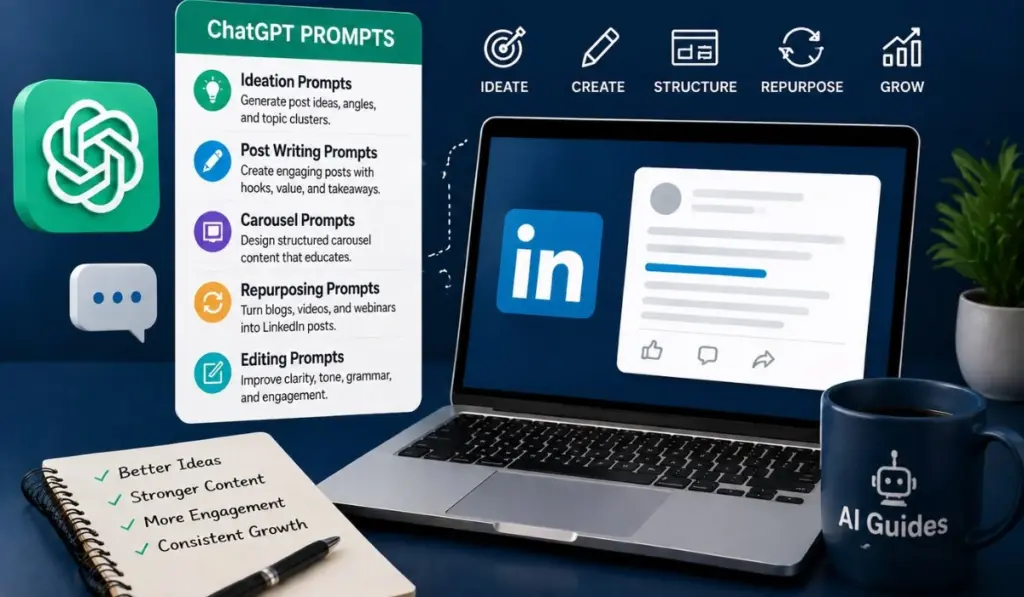
The best ChatGPT prompts for LinkedIn posts start with context. They define the reader, topic, goal, format, tone, and expected result.
A weak prompt asks for content. A strong prompt gives ChatGPT enough direction to create useful, specific, and audience-aware posts.
These LinkedIn post prompt templates can support ideation, authority building, education, storytelling, promotion, comments, polls, carousels, and blog repurposing.
1. Prompt For LinkedIn Post Ideas
Post ideas work better when they connect audience needs with a clear content goal. This prevents random topics and supports a consistent LinkedIn content strategy with ChatGPT.
Use this prompt to generate ChatGPT LinkedIn post ideas by audience, industry, and business objective.
Prompt:
| Create 10 LinkedIn post ideas for [target audience] in the [industry] sector. The content goal is [authority, engagement, lead nurturing, product education, or personal branding]. For each idea, include the post angle, target pain point, content format, and suggested hook. Keep each idea specific, practical, and relevant to professional readers. |
Example input:
| Target audience: B2B SaaS founders Industry: sales technology Content goal: lead nurturing |
Expected output:
The result should include practical post topics, such as sales reporting problems, AI adoption gaps, or buyer education issues. These ideas can then become short posts, carousel outlines, or discussion posts.
2. Prompt For Thought Leadership Posts
Thought Leadership posts need a clear opinion, useful reasoning, and professional context. They should not sound like broad industry commentary.
For Personal Branding, the post should connect an idea with experience, perspective, or a specific business lesson.
Prompt:
| Write a LinkedIn thought leadership post for [target audience] about [topic]. Take a clear position on [specific issue]. Explain why this issue matters, what most people miss, and what professionals should do differently. Use a confident but practical tone. Avoid generic claims and include one real-world example. |
Example input:
| Topic: AI tools in sales teams Position: AI should improve decision quality, not only save time. |
This prompt helps create LinkedIn thought leadership prompts that support authority without sounding forced. It also gives ChatGPT a stronger basis for useful reasoning.
3. Prompt For Educational LinkedIn Posts
Educational posts explain a concept in a simple, useful way. They work well for professionals who want to teach without sounding too basic.
Good educational content uses examples, short explanations, and clear takeaways. It is one of the most effective formats for AI prompts for LinkedIn content.
Prompt:
| Write an educational LinkedIn post for [target audience] explaining [concept]. Start with a clear hook that names the problem. Explain the concept in simple terms. Add one practical example from [industry or role]. End with one useful takeaway for the reader. |
Example input:
| Target audience: marketing managers Concept: prompt engineering for LinkedIn content |
This can create a practical teaching post about Prompt Engineering. It may explain how audience context, tone, and format improve AI-generated content.
4. Prompt For Story-Based LinkedIn Posts
Story-based posts work when they include a real situation, lesson, and professional insight. The story should support the point, not replace it.
ChatGPT can help shape the structure, but the core example should come from real experience. This keeps the post credible and specific.
Prompt:
| Turn this professional experience into a LinkedIn story post: [insert experience]. Structure it with a short hook, context, problem, decision, result, and lesson. Keep the tone professional and direct. Make the lesson useful for [target audience]. Avoid dramatic wording and keep the post grounded. |
Example input:
| A marketing team used one broad AI prompt for every post. Engagement dropped because the posts sounded repetitive. |
This prompt helps turn a work example into a useful post. It also supports Personal Branding by showing judgment through experience.
5. Prompt For Promotional LinkedIn Posts
Promotional posts should educate before they sell. The reader should understand the problem, use case, and benefit before seeing the offer.
This matters for ChatGPT for LinkedIn marketing, especially in B2B markets. Direct promotion can work, but only when the value is clear.
Prompt:
| Write a LinkedIn promotional post for [product or service]. Focus on the customer problem first. Explain the use case, main benefit, and proof point. Keep the tone helpful, not aggressive. End with a soft next step, not a hard sales pitch. |
Example input:
| Product: AI content planning tool Audience: solo consultants Problem: inconsistent LinkedIn posting |
A good output should explain why inconsistent content affects authority. Then it should connect the product to planning, drafting, and review.
6. Prompt For LinkedIn Carousel Content
LinkedIn carousels need strong structure. Each slide should carry one idea, with a clear headline and useful takeaway.
Use carousel prompts when a topic needs visual sequencing. This works well for frameworks, checklists, mistakes, and short guides.
Prompt:
| Create a LinkedIn carousel outline about [topic] for [target audience]. Provide 8 slides with one headline per slide. Add a short explanation for each slide. Include a clear opening slide, practical middle slides, and a final takeaway slide. Keep the language concise and easy to scan. |
Example input:
| Topic: how to write better ChatGPT prompts for LinkedIn posts Target audience: consultants and B2B founders |
This prompt can produce a carousel around audience context, post goals, hooks, examples, and editing. It can also support LinkedIn content creation prompts for visual posts.
7. Prompt For LinkedIn Polls
Polls are useful when they test opinions, pain points, or buying-stage questions. They should create discussion, not only collect votes.
A strong poll gives clear choices and a reason to comment. It can also reveal content gaps for future posts.
Prompt:
| Create five LinkedIn poll ideas for [target audience] about [topic]. Each poll should test a real opinion, pain point, or work habit. Include four answer options for each poll. Add one follow-up post idea based on possible poll results. |
Example input:
| Target audience: content managers Topic: using AI writing assistant tools for LinkedIn posts |
This prompt supports LinkedIn engagement posts by giving the audience a simple response point. It also helps generate follow-up content from real audience feedback.
8. Prompt For LinkedIn Comments
Comments can support professional networking when they add value. Weak comments sound generic and do not move the discussion forward.
Use ChatGPT to draft thoughtful comments, but review them for accuracy and tone. Comments should match the post context and author’s point.
Prompt:
| Write three thoughtful LinkedIn comments for this post: [paste post]. Each comment should add one useful point, question, or example. Keep the tone professional and concise. Avoid praise-only comments. Make each version sound natural and relevant. |
Example use case:
A consultant can use this prompt before commenting on posts from clients, peers, or industry leaders. It helps build relationships without leaving shallow responses.
9. Prompt For Repurposing Blog Content
Content Repurposing helps turn one long-form article into multiple LinkedIn posts. This saves planning time and keeps content aligned across channels.
A blog can become short posts, carousels, polls, comments, and founder-style reflections. This supports a more consistent AI LinkedIn content workflow.
Prompt:
| Repurpose this blog section into five LinkedIn posts: [paste content]. Create one educational post, one opinion post, one checklist post, one carousel outline, and one poll. Keep each post focused on one idea. Use a professional tone for [target audience]. Add a clear hook and takeaway for each version. |
Example input:
| Blog section: “Why basic AI prompts create generic LinkedIn posts.” Target audience: B2B marketers and founders. |
This prompt helps turn existing content into multiple usable formats. It also keeps the message consistent while adapting it for LinkedIn reading behavior.
How To Build A LinkedIn Content Workflow With ChatGPT
A strong AI LinkedIn content workflow turns scattered ideas into planned, edited, and measurable posts. It also makes ChatGPT prompts for LinkedIn content creation more consistent and useful.
The workflow should move from audience research to drafting, editing, scheduling, and performance review. Each step improves the quality of the final LinkedIn post.
Step 1: Define The Audience
Start by identifying the exact reader before writing any prompt. A broad audience creates broad content, which often weakens relevance.
Define the reader’s role, industry, seniority level, pain points, and buying stage. These details help ChatGPT create more useful LinkedIn content ideas.
For example, “marketing managers” is too general. “B2B SaaS marketing managers struggling with lead nurturing content” gives better direction.
The buying stage also matters. Awareness-stage readers need education, while MOFU readers need proof, comparisons, and practical workflows.
A useful audience prompt could be:
| Define the audience for LinkedIn content about [topic]. Include their role, industry, seniority, pain points, goals, objections, and buying stage. Suggest five content angles that match their current needs. |
This creates a stronger base for LinkedIn content creation prompts and reduces generic output.
Step 2: Choose The Content Goal
Every post should support one clear goal. Without a goal, even a well-written post can feel unfocused.
Common LinkedIn goals include awareness, authority, engagement, lead nurturing, and product education. Each goal needs a different post angle.
- Awareness posts introduce a topic or problem. Authority posts show expertise through insight, experience, or analysis.
- Engagement posts invite opinions or discussion. Lead nurturing posts answer doubts, explain use cases, or clarify decision points.
- Product education posts connect features with outcomes. They should explain value without sounding like a direct sales pitch.
A useful goal-setting prompt could be:
| Suggest five LinkedIn content goals for [target audience] around [topic]. For each goal, explain the best post angle, format, and reader takeaway. Keep each suggestion aligned with professional buying intent. |
This step helps connect ChatGPT for LinkedIn marketing with real content objectives.
Also Read: ChatGPT For Sales Outreach
Step 3: Select The Post Format
The post format should match the idea and reader intent. Some topics need explanation, while others need opinion or comparison.
Useful LinkedIn formats include list posts, lessons, frameworks, stories, comparisons, and short opinion posts. Each format creates a different reading experience.
- List posts work well for practical tips. Lessons work when the author has experience worth sharing.
- Framework posts help simplify complex topics. Story posts connect professional context with a clear lesson.
- Comparison posts are useful for MOFU readers. They help compare options, methods, mistakes, or decision criteria.
- Short opinion posts work best when the point is specific. They should state a clear view and explain why it matters.
A format-selection prompt could be:
| Recommend the best LinkedIn post formats for [topic] and [target audience]. Include list posts, lessons, frameworks, stories, comparisons, and opinion posts. Explain when each format should be used and why. |
This improves the structure of ChatGPT LinkedIn post ideas before drafting begins.
Step 4: Generate The First Draft
Once the audience, goal, and format are clear, draft the post. This is where ChatGPT, Claude, or Gemini can support faster writing.
ChatGPT
Use ChatGPT when the post needs flexible structure, variations, or editing prompts. It is useful for drafting hooks, outlines, and post versions.
Claude
Use Claude when the content needs longer reasoning or a more natural editorial flow. It can be useful for reflective and educational posts.
Gemini
Use Gemini when research-connected drafting or Google workspace context is useful. It can help when content planning happens near source material.
A first-draft prompt could be:
| Write a LinkedIn post for [target audience] about [topic]. The goal is [authority, engagement, lead nurturing, or product education]. Use a [format type] structure. Start with a clear hook, explain the idea, add one example, and end with a takeaway. |
The first draft should not be treated as final. It is a starting point for editing, not a finished post.
Step 5: Edit For Voice and Specificity
Editing is where AI output becomes professional content. The goal is to improve clarity, voice, proof, and usefulness.
Use Brand Voice Guidelines to keep the post consistent. These guidelines should define tone, sentence style, banned phrases, and preferred examples.
Specificity matters more than polish. Replace broad claims with numbers, use cases, observations, or practical examples.
For example, “AI saves time” is too general. “AI reduced first-draft planning from two hours to 30 minutes” is clearer.
Proof also improves trust. Add customer insights, workflow examples, internal observations, or source-backed claims when relevant.
A useful editing prompt could be:
| Edit this LinkedIn post using these Brand Voice Guidelines: [insert guidelines]. Improve clarity, remove filler, shorten long sentences, and add specificity. Keep the tone professional and direct. Suggest where proof, examples, or stronger context are needed. |
This step makes AI prompts for LinkedIn content more reliable and reduces repetitive phrasing.
Step 6: Schedule and Track Performance
A workflow is incomplete without publishing discipline and performance review. Consistency helps test which topics and formats work best.
Use a Content Calendar to plan topics, formats, posting dates, and content goals. This keeps output organized across weeks or months.
Tools like Buffer and Hootsuite can help schedule posts and manage publishing. They are useful when multiple posts need planned distribution.
Track performance inside LinkedIn after publishing. Review impressions, comments, saves, reposts, profile visits, and message quality.
Performance data should guide future prompts. Strong posts can become templates for new LinkedIn post prompt templates.
A tracking prompt could be:
| Analyze these LinkedIn post results: [insert metrics]. Identify which topics, hooks, formats, and goals performed best. Suggest five new post ideas based on the strongest patterns. |
This creates a feedback loop. Better data leads to better prompts, stronger drafts, and more focused LinkedIn content.
Prompt Engineering Rules For Better LinkedIn Posts
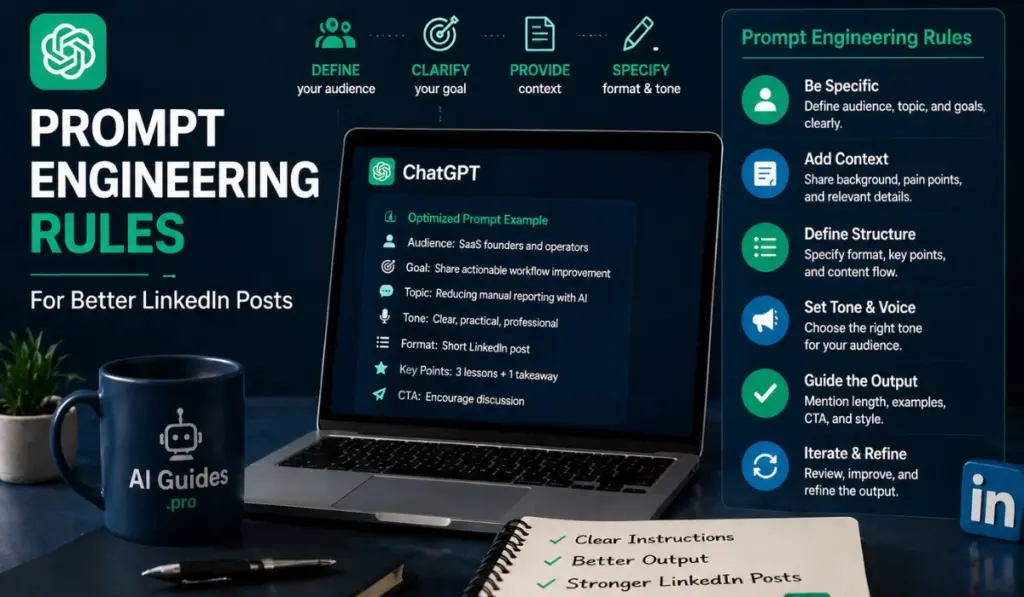
Better Prompt Engineering gives ChatGPT clear instructions before drafting starts. This helps the output match the audience, post goal, and professional context.
For LinkedIn, the prompt should guide both content and structure. It should explain who is writing, who is reading, and what the post must achieve.
Add Role and Audience Context
Role context tells ChatGPT who the author is. Audience context tells it who the post should serve.
This matters because a founder, marketer, developer, or consultant will frame the same topic differently. Their readers also expect different examples and language.
A weak prompt says:
- Write a LinkedIn post about AI adoption.
A better prompt says:
- Act as a B2B SaaS founder writing for operations leaders.
- Write a LinkedIn post about using AI to reduce manual reporting work.
- Focus on workflow friction, decision speed, and practical implementation.
This prompt gives ChatGPT a clearer content direction. It also helps create stronger ChatGPT prompts for LinkedIn posts with better audience fit.
Use role and audience context when writing for different seniority levels. A post for executives should not sound like a post for junior marketers.
Give ChatGPT A Clear Content Format
A clear format improves readability on LinkedIn. It also prevents long, unfocused paragraphs that readers skip.
Strong LinkedIn post prompt templates usually define the structure before drafting. This can include hook, context, lesson, example, and takeaway.
A useful format prompt could be:
| Write a LinkedIn post using this structure: – One-line hook – Short context – Three practical points – One specific example – Clear reader takeaway |
This structure helps ChatGPT produce content that is easier to scan. It also gives the post a logical reading flow.
Different formats serve different goals. Use AIDA for promotional posts, PAS Framework for pain-led posts, and JTBD Framework for buyer education.
For example, AIDA can help introduce a product use case. PAS Framework can frame a common work problem. JTBD Framework can explain why readers need a better process.
Add Constraints
Constraints improve control. They tell ChatGPT what to include, what to avoid, and how the final post should sound.
Useful constraints include sentence length, paragraph length, tone, examples, banned phrases, and formatting rules. These details reduce generic AI phrasing.
A strong constraint prompt could be:
| Write a LinkedIn post about [topic]. Keep sentences between 8 and 18 words. Use paragraphs of one or two lines. Use a professional, direct tone. Include one practical example. Avoid clichés, hype, and vague claims. |
This makes the output more suitable for professional readers. It also supports cleaner AI prompts for LinkedIn content.
Constraints are especially useful for Personal Branding. They help keep posts consistent across topics, formats, and campaigns.
For stronger consistency, add Brand Voice Guidelines into the prompt. These can define tone, vocabulary, sentence rhythm, and examples to avoid.
Ask For Multiple Angles
One topic can produce several useful LinkedIn posts. Asking for only one draft limits the content strategy too early.
Multiple angles help identify the strongest direction. They also support better LinkedIn content ideas from the same source topic.
For example, “AI in customer support” could become several posts:
- A mistake-focused post
- A comparison post
- A workflow post
- A short opinion post
- A product education post
A useful angle prompt could be:
| Generate seven LinkedIn post angles for [topic]. Create one angle for awareness, authority, engagement, lead nurturing, and product education. For each angle, include the target reader, hook idea, and post format. |
This prompt helps connect one idea with multiple business goals. It also supports a stronger LinkedIn content strategy with ChatGPT.
Use this before drafting. Choosing the right angle first often improves the final post more than editing later.
Use Editing Prompts After Drafting
The first draft should not be the final post. Editing prompts help improve hooks, clarity, flow, compression, and voice.
This is where Human-in-the-Loop Editing becomes important. AI can suggest improvements, but a person should approve the final version.
For hook improvement, use:
| Rewrite the first line of this LinkedIn post in five ways. Make each hook specific, clear, and relevant to [target audience]. Avoid vague claims and overused phrases. |
For clarity, use:
| Edit this LinkedIn post for clarity. Remove unclear wording, repeated ideas, and weak transitions. Keep the meaning unchanged. |
For compression, use:
| Shorten this LinkedIn post by 25 percent. Keep the main point, example, and takeaway. Remove filler and repeated phrasing. |
For voice matching, use:
| Edit this post using these Brand Voice Guidelines: [insert guidelines]. Keep the tone professional, direct, and practical. Flag any sentence that sounds generic or off-brand. |
These editing prompts make ChatGPT more useful after drafting. They also help turn rough output into polished, credible LinkedIn content.
LinkedIn Prompt Templates By Content Goal
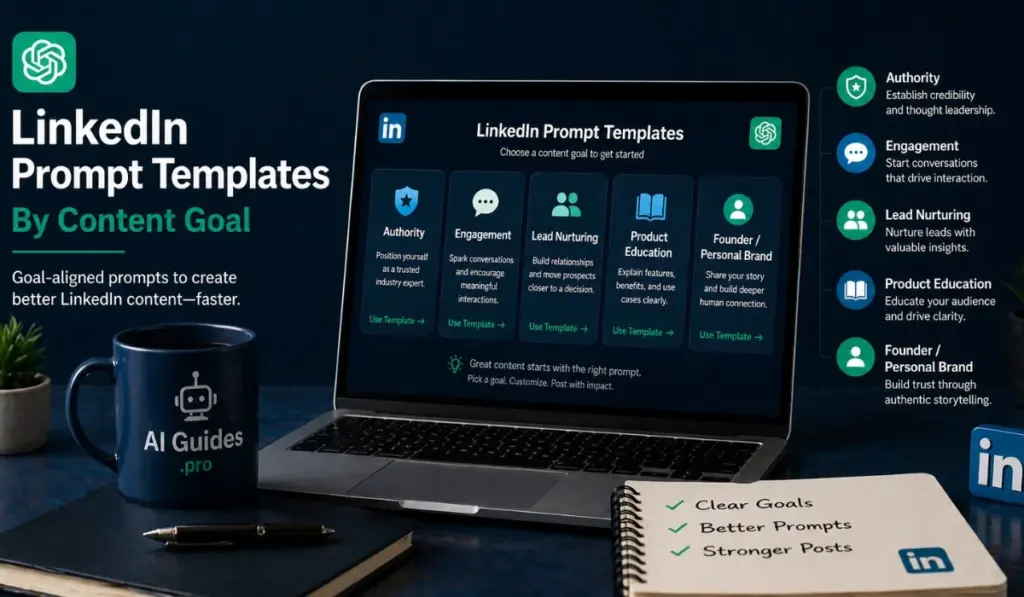
Different LinkedIn goals need different prompt structures. A post built for authority should not read like a product update.
Use these templates when creating LinkedIn post prompt templates for specific business outcomes. Each prompt gives ChatGPT a defined role, audience, structure, and purpose.
10. Authority-Building Prompt
Authority-building content should show expertise through lessons, examples, and practical judgment. It should help readers understand a topic more clearly.
This type of post works well for consultants, founders, developers, marketers, and technical professionals. It supports Thought Leadership without sounding broad or self-promotional.
Prompt:
| Act as a [role] writing for [target audience]. Write a LinkedIn post about [topic] that builds authority. Start with a specific problem or misconception. Explain one lesson learned from experience. Add one practical insight readers can apply. Keep the tone professional, clear, and direct. |
Example use case:
Use this for posts about AI adoption, content workflows, software decisions, team processes, or industry lessons.
A strong authority post should teach something useful. It should also show why the author understands the problem.
11. Engagement Prompt
Engagement posts should invite useful comments, not empty reactions. The goal is to start discussion around a relevant opinion or question.
This format works well when testing audience views, content preferences, or industry assumptions. It also supports better LinkedIn engagement posts.
Prompt:
| Write a LinkedIn engagement post for [target audience] about [topic]. Start with a clear opinion or practical question. Give brief context in two short paragraphs. Ask one focused question that encourages thoughtful comments. Avoid vague questions and engagement bait. |
Example use case:
Use this when asking professionals about AI writing tools, content review habits, workflow problems, or buying decisions.
A good engagement post gives readers a reason to respond. It should make the question specific enough for real discussion.
12. Lead Nurturing Prompt
Lead nurturing posts should address pain points, objections, and decision barriers. They help readers understand a problem before choosing a solution.
This format is useful for MOFU readers who already know the problem exists. They need clarity, proof, and practical next steps.
Prompt:
| Write a LinkedIn lead nurturing post for [target audience]. The topic is [problem or solution area]. Address one common pain point and one buyer objection. Explain how to evaluate the problem more clearly. Include one practical example or decision filter. Keep the post helpful, not sales-focused. |
Example use case:
Use this for posts about AI content workflows, CRM tools, automation, analytics, or professional services.
This type of post can support ChatGPT for LinkedIn marketing when the content educates before selling.
13. Product Education Prompt
Product education posts should connect features with real use cases. They should explain why a feature matters in practical work.
The structure should include benefit, feature, use case, and proof. This keeps the post useful instead of overly promotional.
Prompt:
| Write a LinkedIn product education post for [target audience]. The product is [product or service]. Explain one customer problem first. Connect one feature to one practical benefit. Add a use case and one proof point. End with a clear reader takeaway. |
Example use case:
Use this for AI tools, SaaS products, content platforms, training programs, or consulting services.
A good product education post helps readers understand value. It should not read like a feature list.
14. Founder Or Personal Brand Prompt
Founder and personal brand posts should connect experience with a clear point of view. They should show judgment, not only personal updates.
This format works well for Personal Branding on LinkedIn. It can share lessons, opinions, decisions, or mistakes in a professional way.
Prompt:
| Write a LinkedIn post from the perspective of a [founder, consultant, developer, or specialist]. The topic is [topic]. Include one strong opinion based on experience. Add one specific example from real work. Explain the lesson for [target audience]. End with one practical takeaway. |
Example use case:
Use this when building visibility around AI workflows, business lessons, client work, technical choices, or leadership decisions.
The post should sound specific and grounded. It should not use vague motivation or broad business advice.
Common Mistakes When Using ChatGPT For LinkedIn Content
ChatGPT can speed up LinkedIn content creation, but weak use creates weak content. Most issues come from poor inputs, limited context, and missing review.
These mistakes often make AI-generated posts sound repetitive, vague, or disconnected from audience needs.
Using Prompts Without Audience Context
A prompt without audience context forces ChatGPT to guess. That usually creates broad content with limited relevance.
For example, “write about AI productivity” is too general. It does not say who the post is for or what problem matters.
A stronger prompt defines the reader’s role, industry, seniority, and pain point. This gives the post a clearer direction.
Audience context improves AI prompts for LinkedIn content because it shapes tone, examples, and depth. A CTO and a junior marketer need different explanations.
Missing context also weakens business relevance. The post may sound polished but fail to support any content goal.
Publishing Raw AI Output
Raw AI output often needs editing before publishing. It may contain repeated ideas, weak phrasing, or unsupported claims.
ChatGPT can create a useful first draft, but it does not know every brand detail. It also may miss the author’s real experience.
Publishing without review can damage trust. Readers may notice generic wording, familiar patterns, or unclear points.
Use Human-in-the-Loop Editing before every post. Check accuracy, tone, examples, structure, and reader value.
Raw drafts should become edited posts. That step protects credibility and improves professional quality.
Overusing The Same Post Structure
Repeated structure can reduce audience interest over time. Readers may start recognizing the same rhythm and layout.
This happens when every post starts with a bold claim, three points, and one closing line. The format becomes predictable.
LinkedIn content ideas should use different structures based on purpose. Some topics need stories, while others need frameworks or comparisons.
Rotate formats across educational posts, opinion posts, list posts, carousels, and polls. This keeps the content experience more useful.
A varied structure also helps test what the audience actually values. The results can guide future prompt design.
Asking For Viral Content Without Strategy
Prompts asking for “viral LinkedIn posts” often create weak output. They focus on attention without business purpose.
A viral-style post may get reactions but miss the target reader. It may also fail to support authority, leads, or product education.
Better prompts define the content goal first. That goal may be awareness, engagement, lead nurturing, or trust building.
For MOFU content, strategy matters more than broad reach. The right audience response is more useful than empty visibility.
A stronger prompt asks for relevance, clarity, and useful examples. These factors usually support better long-term performance.
Ignoring Proof and Specific Examples
Posts without proof often sound generic. They make claims but give readers little reason to trust them.
Specific examples make content more credible. They can include numbers, workflows, tools, decisions, or observed outcomes.
For example, “AI improves content quality” is weak. “AI helped reduce outline drafting time by 40%” is stronger.
Proof also supports Thought Leadership. It shows the author understands real situations, not only broad concepts.
Ask ChatGPT where proof is needed. Then add real details before publishing.
Also Read: ChatGPT For Content Marketing
Best Practices For Editing AI-Generated LinkedIn Posts
Editing turns AI-generated drafts into professional LinkedIn content. The goal is clearer thinking, stronger voice, and better reader value.
Use Brand Voice Guidelines, sample posts, and quality checks during editing. This helps keep content consistent across every post.
Replace Generic Claims With Specific Details
Generic claims weaken trust because they sound familiar. Replace them with details the reader can understand or verify.
Use numbers, examples, tools, outcomes, and observations where possible. These details make the post more useful.
For example, replace “AI saves time” with a clearer statement. Say, “AI reduced first-draft planning from two hours to 30 minutes.”
Specific details can also include tools like ChatGPT, Claude, Gemini, Notion, or Google Docs. Mention them only when they fit the workflow.
A useful editing prompt is:
| Review this LinkedIn post and flag generic claims. Suggest specific examples, numbers, tools, or outcomes to improve credibility. |
This helps improve LinkedIn content creation prompts after the first draft.
Rewrite The First Line Manually
The first line controls whether readers stop scrolling. It should be specific, relevant, and easy to understand.
AI can suggest hooks, but manual review is important. Many AI hooks sound polished but too familiar.
A strong first line should name a problem, insight, mistake, or sharp observation. It should not rely on hype or vague curiosity.
For example, avoid broad openings like “AI is changing content marketing.” Use a more specific opening instead.
A stronger version could be: “Most AI-written LinkedIn posts fail before the second line.”
Use this prompt for support:
| Rewrite this LinkedIn hook in five versions. Make each version specific, clear, and relevant to [target audience]. Avoid hype, clichés, and vague claims. |
Then choose the version that best fits the author’s voice.
Remove Filler Words
Filler makes posts longer without adding meaning. It also weakens clarity for busy professional readers.
Remove repeated ideas, soft qualifiers, and empty phrases. Shorter sentences often improve readability on LinkedIn.
Look for phrases like “in today’s fast-paced environment” or “it is important to note.” These usually add little value.
Use stronger verbs and clearer nouns. This makes each sentence easier to scan and understand.
A useful editing prompt is:
| Edit this LinkedIn post for clarity and brevity. Remove filler, repeated ideas, and weak phrases. Keep the main point, example, and takeaway unchanged. |
This works well when editing ChatGPT LinkedIn post ideas into publishable posts.
Add A Clear Reader Takeaway
Every post should leave the reader with one useful point. Without a takeaway, the post may feel incomplete.
The takeaway can be a lesson, rule, warning, question, or practical next step. It should match the post’s purpose.
For educational posts, the takeaway should clarify what the reader learned. For lead nurturing posts, it should clarify a decision point.
Avoid adding too many conclusions. One clear takeaway is usually stronger than several loose ideas.
A useful prompt is:
| Add one clear reader takeaway to this LinkedIn post. Keep it practical, concise, and aligned with the main idea. Do not add a sales pitch. |
This improves value without overexplaining the message.
Check For Brand Voice Consistency
Brand voice consistency helps posts feel connected over time. It also protects credibility across different topics and formats.
Use Brand Voice Guidelines when editing AI-generated content. These guidelines should include tone, vocabulary, sentence rhythm, and banned phrases.
Sample posts can also help ChatGPT match style more closely. Provide two or three examples before asking for revisions.
A useful voice prompt is:
| Edit this LinkedIn post using these Brand Voice Guidelines: [insert guidelines]. Match the tone, sentence style, and level of detail from these sample posts: [insert samples]. Flag any sentence that sounds generic, exaggerated, or off-brand. |
This is especially useful for founders, consultants, and experts building Personal Branding. It keeps content recognizable without making every post sound identical.
Benefits and Limitations of ChatGPT For LinkedIn Content Creation
ChatGPT enhances LinkedIn content production but has limitations that require careful editing.
Key Benefits
- Generates multiple content ideas quickly.
- Organizes content into clear formats.
- Adapts one topic into multiple formats.
- Converts long-form content into posts.
- Provides strong starting points quickly.
Key Limitations
- Lacks audience and goal context.
- Cannot create real-life experiences.
- May include inaccurate or unverified claims.
- Leads to predictable, dull content.
When Human Editing Is Required
Human editing is essential before publishing any AI-generated LinkedIn post. It ensures accuracy, voice consistency, positioning, and credibility.
- Fact-Checking
All claims involving data, trends, or performance should be verified before posting.
- Voice Editing
Brand Voice Guidelines help ensure consistency, professionalism, and recognizability across posts.
- Example Insertion
Real-life examples, client situations, and team lessons improve trust and make the content more credible.
- Positioning Review
Ensure the post aligns with the author’s expertise, audience needs, and business goals.
- Compliance Checks
In regulated industries like healthcare, finance, or legal, stricter reviews are necessary. AI Content Governance ensures accuracy, approvals, and adherence to industry rules.
Advanced workflows can also use tools like Zapier to connect planning, drafting, and scheduling tools, but final review should always be human-led.
Frequently Asked Questions (FAQs)
Can ChatGPT write LinkedIn posts from scratch?
Yes, ChatGPT can create LinkedIn posts from scratch. The result improves when the prompt includes audience, topic, tone, format, and examples. For better results, define the post goal before drafting. This helps create stronger ChatGPT prompts for LinkedIn posts.
Are AI-generated LinkedIn posts effective?
AI-generated LinkedIn posts can be effective when edited properly. Raw AI output often needs sharper hooks, clearer examples, and stronger opinions. Effectiveness depends on audience fit and human review. Posts should support authority, engagement, or lead nurturing.
How many LinkedIn prompts should I use in one workflow?
Use separate prompts for ideation, drafting, editing, and repurposing. This gives better control than using one broad prompt. A simple workflow may need four prompts. One creates ideas, one drafts, one edits, and one repurposes.
What is the best prompt format for LinkedIn content?
The best format includes role, audience, goal, topic, structure, tone, and output type. This gives AI enough context to create useful content. For example, specify the reader, post format, and sentence length. This improves clarity and reduces generic output.
Final Thoughts
ChatGPT prompts for LinkedIn content creation work best when they support a clear content strategy. They should not replace audience understanding, positioning, or human judgment.
Prompt quality determines draft quality. Clear instructions help ChatGPT create stronger ideas, better structure, and more useful first drafts.
LinkedIn posts need audience context and clear purpose. A post should help a specific reader understand, decide, compare, or act.
AI helps with ideation, structure, drafting, and repurposing. It can turn one topic into several useful professional content formats.
Human review protects voice, accuracy, and credibility. The strongest results come from structured prompts, specific inputs, editing, and performance review.

Add your first comment to this post