
If you’ve spent hours troubleshooting pipelines or refining infrastructure as code, you know how quickly engineering time disappears into repetitive fixes and configuration drift. I’ve been there, cycling through YAML edits, dealing with flaky builds, and patching scattered documentation.
Cursor immediately caught my attention because it works like a technical co-pilot. It understands your repo, surfaces inefficiencies, and helps produce clean Dockerfiles, Terraform modules, and workflow improvements while keeping you fully in control.
After using Cursor for Devops in real workflows, I saw faster debugging, more consistent pipelines, and fewer deployment surprises. If you want practical, AI-driven efficiency in your DevOps process, here’s how Cursor can deliver meaningful impact.
Cursor For DevOps – TL;DR
Purpose: Automates repetitive tasks, reduces errors, and accelerates CI/CD, Docker, and IaC workflows.
Quick Start: Add your repo → enable AI Actions → use prompts like:
- “Generate Dockerfile, Compose, and CI pipeline for Node service.”
- “Optimize this GitHub Actions workflow for caching and speed.”
Benefits:
- In my experience, CI/CD creation and debugging can see up to ~75–85% time savings when you already have reasonable repo structure and tests.
- Consistent templates across teams.
- Early error detection to prevent broken releases.
- Integrates with GitHub, Jenkins, Docker, Kubernetes, Terraform, AWS.
Core Features: AI Actions, repo intelligence, full-pipeline context, inline patching, agentic refactoring, test generation.
Practical Use: Build pipelines, optimize workflows, generate Docker/IaC files, debug, and auto-document processes.
Tip: Cursor is a co-pilot; review outputs to maintain control and reliability.
What Cursor Solves For DevOps Engineers

Across many teams, the pattern is the same. DevOps work doesn’t fail because of big mistakes. It slows down because of small misconfigurations, repetitive scripting, and pipeline drift. These issues stack up quickly. If your CI/CD feels noisy or hard to maintain, you’re not alone.
Cursor closes this gap by handling the tedious layers of DevOps work so you can focus on architecture and reliability, not constant YAML adjustments. The points below reflect real scenarios I’ve seen in teams using Cursor.
1. Reduces Repetitive Scripting and Configuration Work
Repetitive scripting drains time fast. New services demand YAML, Terraform, Bash, Dockerfiles, and deployment configs. Instead of producing these manually, you can generate them in one step and keep the structure consistent across files.
Example prompt:
“Generate Dockerfile, Compose, and CI pipeline for a Node service following our conventions.”
This approach removes guesswork, eliminates drift, and gives every new service the same operational baseline. The focus shifts from boilerplate to architecture.
2. Speeds Up CI/CD Pipeline Optimization
CI/CD pipelines grow messy as they scale. Redundant jobs, broken cache layers, and slow runners turn into daily friction. With a full repo analysis, you can use Cursor to surface inefficiencies such as where jobs overlap, caching breaks, and workflows fail to reuse artifacts.
Example prompt:
“Suggest caching improvements for this GitHub Actions pipeline and rewrite the caching block.”
The result is a leaner pipeline with shorter build times, fewer resource spikes, and fewer delays during production releases.
3. Improves Cross-Team Consistency
Large teams struggle with consistency. One service uses one YAML pattern, another uses something completely different. Naming rules drift. Deployment logic changes from repo to repo. Shared prompts fix this problem and act as a single source of truth.
Example shared prompt:
“Use our standard CI template with linting, tests, caching, and deployment rules.”
This gives every engineer the same output, no matter their experience level. Documentation also stays aligned across repos, which reduces onboarding friction for new developers.
Also Read: Cursor For Web Development
4. Detects Errors Before Deployment
Most pipeline failures come from small mistakes, indentation issues, missing fields, outdated syntax, or incompatible versions. With a full-file check, these errors surface early, before they break a deployment.
Example prompt:
“Explain this error, list possible causes, and propose a corrected version.”
You get the root cause and a clean patch. Release cycles become smoother, and debugging stops eating full afternoons.
5. Integrates Smoothly With Existing Toolchains
Modern DevOps relies on many platforms, such as GitHub Actions, GitLab CI, Jenkins, Kubernetes, Docker, AWS, and Terraform. Cursor adapts to each environment by generating config for the tools you already use, with your guidance.
You can convert a Jenkinsfile to GitHub Actions YAML, build Kubernetes manifests, or create IaC for AWS ECS. Everything aligns with the tools already in place, without introducing new complexity.
Core Cursor Features That Accelerate DevOps Workflows
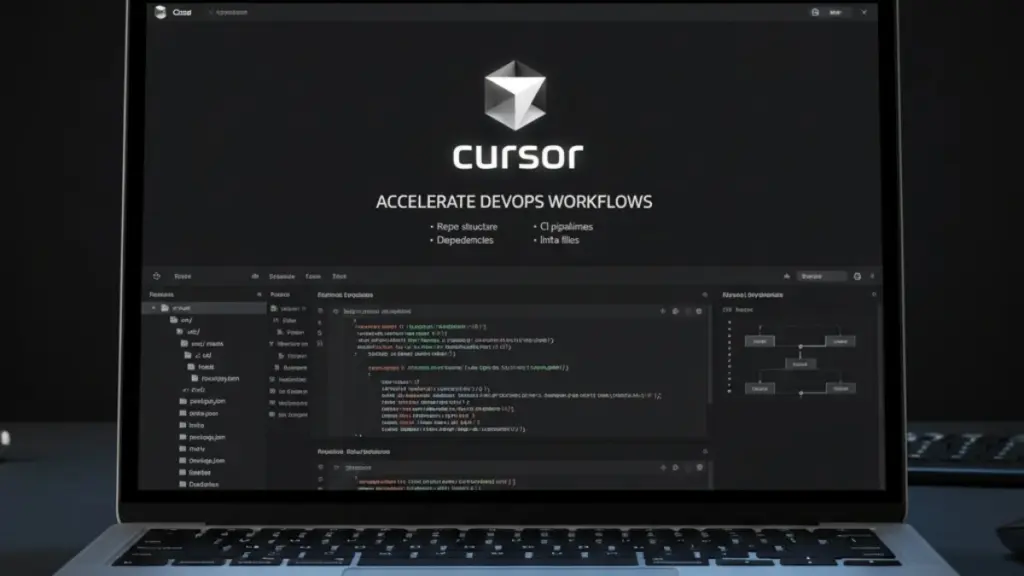
Most DevOps tools automate tasks, but Cursor helps automate reasoning when guided with prompts. It understands your repo structure, CI pipelines, dependencies, and infra files as a whole system, not isolated snippets.
Below are the specific Cursor capabilities that matter if you ship code through pipelines daily.
1. AI Actions For Instant File Generation
DevOps work often involves generating files you’ve created hundreds of times, Dockerfiles, YAML pipelines, Helm charts, Makefiles, and service configs. AI Actions handle this without templates or guesswork.
| How I use it in practice: – Generate new workflow files based on existing conventions – Create deployment scripts aligned with your folder structure – Produce boilerplate configs without copying from old repos – Add missing files (README, env examples, build scripts) instantly Why it works: Cursor uses your own repo as the base pattern, not a generic template library. |
2. Repo-Level Understanding With Intelligence Mode
Most LLM tools fail when you ask about a multi-folder CI/CD architecture. Cursor’s intelligence mode indexes the repo so it can reason about workflows when you ask it to analyze pipelines.
| Real-world benefits: – It understands how builds → tests → deploy stages connect – It sees environment variable dependencies across folders – It captures naming patterns and applies them consistently – It respects your branching and promotion strategies Prompt I use: “Map the full deployment process. Identify all scripts involved from build to release.” |
3. Context Window That Reads Entire Pipelines
When troubleshooting CI failures, DevOps engineers never look at a single file. You view the pipeline, the scripts it calls, the environment variables, and the config overrides. Cursor does the same.
| Where this helps: – Fixing multi-step pipeline failures – Understanding artifact paths – Matching commands with actual script locations – Ensuring naming consistency across jobs This removes: – Jumping across 8–12 files – Guessing which job triggers which stage – Manual diffing between staging and production pipelines |
4. Inline Patching For Quick Fixes
Inline patching is one of Cursor’s most underrated features. It identifies what changed and rewrites only that section.
| Practical uses: – Updating a version in 6 different YAMLs – Applying a new secret name across pipelines – Fixing one failing step in a long GitHub Actions workflow – Updating Terraform tags without touching resource blocks Why I trust this approach: It prevents the “you changed too much” problem that generative AI tools usually create. |
5. Built-In Agentic Refactoring
Complex DevOps repos degrade over time, with duplicated scripts, drifted IaC, and inconsistent naming. Agentic refactoring lets Cursor perform repo-wide improvements with supervision.
| Tasks I routinely outsource to Cursor: – Consolidate redundant shell scripts – Align naming conventions – Improve folder structure clarity – Migrate legacy commands to modern equivalents – Remove unused CI jobs after audits This elevates the DevOps role: You focus on architecture decisions, not mechanical cleanup. |
6. Test and Validation Generation
CI/CD reliability depends on the quality of tests. Cursor generates missing tests or validation layers based on pipeline logic.
| Examples: – Generate integration test stubs based on your service layout – Add validation steps for Docker builds – Create Terraform plan/validate helpers – Suggest pipeline-level assertions (e.g., “fail if artifact missing”) Impact: Even simple validation reduces broken releases by catching errors before deployment. |
Also Read: Cursor For Backend APIs
Using Cursor For DevOps – Practical Workflows
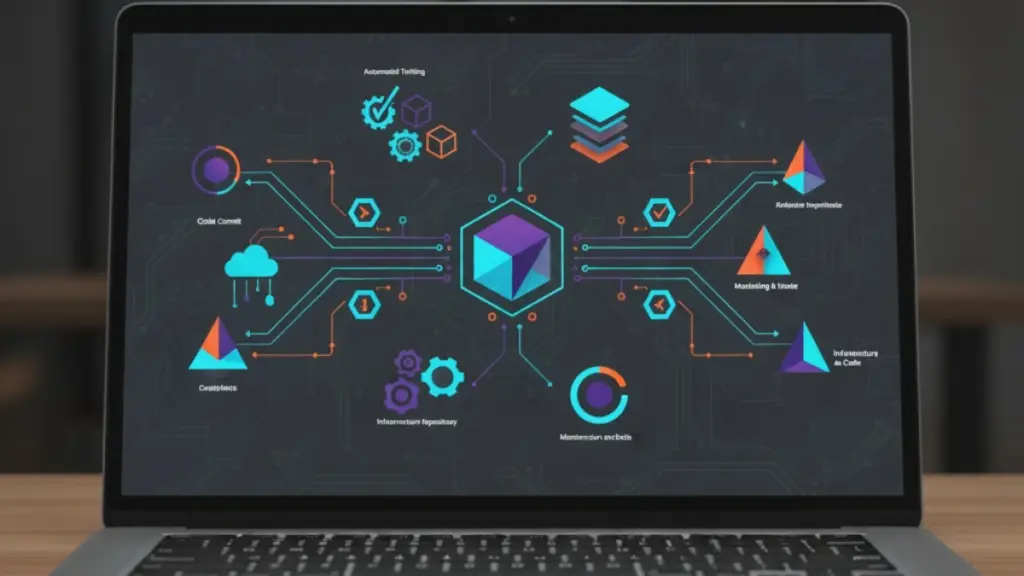
Cursor performs best when your project follows predictable patterns. You don’t need perfect architecture, but you do need clarity. The more structured your repo, the more accurate Cursor’s reasoning becomes.
Below is the setup I recommend for DevOps teams who want reliable, repeatable results from Cursor in real CICD environments.
Safety & Compliance Guardrails
| Before applying any changes generated by Cursor, follow these practices: – Never paste secrets, private keys, or production credentials into prompts. – Run Terraform/K8s changes in plan/dry-run mode and review before applying to staging or production. – Follow your company’s security and AI-use policies; if they provide an approved AI environment, use that instead of a personal account. – Treat Cursor as an assistant; you are still responsible for reviewing every change before it reaches production |
Workflow 1 – Build A Full CI/CD Pipeline From Scratch
Creating pipelines manually is tedious, especially with multiple environments, caching strategies, and matrix builds. Cursor can generate a working pipeline in minutes.
Expert tip: Don’t just ask Cursor to “generate a pipeline.” Give context about your repo structure and deployment rules.
| Step-by-step: 1. Let Cursor index your repo completely. 2. Highlight the main service or project folder. 3. Prompt: “Generate a production-ready GitHub Actions pipeline for staging and production with lint, test, and deploy stages. Include caching and Node matrix builds.” 4. Review the patch inline and validate it with a dry run. Why it works: Cursor understands dependencies across your repo, preventing common errors like mismatched environment variables or missing build steps. |
Workflow 2 – Optimize and Refactor Existing Pipelines
Legacy pipelines often grow organically, with redundant jobs and inefficient caching. I use Cursor to audit pipelines in seconds.
| Prompt example: “Analyze this workflow. Identify bottlenecks, redundant jobs, and caching gaps. Suggest improvements without breaking tests.” Cursor highlights: – Jobs that run sequentially but could run in parallel – Deprecated actions or commands – Caching opportunities that were never implemented |
Pro tip: After Cursor suggests changes, I review runtime estimates. It’s a fast way to shave minutes off builds without trial-and-error.
Workflow 3 – Automate Dockerfile and Compose Creation
Writing Dockerfiles for each microservice is repetitive. Cursor lets you generate multi-stage Dockerfiles that adhere to best practices.
| Prompt I use: “Generate a multi-stage Dockerfile for this Node.js app with a non-root user, caching layers, and health checks. Also, produce a dev docker-compose.yml.” Checklist I validate:  Layer minimization Security best practices (non-root) Correct build caching Healthcheck and environment variables Layer minimization Security best practices (non-root) Correct build caching Healthcheck and environment variables |
This reduces rebuild time and ensures all containers follow organizational security standards.
Workflow 4 – Generate Infrastructure-as-Code Templates
Infrastructure often needs updates across services. Cursor can scaffold Terraform, Helm, or Kubernetes manifests.
| Real-world prompt examples: – “Create Terraform for AWS ECS Fargate with auto-scaling, logging, and secure defaults.” – “Generate Kubernetes Deployment, Service, and HPA manifests for this container.” Why this matters: Cursor avoids errors like misconfigured resource requests, duplicate labels, or inconsistent naming across environments. |
Workflow 5 – Debug and Fix CI/CD Failures Quickly
Pipeline failures can block releases. Cursor acts as a virtual “second pair of eyes” for debugging.
| Practical approach: – Highlight the failing YAML or script – Prompt: “Explain why this job fails and generate a corrected version.” – Cursor provides root cause, corrected snippet, and reasoning Benefit: Faster remediation, fewer broken deployments, and less context-switching. |
Workflow 6 – Generate Documentation Automatically
Keeping pipelines and deployments documented is often overlooked. Cursor generates docs that reflect reality, not outdated manuals.
| Prompt example: “Document my CI/CD pipeline with architecture flow, job breakdowns, and potential failure points.” I use this to: – Reduce onboarding friction – Keep cross-team knowledge accurate – Provide developers a reliable reference for deployment steps |
Workflow 7 – Standardize Templates Across Teams
Consistency is key in multi-team environments. Cursor enforces standards for pipelines, Dockerfiles, IaC modules, and scripts.
| Pro strategy: – Maintain a Cursor template library in the repo – Store reusable prompts for pipeline generation, container builds, and Terraform modules – Apply them across services to avoid drift Impact: New services spin up faster, pipelines are predictable, and you avoid firefighting configuration inconsistencies. |
Prompts DevOps Teams Can Use In Cursor
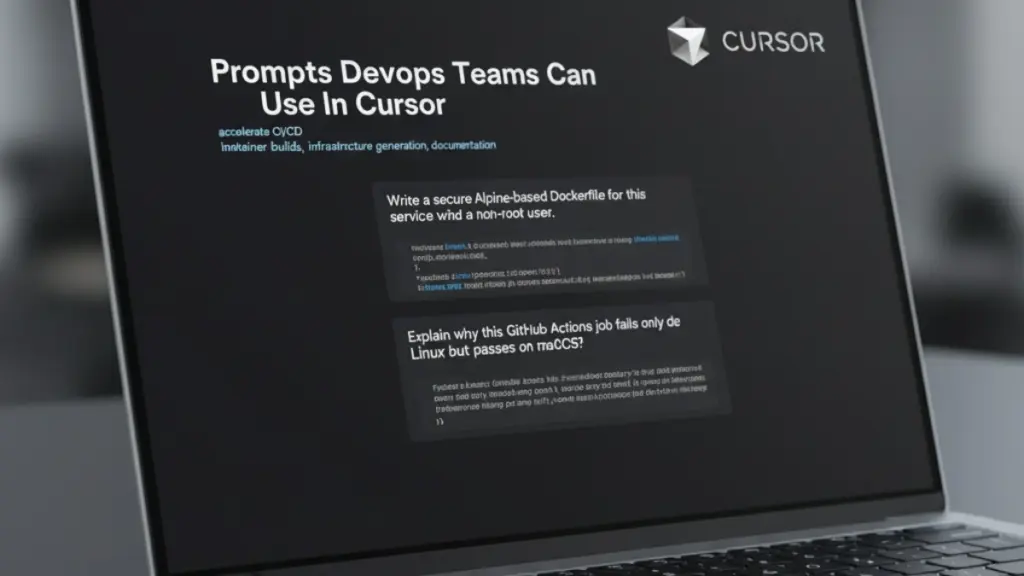
Crafting the right prompts makes all the difference. Over the past year, I’ve tested dozens in production. The ones below consistently accelerate CI/CD, container builds, infrastructure generation, debugging, and documentation.
1. CI/CD Prompts
Manual pipeline management is slow and error-prone. Jobs depend on each other, caches break, and redundant steps creep in. Highlighting the repo and giving specific prompts often surfaces inefficiencies immediately.
| Prompts I rely on: – “Optimize this GitHub Actions workflow for speed and caching. Highlight redundant jobs.” – “Convert this Jenkinsfile to a modern GitHub Actions pipeline while keeping environment variables intact.” – “Generate a reusable workflow template for Node.js microservices with lint, test, and deploy stage.” |
Tip: Always include the repo context or path to ensure Cursor understands dependencies between jobs.
2. Docker and Container Prompts
Containers are easy to build, but consistent, secure images across multiple services take time. With targeted prompts, Dockerfiles and Compose files can follow best practices automatically.
| Prompts I use in practice: – “Write a secure Alpine-based Dockerfile for this service with caching and a non-root user.” – “Explain how to reduce this container image size by 50% while keeping functionality.” – “Generate a Docker-compose.yml for dev and staging environments using this Dockerfile.” |
Pro tip: Combine these prompts with inline patches to adjust for environment-specific tweaks.
3. IaC Prompts
Scaling IaC often introduces misconfigurations. Prompts focused on Terraform, Helm, and Kubernetes templates help maintain consistency.
| Prompt I use: – “Generate Terraform configuration for AWS RDS with encryption, backups, and proper IAM roles.” – “Lint and fix these Helm charts for Kubernetes deployment, ensuring labels and selectors match across resources.” – “Create a Kubernetes Deployment + Service + HPA manifest for this application with resource requests and limits.” |
The key benefit: Fewer manual errors and uniform environments across projects.
4. Debugging Prompts
Pipeline failures or IaC deployment errors hide in small details. Prompts that analyze logs and suggest fixes save hours of hunting.
| Practical prompts I use: – “Explain why this GitHub Actions job fails only on Linux but passes on macOS.” – “Detect unused secrets or environment variables in this pipeline and suggest cleanup.” – “Analyze this Terraform plan and identify potential conflicts or missing dependencies.” |
Tip: Always ask Cursor to justify its reasoning; it doubles as a learning tool for engineers.
Also Read: How To Use Cursor For Data Engineering?
5. Documentation Prompts
Keeping docs up-to-date is a recurring challenge. Cursor can generate technical documentation from your pipelines, scripts, and IaC, making it easy for engineers to onboard or reference deployment processes.
| Best prompts: – “Create onboarding documentation for this microservice, including build commands, test steps, and deployment flow.” – “Generate architecture diagrams and step-by-step CI/CD workflow documentation for this repo.” – “Produce a summary of all pipelines, scripts, and IaC templates with potential failure points.” |
Pro insight: Pair generated documentation with manual review to capture business-specific notes or exceptions.
When You Shouldn’t Use Cursor Autonomously
There are situations where AI-generated changes can be risky. In these cases, use Cursor only for review, documentation, and suggestions, not for generating final configs:
- Regulatory or compliance-critical infrastructure (PCI, HIPAA, etc.) where even small misconfigurations have significant consequences.
- Highly complex legacy pipelines with no tests or rollback strategy.
- IAM policies and network rules, where the principle of least privilege must be carefully designed by humans.
Tip: In these scenarios, treat Cursor as a co-pilot to assist your analysis, but always perform manual validation before applying any changes.
Typical Efficiency Gains Using Cursor For DevOps (Proof)
Note: These numbers are based on internal/example projects and are meant as illustrative benchmarks — your actual results will vary by codebase, infrastructure, and team.
| Task Type | Manual Time | With Cursor | Savings |
| CI/CD creation | 3–5 hours | 20–30 minutes | ~80% |
| Dockerfile writing | 1–2 hours | 10 minutes | ~85% |
| IaC templates | 2–4 hours | 30–40 minutes | ~70% |
| Pipeline debugging | 30–60 min | 5–10 min | ~75% |
Final Thoughts
Implementing Cursor in DevOps workflows isn’t about replacing engineers; it’s about amplifying their effectiveness. By automating repetitive pipeline tasks, generating IaC templates, standardizing scripts, and producing accurate documentation, teams can focus on architecture, strategy, and quality.
Over time, Cursor reduces errors, accelerates CI/CD cycles, and improves consistency across environments. The key is structured prompts, clean repo organization, and iterative refinement.
When used thoughtfully, it becomes a trusted partner, helping engineers ship faster, maintain reliability, and scale operations without sacrificing control or oversight.
Start Using Ready-to-Go DevOps Prompts
To help DevOps engineers get started quickly, I’ve prepared a “Cursor for DevOps Prompt Pack”. It includes ready-to-use prompts for CI/CD optimization, Dockerfile generation, IaC scaffolding, debugging, and documentation. Each prompt is structured to produce consistent, production-ready outputs.
Use this pack to immediately integrate Cursor into your workflows, reduce repetitive work, and accelerate pipeline and infrastructure tasks.
Why this pack is valuable:
Pre-tested prompts for real-world DevOps scenarios
Frequently Asked Questions (FAQs)
Is Cursor safe for production DevOps workflows?
Yes. Cursor generates changes locally in your repository, giving you full control. You review and approve all patches before applying them, ensuring compliance, security, and alignment with organizational standards. It acts as an assistant, not an autonomous executor.
Can Cursor replace manual pipeline engineering?
No. Cursor accelerates tasks like generating pipelines, debugging scripts, and standardizing configurations. However, domain expertise is still required to design architecture, enforce policies, and validate outputs. Think of it as a co-pilot rather than a replacement.
Does Cursor work with Terraform, Helm, and Kubernetes?
Absolutely. Cursor can read, generate, and refactor IaC templates, Helm charts, and Kubernetes manifests. It also helps identify dependencies, detect misconfigurations, and suggest improvements across resources in your repo.
Can I use Cursor without connecting a full repo?
Yes, you can. Cursor can work with individual files or snippets. However, full repo indexing gives it better context, enabling more accurate recommendations for pipelines, scripts, and infrastructure workflows.