
Refactoring code is rarely the problem; finding the time, structure, and clarity to do it safely is. If you’ve ever opened a huge file, spotted the mess, and thought, “I’ll fix this later,” you’re not alone.
That’s where using Cursor for code refactoring becomes a real advantage. Cursor gives you project-wide context, accurate diffs, and AI-driven reasoning that helps you refactor faster without breaking things. But you still need the right workflow; otherwise, you’ll get messy changes, unintended logic edits, or refactors that drift from your architecture.
In this guide, I’ll show you a practical, engineering-focused workflow I use to refactor safely and predictably inside Cursor. You’ll get examples, prompts, checklists, and step-by-step processes designed for real-world engineering teams, not theoretical best practices.
TL;DR Quick Start
If you’re using Cursor for code refactoring, here’s the fastest way to get clean, predictable improvements without messy diffs or hallucinated changes.
1. Prepare Your Codebase (2 minutes)
- Run ESLint/Prettier or equivalent formatters.
- Remove dead/commented code.
- Create a backup branch:
git checkout -b refactor/cursor-pass2. Give Cursor a Focused Refactoring Goal
Use short prompts. Avoid vague instructions.
Example Prompt:
| Refactor this file for clarity and maintainability. Keep logic identical. Do not rename APIs. Only break down large functions and remove duplication. Explain every change before applying. |
3. Run a Diff-First Workflow
- Select code → “Ask Cursor.”
- Approve or reject changes in the Diff Viewer.
- Ask:
| Before applying, list all changes you plan to make. |
4. Apply, Test, Iterate
- Run test suite
- Manually sanity-check edge cases
- Commit in small batches
| Refactor this controller into smaller functions. Preserve all logic. Improve naming based on existing conventions. Move repeated blocks into a utility function. Show diff-only changes and ask before applying. |
Why Use Cursor For Code Refactoring Today
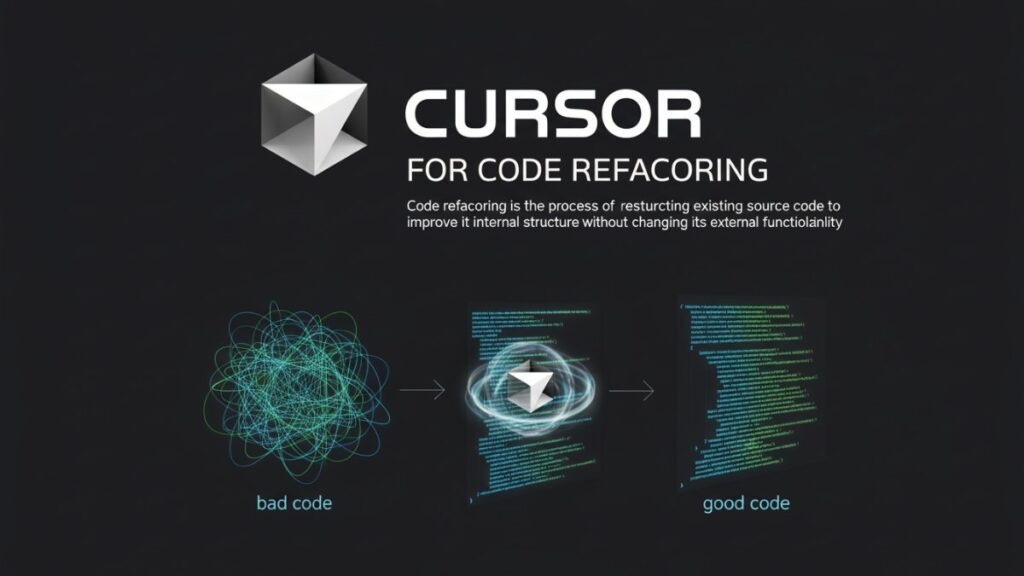
Refactoring is never just “cleaning up code.” It involves understanding intent, dependencies, patterns, and architecture. Doing this manually takes hours.
Using Cursor for code refactoring removes the repetitive work so you can focus on engineering decisions instead of mechanical edits, formatting fixes, and cross-file navigation.
The Pain Points of Manual Refactoring
Manual refactoring is slow and mentally draining. You jump between files, trace references, and try not to break anything, especially in messy legacy code. One wrong rename can introduce bugs, which makes refactoring feel risky.
Cursor solves this with its diff-first workflow. The diff-first workflow lets you preview every change, and you can prompt it to explain the modifications before approving. It also understands your project’s structure, naming patterns, and architecture, so its suggestions stay consistent instead of random.
Cursor also reduces decision fatigue by automating repetitive edits and boilerplate, letting you focus on higher-level design instead of mechanical tasks.
Where Cursor Improves The Process
Cursor brings speed and accuracy with context-aware transformations. You can use Cursor to detect repeated logic, inconsistencies, and architectural patterns by asking it to analyze specific files or modules.
Its interactive diff is the biggest advantage, you never apply changes blindly. Cursor shows what changed and why, keeping the entire process transparent.
It also excels at naming and pattern matching, proposing options aligned with your existing codebase. And by offloading formatting, imports, helper extraction, and cleanup, Cursor frees your cognitive load so you can prioritize clarity, structure, and maintainability.
Example Cursor Prompt For Fast Cleanup
Below is a short, reliable prompt for quick file-level refactoring. It’s designed to prevent unintended logic changes and force Cursor to explain its reasoning before editing anything.
| Refactor this file for clarity and maintainability. Keep logic identical. No new features, no behavior changes. Improve naming based on existing patterns. Extract repeated blocks into helper functions. Before applying, list every planned change and explain why. Show a clean diff after. |
This prompt works because it keeps the instruction narrow. Cursor doesn’t hallucinate new APIs or restructure files unexpectedly. It performs safe, mechanical cleanup using your existing patterns.
Use this whenever you want clean, incremental refactors without touching business logic.
Performance Metrics: Manual Vs. Cursor-Assisted Refactoring
Below is an example measurable-outcomes table for engineering teams using Cursor-based refactoring.
Note: These numbers are based on example internal projects and are meant as illustrative benchmarks. Your actual results will vary depending on codebase size, test coverage, and team workflow.
| Example Metric | Before | After | Description |
| Time to refactor a module | 3–6 hours | 30–45 minutes | Reduced manual cleanup time |
| Diff review load | High | Low | Fewer unexpected changes |
| Bug introduction risk | Medium | Low | Diff-first + explanation |
| Code duplication | High | Reduced by 40–60% | Automated extraction of utilities |
Also Read: How To Use Cursor For Testing and QA?
Preparing Your Codebase For Cursor Refactoring
Before you start using Cursor for code refactoring, it’s essential to prepare your codebase. A clean, organized starting point ensures AI-assisted changes are safe, predictable, and aligned with your project standards. Rushing into refactoring on a messy codebase can create conflicts, broken logic, and wasted time.
1. Clean Up Before You Begin
Cleaning up your code is the first step. Remove unnecessary complexity so Cursor can focus on meaningful changes.
Checklist:
- Remove dead code – unused functions, obsolete comments, and commented-out blocks.
- Format your files – run ESLint, Prettier, or equivalent tools for consistent indentation and styling.
- Fix minor warnings – small syntax or type errors can confuse AI refactoring suggestions.
- Organize imports – group and remove unused imports to reduce noise in diffs.
Example Command:
eslint --fix src/
prettier --write "src/**/*.js"Cleaning first ensures that Cursor’s suggestions are meaningful and that diffs only include structural or logical improvements, not formatting fixes.
2. Define Refactoring Boundaries
Set clear goals for what you want Cursor to change. Without boundaries, AI may refactor too much or change things you want to keep intact.
Steps to Define Boundaries:
- Decide whether the refactor is file-level, module-level, or project-wide.
- List functions or components to avoid touching.
- Identify critical logic that must remain untouched.
- Prepare a short prompt template for Cursor (more in the “Example Prompt” section later).
Mini-hook: Think: Do you want Cursor to optimize naming, reduce duplication, or restructure logic? Defining this prevents wasted iterations.
3. Create a Backup Branch
Never refactor directly on your main branch. Always create a separate branch to preserve history and allow safe rollback.
Example Git Commands:
git checkout -b refactor/cursor-pass
git push -u origin refactor/cursor-passThis branch acts as a sandbox. After each Cursor-assisted iteration, you can run tests, review diffs, and commit in small batches without affecting production code.
A Complete Cursor Workflow For Code Refactoring
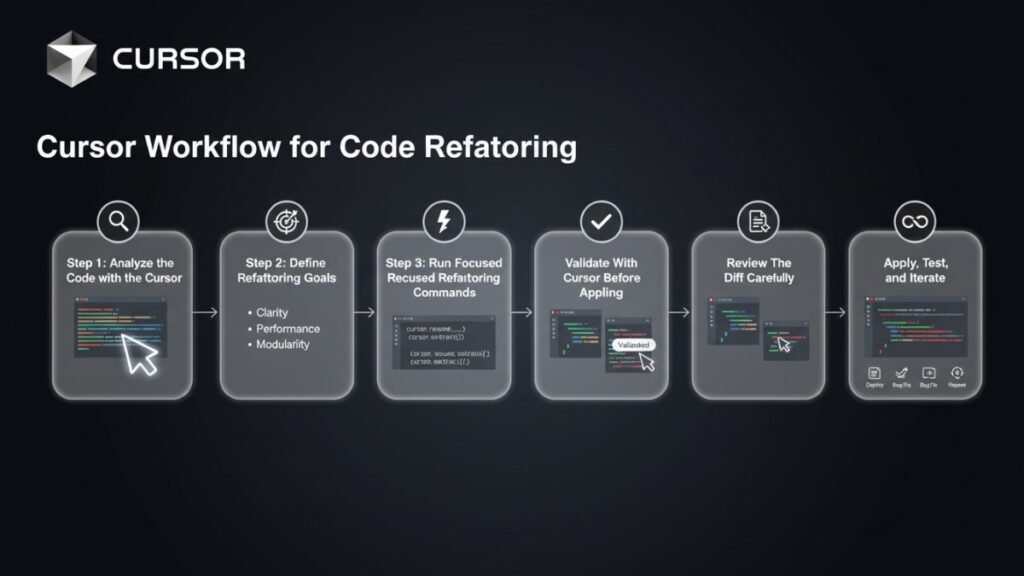
Using the Cursor for code refactoring is most effective when you follow a structured, step-by-step workflow. This ensures AI suggestions improve your code without introducing errors or breaking logic.
Here’s a practical engineering workflow you can apply to real-world projects.
Step 1: Analyze the Code with the Cursor
Before making any changes, Cursor should understand your code. This step helps identify patterns, duplication, and areas that require cleanup.
Workflow:
1. Open the target file or module in Cursor.
Ask Cursor to summarize the code:
SELECT
'Analyze this module and provide a summary of functions, dependencies, and patterns.' AS analysis_task;2. Review the AI summary for insights like:
– Repeated logic blocks
– Large functions that could be broken down
– Nested conditions that reduce readability
Pro Tip: Skipping this analysis can lead to refactors that change logic unintentionally.
Step 2: Define Refactoring Goals
Clearly specifying goals ensures Cursor knows what to improve and what to leave unchanged.
Workflow:
- Decide the focus: clarity, duplication removal, or standardization.
Create short, precise prompts:
Refactor this code for clarity and maintainability.
Keep all logic identical.
Only break down large functions and remove repeated code.- Include instructions to explain changes before applying.
Mini-hook: Ask yourself, “What would I do manually first?” This becomes your AI prompt blueprint.
Step 3: Run Focused Refactoring Commands
Now, execute targeted refactors using Cursor’s AI-assisted commands.
Workflow:
- Highlight the section or file.
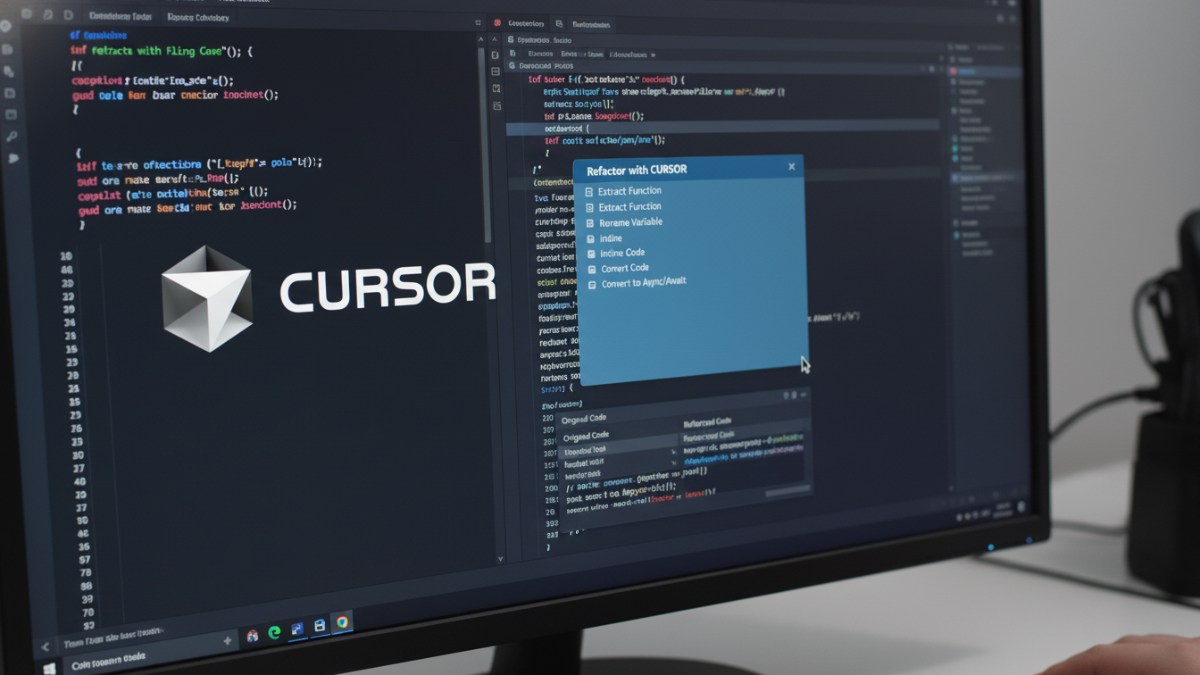
- Use commands like “Ask Cursor to refactor” or “Extract function”.
- Review suggested changes before applying.
Example:
| – Extract repeated API call logic into a utility function. – Preserve existing parameters and return values. – Show proposed diff only. |
This ensures precision, reducing unintended edits.
Step 4: Validate With Cursor Before Applying
Never apply changes blindly. Validation helps maintain confidence in AI suggestions.
Workflow:
Ask Cursor to explain each proposed change:
| Explain the purpose and effect of each refactor suggestion. |
- Confirm that logic remains identical.
- Reject or adjust suggestions that don’t meet your goals.
Step 5: Review The Diff Carefully
Cursor provides a diff-first workflow, which is critical for safety.
Workflow:
| 1. Open the diff viewer for each refactor batch. 2. Inspect line-by-line changes: – Ensure no logic breaks – Check naming and formatting – Confirm structural improvements 3. Approve only safe, meaningful changes. |
Pro Tip: Commit in small increments for easier rollback if needed.
Step 6: Apply, Test, and Iterate
After validating changes, apply them to your branch and run tests. Iteration ensures robustness.
Workflow:
- Apply approved changes.
- Run your unit, integration, and end-to-end tests.
- Sanity-check edge cases manually.
- Repeat steps 1–5 for other modules or files.
Mini-hook: Think of this as an AI-assisted TDD cycle. Cursor helps refactor, but tests confirm correctness.
| ⚠️ Safety Reminder: Before diving deeper, see “When You Should Not Use AI Refactoring” for cases like critical, untested flows or external API contracts. Avoid AI-assisted refactors in these areas until tests exist. |
Common Code Refactoring Scenarios In Cursor (With Examples)
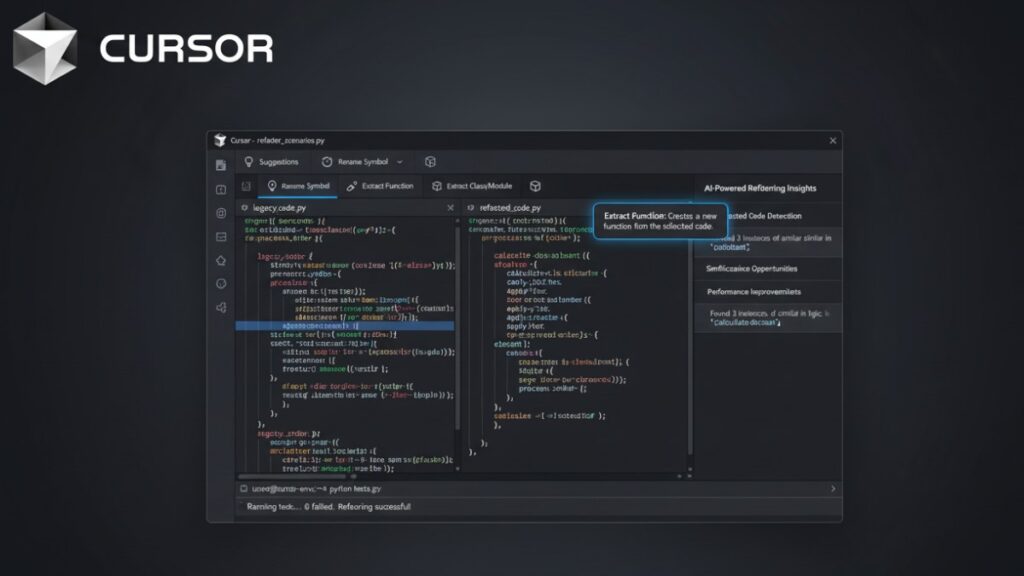
Cursor shines when handling repetitive, risky, or large-scale refactoring tasks. Here are six common scenarios and practical ways to tackle them using Cursor.
Scenario 1: Breaking Down a Large Controller
A bloated controller tends to hide intent and blend responsibilities. Restructuring it becomes far easier when the tool guides the extraction of smaller, focused functions.
Workflow Example:
- Highlight the large controller file.
Prompt:
SELECT
    'Refactor this controller into smaller functions.'      AS task_refactor,
    'Preserve all existing logic.'                          AS task_constraints,
    'Improve naming for clarity.'                           AS task_naming,
'Show diff-only changes and explain each extraction.' AS task_output;- Review suggested extractions in the diff viewer.
- Apply changes in small batches.
Before/After Example:
// Before: bloated controller
async function getUserProfile(req, res) {
  const user = await User.findById(req.params.id);
  if (!user) return res.status(404).send("Not found");
  console.log("User accessed:", user.email);
  const profile = {
    id: user._id,
    fullName: `${user.firstName} ${user.lastName}`,
    joined: user.createdAt,
  };
  return res.send(profile);
}

// After: refactored with helper function
import { formatUser } from "../helpers/formatUser.js";

async function getUserProfile(req, res) {
  const user = await User.findById(req.params.id);
  if (!user) return res.status(404).send("Not found");
  console.log("User accessed:", user.email);
  return res.send(formatUser(user));
}

// helpers/formatUser.js
export function formatUser(user) {
  return {
    id: user._id,
    fullName: `${user.firstName} ${user.lastName}`,
    joined: user.createdAt,
  };
}Outcome: Functions become modular, easier to test, and reusable. The workflow and example together show a real, end-to-end refactor rather than just abstract instructions.
Scenario 2: API Layer Cleanup
API layers often have repeated logic for validation, error handling, or data formatting. Cursor can consolidate this.
Workflow Example:
| Identify repeated code patterns in this API module. Extract repeated logic into helper functions. Keep endpoints behavior unchanged. Provide a diff and explanation before applying. |
Benefit: Reduces redundancy, improves maintainability, and simplifies future API changes.
Scenario 3: Improving React Component Structure
React components often balloon in size when UI, state, and logic sit in one file. Separating these concerns restores clarity and helps the component scale with fewer issues.
Workflow Example:
| Refactor this React component. Move state logic into custom hooks. Split large render methods into smaller components. Do not change props or event behavior. Show diffs for approval first. |
Result: Components are easier to maintain, test, and reuse.
Scenario 4: Eliminating Repeated Utility Code
Utility functions are often copied across modules. Cursor can identify duplicates and consolidate them.
Workflow Example:
| Scan the project for duplicate utility functions. Merge duplicates into a single helper file. Update all references to use the new helper. Ensure functionality remains unchanged. |
Outcome: Cleaner, centralized utility code and fewer bugs from inconsistent implementations.
Scenario 5: Renaming and Standardizing Across Files
Naming conventions drift over time, especially in growing teams. A structured, project-wide rename keeps everything consistent without the usual manual risk.
Workflow Example:
| Rename all instances of ‘oldFunctionName’ to ‘newFunctionName’. Apply changes across all project files. Do not alter logic or API responses. Provide diff for review before applying. |
Benefit: Standardized naming conventions and reduced cognitive load for new developers.
Also Read: Cursor For Web Development
Scenario 6: Converting Legacy Callbacks to Async/Await
Deep callback chains make asynchronous flows hard to follow. Transitioning to async/await produces cleaner control flow and dramatically improves readability.
Workflow Example:
| Convert nested callbacks in this module to async/await. Preserve all error handling and functionality. Show proposed diff only, explain changes. |
Result: Modern, readable asynchronous code that is easier to debug and maintain.
Advanced Refactoring With Cursor’s Project Context

Once you’re comfortable with single-file refactors, Cursor’s project-wide context can help safely tackle larger, multi-file refactors. This lets you improve architecture, enforce standards, and maintain consistency across the entire codebase.
1. Running Multi-File Refactors Safely
Refactoring across multiple files carries a higher risk. Cursor provides diff-first previews and project awareness to minimize mistakes.
Note: On large codebases, narrow these prompts to specific folders or selected files (e.g., only src/utils/ or a single service) to avoid context limits and reduce noisy diffs.
Workflow:
- Identify modules or folders for the refactor.
- Create a short prompt specifying:
- Files to include
- Files or functions to exclude
- Exact goals (naming, duplication removal, function extraction)
- Review the AI-generated diffs before applying any changes.
- Commit changes in small increments per module for easier rollback.
Example Prompt:
| Refactor all utility modules in the ‘src/utils/‘ folder. Merge duplicate functions and standardize naming. Do not alter business logic. Show proposed diffs first and explain all changes. |
Pro Tip: Always combine with automated tests to catch subtle regressions early.
2. Example Project-Wide Prompt
Here’s a template for a broader, cross-file refactor:
| Analyze the ‘services’ and ‘controllers’ folders. Identify repeated patterns and large functions. Refactor for clarity, modularity, and maintainability. Preserve all existing logic and APIs. Provide detailed diffs for review before applying. |
Mini-hook: Think of this as “AI-assisted code auditing” — Cursor surfaces opportunities you might miss manually.
3. Architecture-Level Refactors
Cursor can also assist in higher-level architectural changes, like:
- Splitting monolithic modules
- Extracting domain services
- Moving shared code into libraries
- Modernizing state management patterns
Workflow:
- Define architectural goals clearly.
- Work in small, reviewable steps.
- Use prompts that explain intent, not just syntax:
| Refactor the legacy authentication module into a service layer. Maintain all endpoints and behavior. Show diffs and explain each restructuring step. |
Outcome: Safe structural changes that improve long-term maintainability without breaking existing features.
4. When You Should Not Use AI Refactoring
While Cursor is powerful, it’s not a replacement for engineering judgment. Avoid AI-assisted refactors when:
- Logic is highly complex or sensitive (financial, security, or critical workflows)
- Legacy code lacks tests or documentation
- Refactors involve breaking API contracts with external consumers
- You need creative architecture decisions rather than repetitive improvements
Tip: Use the Cursor as a tool to accelerate routine refactors, not to replace careful design thinking.
Also Read: BMAD Method
Best Practices For Sustainable Refactoring With Cursor
To maximize the benefits of Cursor for code refactoring, it’s important to follow practices that maintain code quality, reduce risk, and make AI-assisted refactors repeatable.
1. Keep Prompts Short
Short, focused prompts reduce confusion and improve AI suggestions.
Tips:
- Specify exact goals: what to refactor and what to leave unchanged.
- Avoid vague instructions like “clean this up”, it can lead to unintended edits.
- Use clear instructions about logic preservation, naming, and function extraction.
Example Prompt:
| Refactor this file for clarity and maintainability. Do not change logic or API contracts. Extract repeated logic into helper functions. Provide diffs and explain changes. |
Short prompts produce predictable, reviewable results, and reduce iteration time.
2. Use Diff-First Thinking
Always review AI suggestions before applying them. Cursor’s diff-first workflow is essential.
Best Practices:
- Approve changes line by line.
- Commit in small increments.
- Reject any refactor that may alter critical logic.
- Combine with unit and integration tests to verify correctness.
Diff-first thinking prevents unexpected regressions and ensures confidence in every refactor.
3. Maintain Documentation During Refactors
Refactoring can break implicit assumptions in your code. Maintaining documentation ensures the team remains aligned.
Tips:
- Update README, inline comments, and architecture diagrams.
- Document extracted functions, renamed modules, and new utility helpers.
- Use Cursor to suggest explanations for changes:
| Provide a summary of this refactor for documentation purposes. |
Clear documentation preserves knowledge and prevents confusion for future developers.
4. Add Tests Before Large Refactors
Tests are a safety net for AI-assisted refactors.
Workflow:
- Identify critical modules lacking tests.
- Add unit or integration tests.
- Run tests before and after applying Cursor refactors.
- Ensure edge cases and complex flows are covered.
Mini-hook: Think of tests as a guardrail; they allow Cursor to improve code confidently without risking breakage.
Final Summary
Refactoring is vital for a scalable codebase, but it becomes slow and risky when done manually. Cursor streamlines the process through AI-driven suggestions, project-wide context, and a diff-first workflow.
With a prepared codebase and clear prompts, you can confidently handle common refactors, such as breaking down controllers, improving API layers, restructuring React components, and consolidating utilities. Even multi-file or architecture-level changes become manageable.
Sticking to best practices, concise prompts, diff-based reviews, documentation updates, and tests ensures predictable, long-term improvements. Used effectively, Cursor accelerates code quality work, reduces tech debt, and boosts maintainability without sacrificing reliability.
Get The Complete Cursor Refactoring Toolkit
| Accelerate your code refactoring with the “Cursor Code Refactoring Workflow Pack.” Get 10 ready-to-use Cursor prompts, 4 checklists for code prep and diff reviews, 7 example diffs for safe refactors, and 4 refactor templates for controllers, APIs, React components, and utilities. Delivered in copy-paste-ready format for Cursor or your project repo, designed for engineers and team leads handling legacy code or multi-file refactors. This pack helps you implement the step-by-step workflows and best practices outlined in this guide, saving time and reducing errors across your codebase. |
Frequently Asked Questions (FAQs)
Does Cursor replace manual refactoring?
No. Cursor assists with repetitive and structural refactors but does not replace engineering judgment. You still need to review diffs, run tests, and make architecture decisions. Think of it as an AI pair programmer for refactoring.
Is it safe to refactor large projects with Cursor?
Yes, if you follow best practices: work in a backup branch, validate diffs, and use tests. Avoid blindly applying large-scale AI suggestions without review.
Can Cursor understand my entire project structure?
Cursor maintains project-wide context, helping it identify references, patterns, and duplicates across files. However, extremely complex or poorly documented projects may require additional guidance or manual review.
How do I avoid unwanted logic changes?
– Use short, precise prompts specifying what should not change
– Always review diffs first
– Maintain tests to catch regressions
– Apply changes incrementally for better control