
Sales outreach is more competitive than ever, and crafting personalized emails or LinkedIn messages at scale takes far too much time. I used to spend hours rewriting the same outreach angles, adjusting tone, and trying to personalize every message, yet the results barely moved.
That changed once I started using ChatGPT in my outbound workflow. Instead of staring at a blank screen, I could generate structured, relevant, and prospect-specific drafts in seconds. With the right prompts, ChatGPT doesn’t just speed up outreach; it improves consistency and personalization across channels.
In this guide, I’ll share the exact method of using ChatGPT for sales outreach, workflows, and optimization steps that noticeably improved my response rates. Everything is based on real testing, so you can copy, customize, and deploy right away.
ChatGPT For Sales Outreach – TL;DR Quick Start
| ChatGPT accelerates sales outreach by generating personalized, structured email and LinkedIn drafts in seconds. Instead of spending 10–15 minutes per message, you can create 3–4 targeted variations in under 3 minutes, improve reply rates, and automate follow-ups through CRM integrations. How to use it fast: Define the prospect → Write a structured prompt → Generate 2–3 variations → Personalize lightly → Deploy across email + LinkedIn. Actionable Instruction: Give ChatGPT a clear prompt that includes the prospect’s role, industry, pain point, tone, and a single CTA. Example Prompt: “Create a 3-line cold email for a marketing manager at a SaaS startup struggling with lead quality, highlighting efficiency improvements and ending with a short CTA to book a demo.” |
Why ChatGPT Is A Game-Changer For Sales Outreach? [3 Key Reasons]
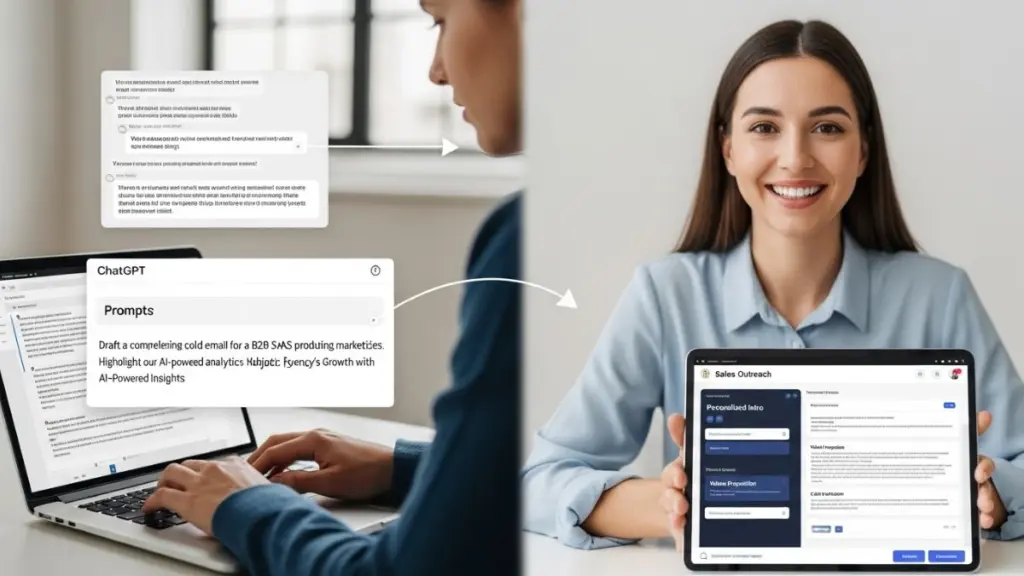
I’ve spent countless hours crafting personalized sales emails and LinkedIn messages, only to see minimal replies. That’s when I started using ChatGPT prompts for sales outreach, and it completely changed the way I work.
1. Time Saved per Outreach
Before ChatGPT, writing a single cold email took me 10–15 minutes. Now, I can produce 3–4 unique drafts in under 3 minutes. The AI handles the heavy lifting, researching tone, structuring the email, and keeping it concise.
My Workflow: 1. Define the prospect: Job title, company size, and pain points. 2. Craft a clear prompt: I tell ChatGPT exactly who I’m emailing and the value I want to convey. 3. Example Prompt I use: “Write a 3-line email for a marketing manager highlighting our SaaS lead generation solution and efficiency gains.” 4. Generate multiple drafts: I typically get 2–3 variations for each prospect. 5. Personalize lightly: I add recent company news or mutual connections to make it human. |
2. Improved Response Rates
When I first tried sending AI-assisted emails, I was skeptical. Within a week, I noticed a significant increase in reply rates. The secret was using personalized, concise, and targeted messages that still sounded human.
| How I Do It: – Generate multiple variations to test subject lines and messaging. – Use specific prospect pain points to make messages relevant. – Apply the same prompts for LinkedIn DMs to create a multichannel sequence. |
3. Workflow Integration
I also experimented with connecting ChatGPT outputs directly into my CRM. By exporting AI-generated emails and using Zapier, I could queue messages automatically in HubSpot and schedule follow-ups without manual effort.
| Integration Steps I Use For Sales Outreach Automation: 1. Export drafts from ChatGPT. 2. Push them to my CRM with Zapier or API. 3. Schedule follow-ups automatically. 4. Track open rates, clicks, and replies to refine prompts over time. |
Example Results From One of My Own Campaign Tests
Below is a sample snapshot from a real campaign I ran. It shows how tightening prompts, improving personalization, and streamlining my workflow changed the outcomes:
| Metric | Before ChatGPT | After ChatGPT |
| Response Rate | 12% | 22% |
| Outreach per Day | 20 | 60 |
| Positive Replies | Low | Noticeably Higher |
| Time Spent per Email | 6–8 minutes | 1–2 minutes |
Your mileage will vary depending on list quality, offer, and channel — but this example shows what’s possible when you refine your prompts and workflows.
How To Write High-Converting Sales Emails Using ChatGPT

Writing emails that get responses is still one of the biggest challenges in outbound sales. In fact, sixty-five percent of emails are ignored. The main reason is failing to understand the target audience, not knowing what matters to them, and relying on generic messaging that blends in with every other outreach attempt.
ChatGPT can solve these problems easily. With the right prompts, you can generate personalized, relevant outreach that stands out in a crowded inbox.
Here’s how I used it to craft emails that consistently get responses, step by step:
Step #1 – Define Your Target Audience
Before writing, I always clearly define who I’m emailing. Knowing the prospect’s role, company size, industry, and pain points allows me to craft prompts that generate relevant content.
| Prompt For Defining The Right Audience: “I want to clearly define my target audience for a sales email campaign. Based on the following information, help me create a detailed prospect profile: Job title and department: [Insert here] Company size and type (startup, mid-market, enterprise): [Insert here] Pain points or challenges they are likely facing: [Insert here] Recent activity, achievements, or news: [Insert here] List the key traits, priorities, and motivations of this audience so I can tailor my messaging effectively.” |
Step #2 – Craft Your Prompt Using ChatGPT
The quality of your email depends on the prompt you give ChatGPT. The more specific and structured it is, the better the output.
Using the audience insights generated in step one, you can now create a targeted prompt that guides ChatGPT to write a personalized email tailored to your prospect.
| Example Audience Details From Step One: Job title and department: Marketing Manager, B2B SaaS company Company size and type: Mid-market, 200–500 employees Pain points or challenges: Low lead conversion, difficulty tracking campaign ROI Recent activity or achievements: Recently launched a new product feature and shared it on LinkedIn Prompt For ChatGPT: “I want to write a personalized sales email for a Marketing Manager at a mid-market B2B SaaS company. They are struggling with low lead engagement and difficulty tracking campaign ROI. They recently launched a new product feature and shared it on LinkedIn. Using this information, draft a professional, concise, and engaging email that: 1. Addresses their specific challenges. 2. References their recent activity or achievements. 3. Clearly communicates the value of my solution. 4. Includes a friendly call-to-action that encourages a response. Make the email sound human, relevant, and not generic.” |
Step #3 – Review and Personalize Output
Even though ChatGPT drafts excellent emails, I always review and lightly personalize to maintain authenticity. This ensures the email sounds human, aligns perfectly with the prospect’s context, and avoids feeling too automated.
| My Review and Personalization Workflow Prompt: – Check tone and clarity: Make sure the email is friendly, professional, and easy to read. – Add specific references: Include any recent news, achievements, or context not captured by ChatGPT. – Adjust phrasing for authenticity: Replace any generic phrases with words that match your natural voice. – Include a personal touch: A short comment or question relevant to the prospect’s work can increase engagement. |
Step #4 – A/B Test Variations
Testing different approaches is crucial. I usually generate three variations per email using ChatGPT, changing elements like the subject line, opening sentence, or call-to-action.
| How You Can Run A/B Tests for Maximum Impact: – Subject or opening lines: Try different tones, curious, benefit-driven, or personalized. – Opening lines: Experiment with referencing pain points, achievements, or industry trends. – Calls-to-action: Test subtle versus direct CTAs to see which encourages more replies. – Track results: Measure open rates, reply rates, and click-throughs to identify the highest-performing variation. |
Here’s a real example from one of my campaigns:
- Goal: Improve open rates for a cold SaaS outreach sequence
- Audience: 40 data engineering leads
- Variable: Subject line
| Version | Subject Line | Open Rate | Result |
| A | “Quick question about your data workflows” | 41% | Baseline |
| B | “Idea to cut your pipeline failures by 30%” | 58% | Winner |
Why Version B worked:
It focused on a specific outcome and felt more relevant to a technical audience.
How I updated my prompt afterward:
I added a line to my subject line instructions:
| “Use clear, outcome-driven subject lines tied to the prospect’s primary pain point. Avoid vague phrases like ‘quick question’ unless targeting very conservative segments.” |
Checklist For High-Converting ChatGPT Sales Emails
 Define your target audience – Include job title, company size, industry, and pain points. Include prospect-specific details – Reference recent activity, achievements, or mutual connections for personalization. Craft a clear and structured ChatGPT prompt – Specify audience, tone, outcome, and word limit. Generate multiple variations – Create 2–3 subject lines and message bodies for A/B testing. Review and refine output – Ensure brand voice is consistent and remove generic or irrelevant content. Add a clear, actionable CTA – Make the desired next step explicit and easy for the prospect to respond. Segment and track performance – Send variations to small groups, monitor open/reply rates, and optimize future prompts. Define your target audience – Include job title, company size, industry, and pain points. Include prospect-specific details – Reference recent activity, achievements, or mutual connections for personalization. Craft a clear and structured ChatGPT prompt – Specify audience, tone, outcome, and word limit. Generate multiple variations – Create 2–3 subject lines and message bodies for A/B testing. Review and refine output – Ensure brand voice is consistent and remove generic or irrelevant content. Add a clear, actionable CTA – Make the desired next step explicit and easy for the prospect to respond. Segment and track performance – Send variations to small groups, monitor open/reply rates, and optimize future prompts. |
Negative / Generic Vs. Prompt-Driven Examples
| Bad Generic Email (Do Not Use): Subject: “Quick question” Hi [Name], I wanted to reach out about our solution. Let me know if you’re interested. Thanks, [Your Name] Why it fails: – Too vague, non-personalized – Doesn’t reference the prospect’s pain points – Weak call-to-action Improved Prompt-Driven Version: Subject: “Idea to cut your pipeline failures by 30%” Hi [Name], I noticed your team recently launched [feature] and might be facing lead conversion challenges. [Product Name] helps mid-market SaaS companies improve pipeline efficiency by up to 30%. Would you be open to a 15-minute call next week? Best, [Your Name] Why it works: – Personalized reference to recent activity – Highlights specific pain point and value – Clear, actionable CTA |
LinkedIn Outreach Templates Using ChatGPT
LinkedIn is a high-touch channel for outbound sales, and I’ve found it especially effective when combined with ChatGPT. Rather than spending hours drafting connection requests and DMs, I generate personalized messages that feel natural and engaging.
1. Connection Request Templates Prompt
The first step in LinkedIn outreach is sending a connection request that gets accepted. ChatGPT helps craft concise and professional messages that increase acceptance rates.
| Step-by-Step Workflow: 1. Identify the prospect’s role, company, and interests. 2. Prepare a prompt for ChatGPT, including your value proposition and shared interest. Example Prompt I use: “Write a 50-word LinkedIn connection request for a VP of Sales, highlighting shared interest in AI automation and offering a helpful tip.” 3. Generate 2–3 variations. 4. Select the most natural-sounding one and send. |
2. Follow-Up Message Templates Prompt
Not all prospects respond to the initial request, so follow-ups are critical. ChatGPT helps craft polite, value-driven follow-ups.
| Step-by-Step Workflow: 1. Note the context of the first message. 2. Prepare a prompt for a follow-up that adds value without being pushy. Example Prompt: “Create a polite, 50-word follow-up LinkedIn message for someone who hasn’t replied to my connection request, offering a resource or insight relevant to AI in sales.” 3. Generate 2–3 variations for testing. 4. Schedule follow-ups 2–3 days after the initial request. |
3. Multi-Step Outreach Sequence
To increase engagement, you can use multistep LinkedIn sequences that combine connection requests, follow-ups, and value shares.
| Typical Sequence I Follow: Day 1: Connection request with personalized note Day 3: Follow-up message with added insight or resource Day 7: Share relevant content or case study Day 10+: Optional message highlighting next steps or CTA |
ChatGPT Automating Follow-Ups and Responses
Consistent follow-ups are crucial for outbound sales success. I used to spend hours manually sending reminder emails and LinkedIn messages. With ChatGPT, I can automate follow-ups while maintaining a natural, human-like tone, ensuring no prospect falls through the cracks.
1. Set Up A Prompt Library
Having a library of prompts saves time and ensures consistency across messages. You can generate this library with ChatGPT by creating reusable, customizable prompts for initial emails or follow-ups.
| How To Build A ChatGPT Prompt Library (With ChatGPT Prompt): I want to create a library of prompts for outbound sales outreach. The library should include templates for: 1. Initial outreach emails 2. Follow-up emails at different intervals 3. LinkedIn connection requests and messages 4. Responses to common objections or questions 5. (You can add more template options) For each type, provide 2–3 example prompts that can be used in ChatGPT to generate personalized, professional, and engaging messages. Make sure the prompts are flexible, easy to customize for different prospects, and maintain a natural, human tone. |
| Template Example: First-Touch Email for VP of Sales – “Loss to Status Quo” Angle 1. Prompt for ChatGPT: Write a concise, 3-line cold email for a VP of Sales at a mid-market SaaS company. Highlight the risks of keeping their current sales processes as-is (loss to the status quo). Show how [Product Name] can save time and improve conversion rates. End with a friendly CTA to book a 15-minute call. Keep it professional, personalized, and human.” 2. Example Output (What ChatGPT Could Generate): Subject: “Avoid costly pipeline leaks in Q4” Hi [VP Name], I noticed many teams struggle with lead follow-ups slipping through the cracks. [Product Name] helps mid-market sales teams track every opportunity and boost conversions by up to 25%. Would you be open to a 15-minute call to see if this fits your process? Best, [Your Name] Use Case: – First outreach to new leads who haven’t engaged with prior campaigns. – Emphasizes consequences of inaction to increase urgency. When Not to Use: – Avoid leads already familiar with your solution. – Not ideal for highly technical buyers where process details matter more than urgency. |
2. CRM Integration Tips
Integrating ChatGPT-generated messages into your CRM is essential for streamlining your sales workflow and keeping all communications organized. Here’s a step-by-step example of how it actually works in practice:
| Example Workflow: ChatGPT → CSV → HubSpot Sequence 1. Generate outreach copy in ChatGPT – Use a structured prompt to produce: – Subject line – Email #1 – Follow-up email #2 – LinkedIn connection message – Optional call script summary 2. Export results into a CSV – Columns: Lead name, company, pain point, email #1, email #2, LinkedIn message – Download the CSV to import into your CRM. 3. Upload CSV into HubSpot – Map each column to a HubSpot Sequence Template X (3-step nurture): – Step 1: Email #1 – Step 2: LinkedIn message – Step 3: Follow-up email #2 4. Launch and track engagement – Monitor opens, clicks, replies, and sequence completion. – Use insights to tweak prompts in ChatGPT for better results (e.g., shorter subject lines, more outcome-focused language, personalization). |
3. Compliance & Ethical Outreach Guidelines
To keep your outreach professional, compliant, and aligned with platform rules, here are essential guardrails I follow when using ChatGPT for outbound:
- Always include an opt-out line in cold emails to comply with CAN-SPAM, GDPR, and other email laws.
- Don’t paste sensitive or private customer data into ChatGPT, only use publicly available or non-identifiable information.
- Respect LinkedIn’s limits and TOS, avoid mass automation, scraping, or sending repetitive messages at scale.
- Send only targeted, relevant messages, not blast emails. Relevance is a compliance layer.
- Review all AI-generated messages manually to ensure accuracy, appropriateness, and lawful use of data.
Note: These guidelines are based on my own testing and workflows. They should not be considered legal advice; always follow your local regulations and company policies.
4. Metrics to Track
Monitoring metrics is essential to optimizing AI-driven outreach.
| Key Metrics I Track: – Open rates: Are your subject lines engaging enough? – Reply rates: Is the messaging compelling and personalized? – Meetings booked: Are follow-ups driving conversions? – Engagement over time: Are sequences producing consistent results? |
15 Advanced ChatGPT Prompts For Sales Outreach
Once you’ve mastered basic email and LinkedIn messages, advanced prompts unlock ChatGPT’s full potential. I started experimenting with structured, semi-technical prompts to generate multi-channel sequences, handle objections, and deliver personalized recommendations, all while maintaining a human tone.
Prompts For Value Proposition Emails
- “Write a [number of lines] email introducing [your product] to [prospect role] at [company type], highlighting [specific benefit or ROI], and include a clear CTA to [desired action].”
- “Generate a 3-paragraph email showing how [product name] solves [prospect pain point] for [industry] companies, keeping it professional and concise.”
- “Create a short email under [word count] words that emphasizes [efficiency, cost savings, or productivity] for [target role] in [company type].”
- “Draft a persuasive email contrasting [your solution] with [common competitor pain points], and end with a CTA to [book a demo/download resource].”
- “Compose an email to [prospect role] highlighting measurable outcomes of using [product name] in [industry], and suggest [next step].”
- “Compose a professional email to a VP of Sales showing cost-saving benefits with actionable next steps.”
Prompts For Objection Handling
- “Write a polite reply addressing [objection type] from [prospect role], emphasizing [solution benefits or ROI] and including a [friendly CTA].”
- “Generate a 2–3 line email countering [prospect concern] about [specific challenge], highlighting [ease of transition/support/resource].”
- “Draft a follow-up for a [prospect role] hesitant due to [budget/feature/implementation concern], suggesting [alternative solution or trial option].”
- “Create a concise message addressing [common objection] while reinforcing [product value/benefit].”
- “Write a professional response to [prospect’s specific worry], including [support/feature/ROI insight] to reassure them.”
Prompts For Personalized Recommendations
- “Draft a LinkedIn message recommending [tool/resource/product] to [prospect role] based on their recent activity about [topic/interest].”
- “Write a 50-word email suggesting a case study or guide that addresses [prospect pain point] for [industry/company type].”
- “Generate a message highlighting [feature/insight] that solves [prospect’s specific challenge] noticed on [LinkedIn/website/activity].”
- “Compose a short note sharing a relevant resource or webinar tailored to [prospect interest/industry trend].”
- “Draft a personalized message linking [product/resource] to [prospect’s current challenge or goal], keeping the tone professional and approachable.”
Final Thoughts
ChatGPT for sales outreach is now a competitive advantage, not a novelty. When used correctly, ChatGPT becomes a scalable extension of your sales workflow, drafting messages, testing variations, and adapting to different buyer segments without losing personalization.
The real value comes from combining structured prompts with your own understanding of prospects and market dynamics. You bring context; ChatGPT accelerates execution. Over time, this creates repeatable, high-performing outreach that reduces time spent on drafting and increases time spent on actual selling.
The result is simple: faster workflows, stronger personalization, and more conversations that convert.
Downloadable: ChatGPT Sales Outreach Prompts
Get instant access to 15+ copy-paste prompts in PDF, organized for maximum efficiency:
- Cold Emails – Draft personalized emails in seconds
- LinkedIn Outreach – Connection requests, follow-ups, and multi-step sequences
- Follow-Up Workflows – Automated sequences for higher reply rates
- Objection Handling – Ready-to-use responses for common pushbacks
Who it’s for: SDRs, AEs, and founders doing their own outbound sales.
Hit 50–100 high-quality outbound touches per day without sounding robotic, saving hours while improving response rates.
Build a repeatable, scalable sales outreach system today!
Frequently Asked Questions (FAQs)
Can ChatGPT completely replace a sales rep?
No. ChatGPT helps automate drafting, personalization, and follow-ups, but it cannot replace real conversations, discovery calls, or strategic decision-making. Think of it as an acceleration tool that handles repetitive work so you can focus on high-value interactions. Human judgment is still essential for closing deals.
How do I keep AI-generated messages from sounding robotic?
Start with a structured prompt, but add small personal touches—recent activity, shared context, or a company-specific insight. These details make the message feel human. A quick 10–20 second edit usually elevates the tone without extra effort.
Can ChatGPT integrate with my CRM or outreach tools?
Yes. Many teams connect ChatGPT with tools like HubSpot, Salesforce, or Pipedrive using APIs, Zapier, or native integrations. This allows automated message generation, follow-ups, and task creation while keeping workflows centralized.
How often should I update my prompts or templates?
Review and refresh them monthly. As response patterns, industries, and prospect behavior shift, updating prompts keeps your messaging relevant. Regular A/B testing will show which templates are losing effectiveness and which are performing well.
Is it legal to send AI-assisted cold emails?
Yes, as long as you comply with email and data privacy laws (CAN-SPAM, GDPR, etc.). Ensure:
– All recipients have the option to opt out
– No sensitive or private customer data is pasted into ChatGPT
– Messages remain targeted, relevant, and professional
– You review AI-generated content for accuracy and appropriateness