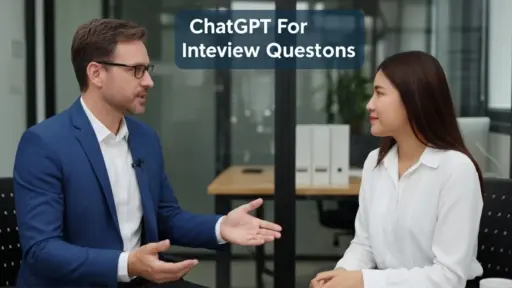
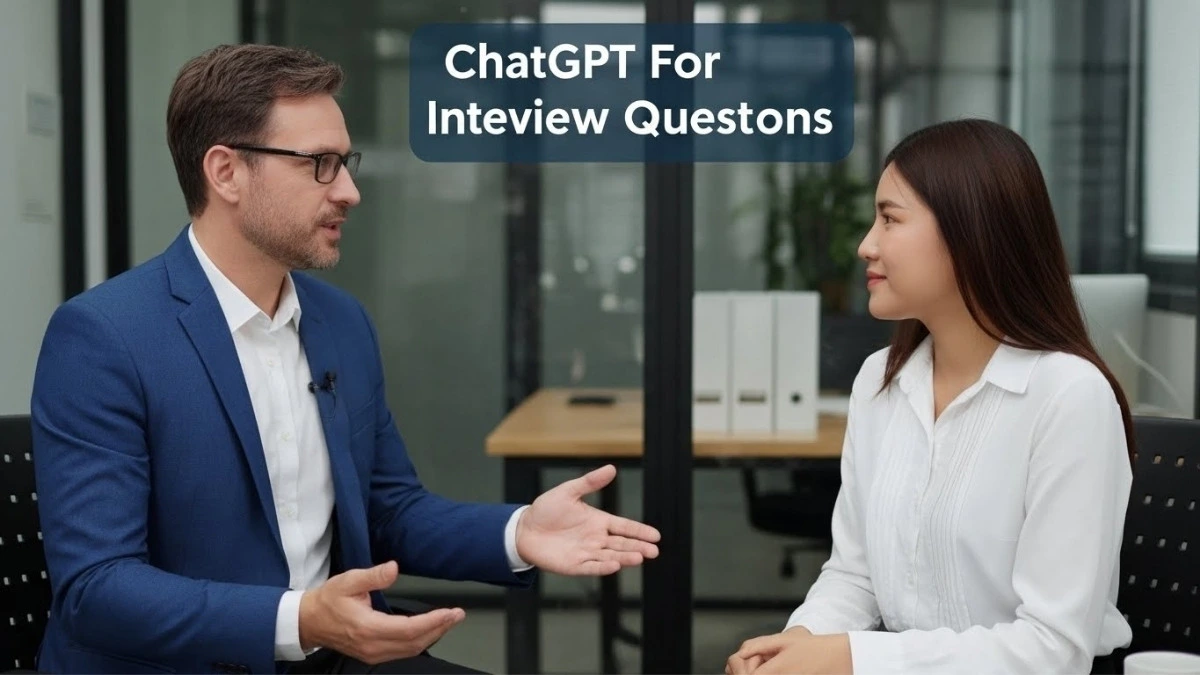

As an HR professional, I know how time-consuming it can be to draft interview questions and evaluate candidates consistently.
Over the years, I’ve experimented with AI tools, and ChatGPT has proven to be a game-changer. It helps me create structured, role-specific questions while saving hours of repetitive work.
In this guide, I’ll share the exact prompts, templates, and workflows I use to streamline interviews without losing the human judgment that matters. You’ll get practical, step-by-step guidance, mini-checklists, and examples tailored for different roles.
This will help you conduct more fair, efficient, and high-quality assessments consistently over time.
TL;DR – ChatGPT For Interview Questions
Step: Use ChatGPT to generate interview questions tailored to each role, then apply scoring rubrics consistently.
How-to guide:
- Identify the role, key skills, and experience level.
- Specify question type (technical, behavioral, situational).
- Prompt ChatGPT with clear instructions for difficulty and expected answers.
- Review AI output and adjust for clarity and relevance.
- Use a scoring template to compare candidate answers consistently.
Example Prompt:
“Generate 10 technical interview questions for a junior Python developer, include difficulty levels and model answers.”
This approach saves time, ensures structured evaluation, and allows HR teams to reuse question templates across multiple roles efficiently.
How To Generate Effective ChatGPT Interview Questions

Generating interview questions with ChatGPT goes beyond simply asking for content. The key is crafting prompts that reflect the role’s nuances and your evaluation standards.
When instructions are precise (defining responsibilities, skills, and expectations), the AI produces questions that are relevant, challenging, and aligned with your hiring goals.
My Personal 5 Steps Prompting Workflow
Here’s the workflow I personally use to create high-quality, role-specific questions:
- Define the role and core skills: Clearly outline responsibilities and both technical and behavioral skills.
Example prompt: “Front-end developer skilled in React, CSS, and problem-solving.” - Specify question types: Decide whether you need technical, behavioral, scenario-based, or situational questions.
Here’s the prompt: “Generate three behavioral and two coding challenge questions for a mid-level React developer that assess creativity and debugging skills.” - Set difficulty levels: Ask ChatGPT to classify questions as easy, medium, or hard to cover the full skill spectrum.
Example prompt: “Create a mix of three easy, three medium, and two hard problem-solving questions for a product manager role.” - Request model answers and scoring guidance: Include expected responses and evaluation criteria for consistent scoring.
Example prompt: “Provide model answers for each question with a scoring rubric out of 5 points, emphasizing practical application.” - Review and refine outputs: Always check questions for clarity, relevance, and alignment with the role. Adjust wording, difficulty, or focus areas to suit your needs.
| Mini Checklist for Role-Specific Questions Before finalizing questions, make sure each output includes:  Role name & level – Ensures questions match experience expectations. Core skills highlighted – Technical and soft skills are addressed. Question variety – Include behavioral, technical, and situational types. Difficulty levels defined – Balanced easy, medium, hard mix. Expected answers or scoring rubric – Enables fair and consistent assessment. Customizable prompts – Adaptable for evolving role requirements. Role name & level – Ensures questions match experience expectations. Core skills highlighted – Technical and soft skills are addressed. Question variety – Include behavioral, technical, and situational types. Difficulty levels defined – Balanced easy, medium, hard mix. Expected answers or scoring rubric – Enables fair and consistent assessment. Customizable prompts – Adaptable for evolving role requirements.This checklist prevents generic outputs and keeps your interview process high-quality and fair. |
Also Read: ChatGPT For Hiring
6 Sample Prompts For HR Teams To Generate Questions
Here are actionable prompts Human Resource (HR) teams can use to generate questions quickly:
1. Senior Project Manager – High-Stress Decision Making
“Generate 5 behavioral questions for a senior project manager handling multi-team projects under tight deadlines. Focus on decision-making under pressure, stakeholder management, and ethical dilemmas. Include sample answers and scoring out of 5 for each.”
2. Junior Python Developer – Real-World Problem Solving
“Create 10 Python coding questions for junior developers, including 3 easy, 4 medium, and 3 hard problems. Focus on real-world applications such as API handling, data parsing, and debugging. Provide model answers and brief explanations of best practices.”
3. Customer Support – Empathy & Conflict Resolution
“Write 5 scenario-based customer support questions for a SaaS company that test empathy, conflict resolution, and de-escalation skills. Include sample ideal responses and tips for evaluating tone, clarity, and problem-solving.”
4. Team Lead – Leadership & Strategy
“Generate 6 leadership evaluation questions for team leads managing cross-functional teams. Focus on communication, strategy implementation, mentoring, and conflict resolution. Include scoring rubric with examples for high, medium, and low performance.”
5. Front-End Developer – React Coding Challenges
“Provide 8 React coding challenges for front-end developers, covering state management, component design, and responsive UI. Include expected outputs, edge cases, and evaluation criteria for efficiency and code readability.”
6. Product Manager – Roadmap Prioritization
“List 5 situational problem-solving questions for product managers making trade-offs in roadmap prioritization. Include scoring guidance, evaluation of decision rationale, and alignment with business goals.”
These prompts can be copied, tailored, and reused. It will save time while maintaining consistency, fairness, and relevance across interviews.
Structuring The Interview Workflow Using ChatGPT

ChatGPT becomes truly useful when it’s embedded into a clear interview workflow, not when it’s used ad hoc. In my experience, the biggest gains come from treating AI as a process assistant across three stages: preparation, execution, and evaluation.
When each stage is structured, you get consistent assessments, fair scoring, and interview assets you can reuse across roles and hiring cycles.
| Quick safety note: – Don’t paste confidential candidate data, personal identifiers, or legally protected information into prompts. – Follow your company’s AI and data-handling policies (and use an approved enterprise AI environment if one exists). – Always keep human reviewers in the loop for final decisions. |
Step 1 – Pre-Interview Setup
Strong interviews are won before the candidate ever joins the call. This is where ChatGPT saves the most time, if you guide it correctly.
Start by defining what actually matters for the role. Instead of vague skill lists, outline competencies you want to observe during the interview.
| Example prompt: “Help me define measurable interview competencies for a front-end developer role focused on React architecture, CSS scalability, and real-world problem-solving.” |
Once competencies are clear, generate questions with structure in mind. Ask for difficulty levels, question intent, and evaluation signals, not just questions.
| Custom prompt: “Generate interview questions mapped to each competency, label them as easy, medium, or hard, and explain what a strong answer demonstrates.” |
Before the interview, create scoring templates that force consistency. Assign weight to high-impact skills and leave space for structured notes.
Tip: Store questions, rubrics, and notes in a shared doc or ATS so every interviewer works from the same framework.
Finally, plan the flow. Lead with technical or role-specific questions while candidates are fresh, then move into behavioral and reflective discussions. This sequencing improves answer quality and keeps interviews on track.
Step 2 – During The Interview
During live interviews, ChatGPT should support structure, not replace judgment.
Ask questions exactly as written to minimize bias and ensure every candidate gets the same opportunity to perform. Use your scoring template to capture evidence-based notes, not summaries like “good communicator.”
After key sections, you can use ChatGPT to assist with synthesis, but only after you record the raw input.
| Real-time support prompt: “Summarize the candidate’s responses and highlight where they demonstrated problem-solving, ownership, or technical depth.” |
Always review AI summaries carefully. Nuance, tone, and context matter, and those are still human responsibilities.
Most importantly, probe when answers are vague. Follow-ups reveal far more than first responses, and no AI can replace that instinct.
Step 3 – Post-Interview Evaluation
This is where structured workflows protect fairness.
Score each response against the predefined rubric before comparing candidates. Avoid adjusting standards mid-way, it’s one of the most common sources of bias.
Once scoring is complete, aggregate results across skill categories. If certain competencies are critical, apply weighted scoring so decisions reflect role priorities.
ChatGPT can help validate your evaluation, not decide it.
| Post-interview prompt: “Compare these candidate summaries against the role competencies and flag strengths or gaps—do not rank candidates.” |
Save everything: questions, rubrics, prompts, and notes. Update them as roles evolve. Over time, this builds a repeatable interview system, not just one-off interviews.
Advanced Tips and Templates For HR Teams

Once a solid interview workflow is in place, the real efficiency gains come from refinement. This is where ChatGPT shifts from a question generator to a process accelerator. It helps HR teams standardize quality, adapt faster to new roles, and reduce manual effort without diluting evaluation rigor.
The key is using role-aware prompts, structured scoring, and reusable assets that evolve with your hiring needs.
Prompt Variations For Different Roles
ChatGPT delivers better outputs when prompts mirror how you think about each role, not when they’re generic.
- Technical roles: For technical positions, prompts should emphasize application, not theory. Go beyond “what” and test “how.”
Customized prompt: “Generate Python interview questions for a junior developer that test real-world usage such as debugging, reading existing code, and handling edge cases. Label difficulty levels and include signals of a strong vs weak answer.” - Managerial roles: Leadership roles benefit from ambiguity-driven questions. The goal is to surface judgment, not memorized frameworks.
Customized prompt: “Create leadership scenario questions for a team lead managing competing priorities, interpersonal conflict, and stakeholder pressure. Include evaluation cues for decision quality, communication clarity, and accountability.” - Customer support roles: Here, tone and reasoning matter as much as the final answer.
Customized prompt: “Provide situational customer support questions where the customer is frustrated or unclear. Include expected resolution approaches and indicators of empathy, ownership, and problem-solving.” - Hybrid roles: For roles that span disciplines, structure prompts to reflect that balance.
Customized prompt: “Write interview questions for a product manager with technical exposure, combining system-level thinking, stakeholder communication, and basic coding literacy. Separate technical depth from behavioral judgment.”
Tailoring prompts this way reduces irrelevant questions and produces outputs you can actually use in live interviews.
Also Read: ChatGPT For Content Marketing
Scoring Template Example
A scoring template helps standardize evaluation and reduces subjective bias. Example:
| Question | Skill Tested | Max Score | Candidate Score | Notes |
| Explain Python decorators | Technical depth | 5 | 4 | Clear explanation, minor gaps |
| Handle an upset client | Communication | 5 | 5 | Calm, empathetic response |
| Prioritize project tasks | Leadership | 5 | 3 | Lacked structured reasoning |
| Debug a failing feature | Problem-solving | 5 | 4 | Logical, efficient approach |
| Resolve team conflict | Leadership | 5 | 5 | Strong mediation skills |
Best practices:
- Assign a higher weight to mission-critical competencies.
- Use consistent scoring language across interviewers.
- Compare AI-generated summaries with human notes to validate.
This structure makes candidate comparison clearer and creates templates you can reuse across roles and hiring cycles.
Time-Saving Tips
Once templates are in place, small optimizations compound quickly.
- Batch-generate interview assets: Use ChatGPT to prepare questions and rubrics for multiple roles or levels in one session. This alone can save hours per hiring round.
- Reuse and evolve scoring rubrics: Keep core templates for recurring roles. Updating a rubric is faster and more consistent than starting from scratch.
- Summarize candidate responses strategically: Instead of full summaries, ask for signal extraction.
Prompt: “Extract evidence of problem-solving, communication, and ownership from these interview notes.”
Always cross-check with your original notes to avoid missing nuance. - Centralize everything: Store prompts, questions, and scoring templates in a shared HR library. This speeds up collaboration and helps new recruiters ramp faster without compromising standards.
Common Pitfalls and How To Avoid Them

ChatGPT can significantly improve interview efficiency, but only when used with clear boundaries. In practice, most problems don’t come from the tool itself, they come from how it’s applied.
Being aware of common pitfalls and building safeguards into your workflow helps you preserve fairness, accuracy, and human judgment throughout the hiring process.
1. Over-Reliance On AI For Judgment
One of the most common mistakes in AI-assisted interviewing is treating ChatGPT as an evaluator rather than a support tool.
While the model can organize responses and highlight patterns, it cannot fully interpret qualitative signals such as communication style, cultural alignment, or interpersonal nuance. These traits often emerge through conversation and observation, not summaries.
To avoid this pitfall, AI output should always be reviewed and contextualized by an interviewer, with final judgments made manually to preserve accuracy and fairness.
2. Ignoring Role Context In Question Generation
Using generic prompts across different roles may save time initially, but it often leads to poorly aligned interviews. When role context is missing, questions fail to reflect the actual skills and challenges of the position, resulting in irrelevant assessments. This can cause strong candidates to be undervalued or weak fits to appear qualified.
The most effective approach is to tailor prompts with clear role expectations, experience levels, and scenario-based requirements so the questions mirror real job demands.
3. Overlooking Bias In AI-Generated Questions
AI-generated questions can unintentionally reflect bias if they are not carefully reviewed. Certain phrasing, assumptions, or examples may favor specific backgrounds or communication styles, which can lead to unfair candidate evaluation. This risk increases when questions are used without scrutiny.
To maintain inclusivity and compliance, all AI-generated content should be reviewed for neutrality. Also, prompts should be adjusted to encourage balanced treatment of different backgrounds and profiles.
4. Failing To Maintain Updated Templates
Interview templates and scoring rubrics lose effectiveness when they remain unchanged over time. As roles evolve and required skills shift, outdated questions may assess obsolete knowledge rather than current competencies. This reduces the overall quality of hiring decisions.
Regularly reviewing and updating AI-generated templates ensures that interviews stay aligned with organizational needs and reflect modern role expectations.
5. Skipping Human Review of Scoring Outputs
Although AI-generated scoring can help identify patterns and speed up comparisons, it should never be accepted without verification. Automated scoring may overlook context, growth potential, or nuanced strengths that are clear to a human interviewer.
To avoid incorrect or biased decisions, AI scores should be cross-checked against structured rubrics and interviewer notes, with adjustments made where necessary. AI insights work best as recommendations, not final verdicts.
Final Summary – ChatGPT For Interview Questions
After using ChatGPT across multiple interviews, I’ve learned that its real value comes from structure, not automation. When I guide it with clear prompts and scoring criteria, it consistently saves time on question design and evaluation, while I stay in control of the final decision.
By pairing AI-generated questions with standardized rubrics and manual review, I’m able to keep interviews fair, focused, and role-specific. Used this way, ChatGPT acts as a practical assistant in the hiring process, not a replacement for professional judgment.
Create Better Interviews In Less Time
This guide walks you through how I actually use ChatGPT to design interviews that are structured, fair, and repeatable. You’ll learn how to move from vague questions to role-specific evaluations you can reuse confidently.
What you’ll get inside
- Follow a 5-step prompting workflow to generate role-specific questions
- Get 6 copy-ready prompt templates for technical, managerial, and hybrid roles
- Use scoring rubrics and checklists to reduce bias and stay consistent
- See real prompts for pre-interview, live interviews, and post-evaluation
- Learn how to avoid common AI pitfalls with practical safeguards
Online, copy-paste-ready guide.
Frequently Asked Questions (FAQs)
Can ChatGPT replace human interviewers?
No. ChatGPT assists with generating questions and scoring guidance, but human judgment is essential for evaluating qualitative traits, cultural fit, and nuanced responses. AI supports, not replaces, the interviewer.
How accurate are AI-generated interview questions?
Accuracy depends on prompt quality, specificity, and role context. Always review generated questions for relevance, clarity, and fairness before using them in live interviews.
Can I use ChatGPT for multiple roles?
Yes. Customize prompts for each position to generate relevant questions, difficulty levels, and scoring criteria. Templates can be reused and adapted for different roles efficiently.
Does ChatGPT help reduce bias in hiring?
ChatGPT can reduce repetitive bias in question drafting and scoring, but human oversight is necessary. Review AI outputs to ensure fairness and inclusivity across all candidates.