


The world of content creation has changed, and I’m not exaggerating.
Companies are increasingly relying on AI tools like ChatGPT for content marketing, creation, optimization, and brainstorming. And the results have been overwhelmingly positive.
This leaves those still doing everything manually at a significant disadvantage. Not only are they sticking to outdated strategies, but avoiding automation also means higher labor costs and slower turnaround times.
If you’re ready to catch up, this guide is a goldmine of information. I’ll share my personal collection of proven prompts, efficient workflows, and ready-to-use templates that can help you create better content faster, reduce errors, and stay ahead of the competition.
TL;DR – Key Takeaways
- Set Clear Goals: Define your audience, content types, and KPIs before prompting ChatGPT.
- Create a Prompt Library: Organize prompts for ideation, drafting, editing, and SEO optimization.
- Integrate Workflows: Use version control, CMS handoffs, and scheduled reviews to streamline production.
- Use Proven Prompts: Generate blog ideas, social posts, emails, landing pages, and edits quickly.
- Automate Repeated Tasks: Apply workflow prompts for content calendars, repurposing, and email sequences.
- Track Metrics: Measure time saved, engagement, and error reduction to evaluate ROI.
Why Use AI For Content Marketing
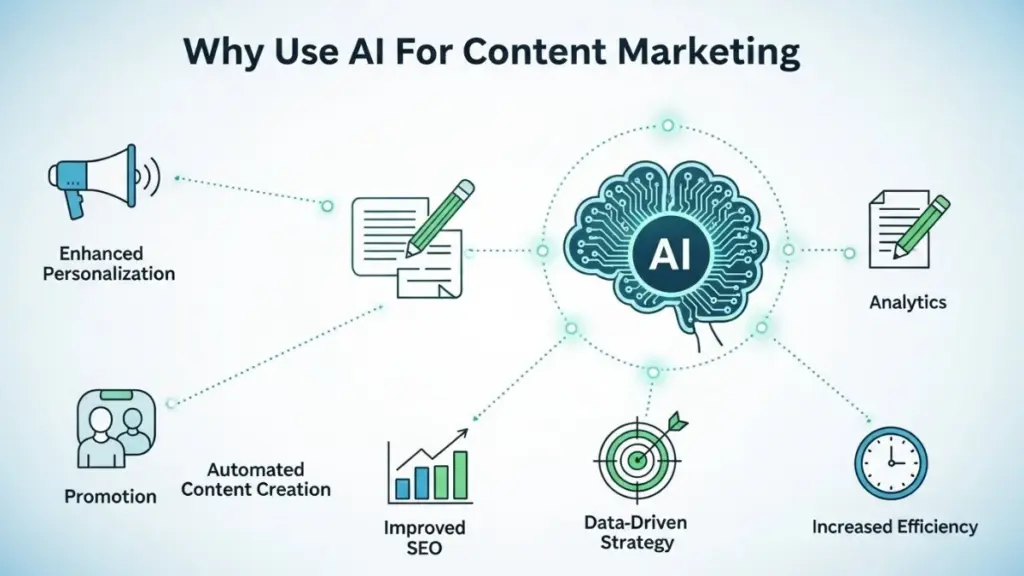
Over 51% of companies use AI tools to optimize content, 50% use them for content creation, and 45% rely on AI for brainstorming new ideas. These figures show that over half of companies now use AI for at least one part of their content workflow, and many teams apply AI across multiple stages rather than a single task.
The reason is simple: AI helps teams save time, reduce errors, and scale content production without sacrificing quality.
One report also suggests that over 80% of respondents experienced increased productivity after adopting AI tools, which highlights the tangible impact of integrating AI into content workflows.
Why ChatGPT Matters for Content Teams
When it comes to AI tools, we have a lot of options, but my personal favorite is ChatGPT. Its versatility and ease of use make it ideal for every stage of content creation.
From generating fresh ideas and drafting blogs to optimizing existing copy and maintaining brand consistency, ChatGPT streamlines workflows and accelerates production.
Beyond efficiency, it also empowers teams to focus on strategy and creativity rather than repetitive tasks. You still retain full control over the final output, but with AI handling time-consuming groundwork, your content becomes more consistent, polished, and aligned with your goals.
| Note: It’s important to remember that ChatGPT is a tool, not a replacement for human creativity. Teams review outputs, fine-tune messaging, and add context to ensure content is accurate, engaging, and relevant. |
Core Benefits of Using ChatGPT For Content
- Time-saving for repetitive tasks: You can automate brainstorming, draft creation, and even meta description generation.
- Increased content output without compromising quality: Initial drafts are ready faster, letting you focus on editing and strategy.
- Adaptability across content types: From blog posts and newsletters to social media captions, ChatGPT can handle multiple formats.
These benefits become even more powerful when paired with structured workflow templates. For example, a weekly content calendar linked with AI prompts ensures every draft starts from a consistent, organized framework. You might schedule blog ideation on Mondays, social media drafts on Wednesdays, and email sequences on Fridays.
Setting Up Your ChatGPT Content Workflow In Three Steps
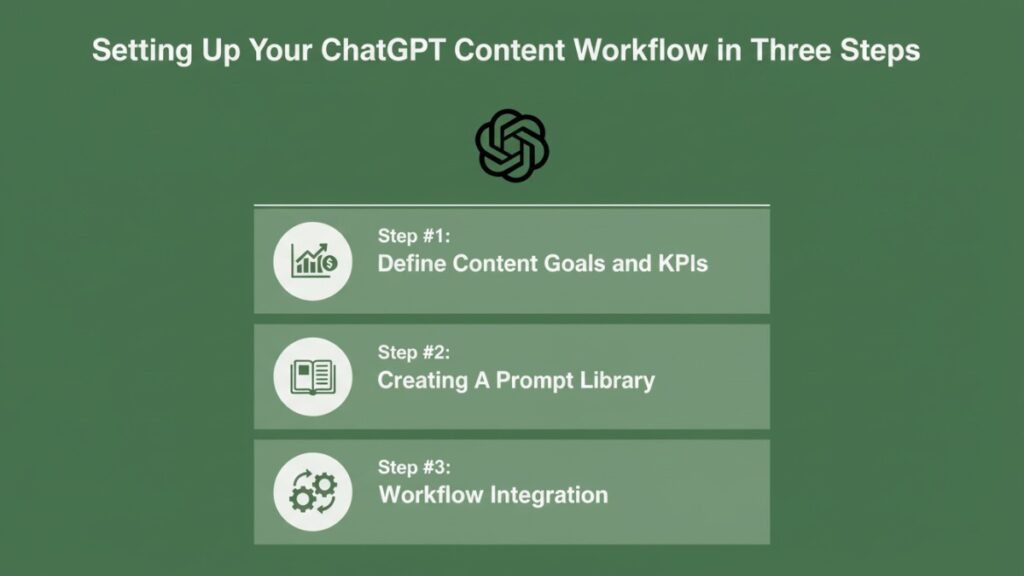
Now that you understand the importance of AI and the tool I use, it’s time to understand how you can set up ChatGPT for content marketing.
I’ll guide you through step-by-step setup, including defining goals, creating prompt libraries, and integrating outputs with your content management system.
| Quick data & privacy note: When using ChatGPT in real-world content workflows, avoid pasting confidential information, customer PII, or unreleased campaigns into prompts. Always follow your company’s AI and data-handling policies, use approved environments if available (such as Team or Enterprise plans), and ensure a final human review for accuracy, claims, and brand or legal risk. |
Step #1: Define Content Goals and KPIs
Before using ChatGPT, clarify what your content should achieve. Identify your target audience, preferred content types, and key performance indicators (KPIs) like page views, engagement rate, or conversion rate.
- Start by listing audience personas and their pain points.
- Decide which content formats deliver the highest ROI: blogs, newsletters, social posts, or case studies.
- Set measurable targets: e.g., “Increase blog traffic by 15% in three months” or “Generate five social media posts per week.”
Having clear goals allows you to craft precise prompts. For example, instead of asking “Write a blog post,” you prompt: “Generate a 500-word blog post about SaaS email marketing tips targeting mid-size B2B companies, SEO optimized for ‘email automation tools’.” This makes sure the outputs align with objectives and metrics.
Step #2: Creating A Prompt Library
A prompt library standardizes your requests to ChatGPT and saves time. Categorize prompts for different tasks: ideation, drafting, editing, and optimization.
Step-by-step setup:
- Ideation prompts: “List 10 blog topics in [industry] with potential viral appeal.”
- Drafting prompts: “Write a 200-word LinkedIn post explaining [topic] with a professional tone.”
- Editing prompts: “Rewrite this paragraph for clarity and conciseness while keeping brand voice.”
- SEO optimization prompts: “Suggest meta descriptions under 155 characters for the blog topic [topic].”
You can store these prompts in a spreadsheet or Notion, tagging them by content type, target platform, and audience. Doing so allows you to quickly select the right prompt for any project, reduces repetitive thinking, and ensures that every piece of content starts from a structured, effective input.
Step #3: Workflow Integration
Integrating ChatGPT outputs into your workflow ensures smooth handoffs between AI, editors, and marketers.
- Drafts generated in ChatGPT can be exported to Google Docs or your CMS.
- Use version control to track revisions and avoid losing edits.
- Schedule daily or weekly review sessions where team members refine AI outputs.
Example workflow:
- Generate blog topics in ChatGPT on Monday.
- Draft content on Tuesday.
- Edit and optimize for SEO on Wednesday.
- Schedule publishing on Thursday.
- Track performance metrics on Friday.
By following this structure, you create a repeatable system where AI supports productivity without replacing critical human oversight.
Also Read: ChatGPT For Sales Outreach
Proven ChatGPT Prompts For Content Marketing

Having set up a workflow for ChatGPT, it’s time to explore prompts. These are the prompts I personally use to streamline content creation, improve efficiency, and maintain quality across multiple channels.
By leveraging these proven prompts, you can generate ideas, drafts, and optimizations in minutes. This will save hours of manual work while keeping your content consistent and engaging.
Blog Ideation Prompts
Generating fresh, relevant blog ideas is one of the biggest challenges for content teams. Here are some personalized prompts to help you come up with compelling topics quickly:
1. Industry Trend Exploration:
“List 10 engaging blog topics in [industry/niche] that reflect current trends and emerging challenges. Make them suitable for an audience of [target audience].”
2. Problem-Solving Angle:
“Suggest 8 blog ideas in [industry/niche] that address common problems or questions faced by [target audience]. Include a mix of how-to and advice-focused titles.”
3. Competitor Inspiration:
“Analyze popular blog topics in [competitor or industry] and generate 10 unique, attention-grabbing blog ideas for [brand name] that stand out.”
4. Content Repurposing:
“Generate 7 blog topic ideas that repurpose existing content from [platform or previous posts] into fresh, engaging articles for [target audience].”
5. Seasonal & Timely Content:
“List 10 blog ideas in [industry/niche] related to upcoming events, holidays, or seasonal trends that will appeal to [target audience] and drive engagement.”
Copywriting & Content Writing Prompts
Once you have your blog topics or campaign ideas, the next step is crafting compelling copy. These personalized ChatGPT prompts help you generate engaging, persuasive content across different platforms:
1. Social Media Captions:
“Write 5 attention-grabbing Instagram captions for [product/service] that appeal to [target audience] and encourage engagement. Keep the tone [friendly/professional/witty].”
2. Email Marketing:
“Create a 150-word email promoting [product/service] for [target audience]. Include a clear call-to-action and maintain a [friendly/professional] tone.”
3. Landing Page Copy:
“Write persuasive landing page copy for [product/service] targeting [audience], highlighting key benefits, features, and a strong call-to-action.”
4. Ad Copy:
“Generate 5 variations of Google/Facebook ad copy for [product/service] that are under 90 characters, catchy, and focused on [benefit or USP].”
5. Brand Storytelling:
“Write a short, engaging story about [brand/product] that connects with [target audience] and emphasizes [brand value or mission].”
6. Blog Post Drafting:
“Write a 700-word blog post on [topic] for [target audience]. Include an introduction, 3 main points with examples, and a conclusion. Maintain a [professional/friendly/informal] tone.”
Tip: Always review outputs for brand voice, legal compliance, and messaging accuracy. ChatGPT assists, but human oversight ensures quality.
Content Editing Prompts
After drafting, the next step is refining your content for clarity, readability, and brand consistency. These ChatGPT prompts help you edit while maintaining your unique voice:
1. Clarity and Conciseness:
“Edit the following paragraph for clarity and conciseness while keeping the original meaning: [insert text].”
2. Tone and Style Adjustment:
“Rewrite this content to match a [friendly/professional/authoritative] tone suitable for [target audience]: [insert text].”
3. Grammar and Spelling Check:
“Proofread the following text for grammar, spelling, and punctuation errors, and suggest improvements: [insert text].”
4. Readability Enhancement:
“Improve the readability of this content for [target audience] by simplifying sentences, using active voice, and breaking up long paragraphs: [insert text].”
5. Brand Voice Consistency:
“Edit this content to ensure it aligns with [brand name]’s voice and style, keeping it consistent across all channels: [insert text].”
Workflow Prompts For Repeated Tasks
Repeated content tasks can quickly consume time and resources if handled manually. This is why I always recommend automating them so you can focus on the real issues. Here are some prompts you can use for repeated tasks:
1. Weekly Blog Workflow Prompt
“You are a content strategist for [brand]. Create a weekly blog plan with 3 blog topics related to [industry]. For each topic, include a working title, target keyword, search intent, and a brief outline. Maintain a [brand voice] tone.”
2. Content Calendar Planning Prompt
“Create a 7-day content calendar for [platforms] focused on [topic or campaign]. Include post ideas, content format, key message, and CTA for each day. Ensure consistency with [brand voice] and goals.”
3. Blog-to-Social Repurposing Prompt
“Repurpose this blog post into 5 social media posts for [platform]. Keep the messaging concise, engaging, and aligned with the original article’s core takeaway. Include relevant hashtags and CTAs.”
4. Email Campaign Workflow Prompt
“Develop a 3-email sequence for [product/service] targeting [audience]. Include subject lines, key talking points, and CTAs. Maintain a consistent tone and focus on one clear goal per email.”
5. Editing & Quality Control Workflow Prompt
“Review the following content for clarity, grammar, SEO best practices, and brand voice consistency. Suggest improvements and provide a final polished version ready for publishing: [insert content].”
Also Read: ChatGPT For Account Management
Measuring ROI of ChatGPT In Content Marketing

To justify AI adoption, you need measurable results. I’ll show what metrics marketing teams can track when using ChatGPT for content marketing. Monitoring these indicators helps evaluate productivity gains, content quality, and efficiency improvements over time.
Metrics to Track
- Content Production Time Saved: You can measure the hours saved by comparing manual drafting versus AI-assisted drafting. For example, generating blog outlines or social posts with ChatGPT often takes 50–70% less time than starting from scratch. Track average time per task before and after adoption.
- Engagement Increase per Channel: Use analytics tools to track engagement metrics such as likes, shares, comments, click-through rates, and page views.
- Error Reduction in Drafts: ChatGPT helps reduce common errors in grammar, formatting, and readability. Track the number of mistakes found during review before and after AI assistance.
ChatGPT Efficiency Benchmarks (Example Data)
| Content Task | Prompt Example | Average Time Saved |
| Blog Ideation | “List 10 high-engagement blog topics in [industry] targeting [audience], based on current trends and search intent.” | 20–30 minutes |
| Blog Drafting | “Write a 1,000-word blog post on [topic] with an introduction, subheadings, and a clear conclusion. Use a professional tone.” | 45–60 minutes |
| Email Marketing Copy | “Draft a 150-word promotional email for [product/service] targeting [audience], including a compelling subject line and CTA.” | 15–20 minutes |
| Social Media Posts | “Generate 5 social media posts for [platform] promoting [content/product], each with a unique hook and CTA.” | 10–15 minutes |
| Content Editing & Refinement | “Edit the following content for clarity, conciseness, and grammar while maintaining brand voice: [insert text].” | 20–25 minutes |
| SEO Meta Descriptions | “Write 3 SEO-optimized meta descriptions under 155 characters for the blog topic [topic].” | 10 minutes |
| Content Repurposing | “Repurpose this blog post into a LinkedIn post, Twitter thread, and email summary while keeping the core message intact.” | 25–30 minutes |
Note: These numbers are based on internal/example projects and are meant as illustrative benchmarks — your actual results will vary by team and content complexity.
Final Summary
Using ChatGPT for content marketing works best when you combine structured workflows, clear prompts, and ready-to-use templates. With this setup, you can boost productivity, maintain quality, and handle repetitive tasks efficiently, without replacing human judgment. Here’s what you can do:
- Build a Prompt Library: Categorize prompts for ideation, drafting, editing, and SEO optimization. This ensures repeatable quality outputs.
- Integrate Workflows: Align AI outputs with your CMS and team review process. Structured handoffs reduce errors and streamline production.
- Use Templates: Standardize blog posts, social media content, and email sequences for efficiency and consistency.
- Track Metrics: Measure content production time, engagement, and errors to assess ROI. This informs strategy and identifies improvement areas.
- Maintain Human Oversight: ChatGPT assists with drafts and suggestions. Review and approve all outputs to ensure accuracy and brand alignment.
Follow these practices, and you’ll turn ChatGPT into a reliable productivity tool while keeping full control over content quality.
Supercharge Your Content With ChatGPT Workflows
Want a repeatable system for creating high-quality content faster with ChatGPT?
The ChatGPT Content Toolkit gives you proven prompts, workflows, and templates you can immediately plug into your day-to-day work.
What’s included in the toolkit:
- 5 blog ideation prompts to generate timely, high-engagement topics
- 6 copywriting and content writing prompts for emails, social posts, and landing pages
- 5 editing and optimization prompts to maintain clarity, tone, and brand voice
- 5 workflow prompts for repeated tasks like content calendars, repurposing, and email sequences
- Suggested metrics to track productivity, quality, and ROI
Delivered as a PDF template you can duplicate and adapt to your own workspace.
Ideal for solo creators, small content teams, and marketing managers who want a structured, repeatable content workflow without starting from scratch.
Save hours per week, standardize your workflow, and ensure every piece of content is polished, relevant, and on-brand.
Frequently Asked Questions (FAQs)
Can beginners use ChatGPT for content marketing?
Yes, with predefined prompts, even non-technical marketers can generate high-quality content.
How do I track AI content performance?
Use KPIs like engagement, clicks, and production time before vs. after using ChatGPT.
Can ChatGPT replace my marketing team?
No, it enhances productivity and creativity, but human oversight ensures quality and strategy alignment.
Are templates reusable across different campaigns?
Yes, templates can be adapted for blogs, emails, and social media content consistently.




Add your first comment to this post